Your Website: Is It a Lead-Gen Asset or a Security Risk?
If you run a contractor shop, trucking company, welding outfit, excavation business, or oilfield service company in the Uinta Basin, your website probably does two jobs at once. It brings in quote requests, and it helps you find hard-to-hire people like CDL drivers, mechanics, welders, and operators. That makes it a business tool, not just an online brochure.
It also makes your site a target.
When a website gets compromised, the damage usually shows up in plain business terms. Contact forms start pushing spam. Applicant submissions disappear or get intercepted. Bid request details end up exposed. Customers see browser warnings, or your site starts redirecting to junk pages you didn't create. Then your crew is chasing a website mess while still trying to run jobs, answer phones, and keep equipment moving.
That's the core problem for rural businesses. Most owners don't have an in-house security team, and most attacks don't care whether your office is in Duchesne, Roosevelt, Vernal, or out on a county road with spotty service.
The good news is you don't need enterprise complexity to get the basics right. You need disciplined website security best practices, applied in a way that works for a field-based business with limited time and real operational pressure.
Table of Contents
- 1. SSL/TLS Certificates and HTTPS Implementation
- 2. Web Application Firewalls
- 3. Strong Password Policies and Authentication
- 4. Regular Software Updates and Patch Management
- 5. Regular Backup and Disaster Recovery
- 6. Principle of Least Privilege and User Access Control
- 7. Security Headers and Content Security Policy
- 8. Input Validation and Output Encoding
- 9. Security Monitoring and Logging
- 10. Employee Security Awareness and Training
- 10-Point Website Security Best Practices Comparison
- Build Your Digital Fortress with a Local Partner
1. SSL/TLS Certificates and HTTPS Implementation
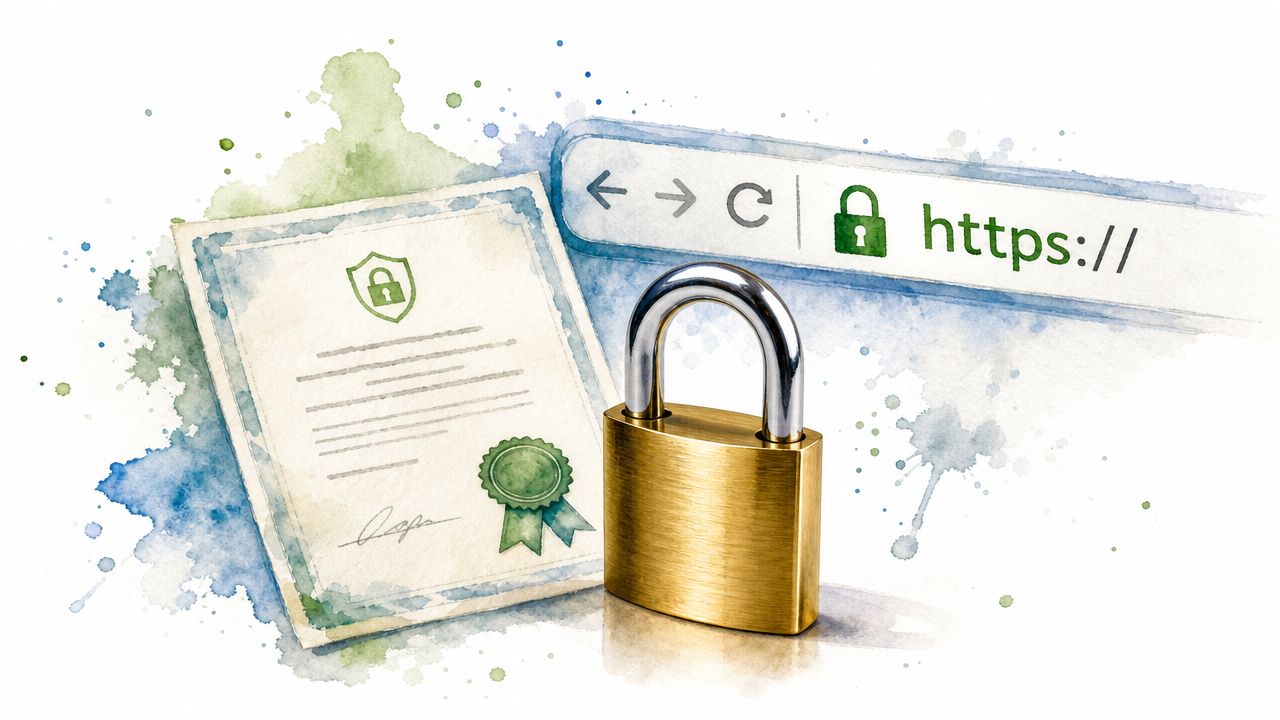
Trusted encryption on every page
If your website has a contact form, quote request form, hiring page, login screen, or payment connection, HTTPS is the floor. It encrypts data moving between the visitor's browser and your server, which matters when someone is sending job history, phone numbers, driver qualification details, or project information through your site.
For contractors and oilfield service companies, this isn't theoretical. A driver application on a recruiting page carries personal data. A bid request can include project scope and location details. If your site still loads over HTTP, or if parts of it load with mixed content, you're telling browsers and visitors that your setup isn't buttoned up.
If you're building on WordPress, a good business WordPress website setup should include HTTPS from day one, not as an afterthought.
What to check in the real world
A lot of owners think, “I have the padlock, so I'm done.” Not quite. I've seen sites with a valid certificate but broken redirects, old image links still loading over HTTP, or subdomains left unsecured.
Use a trusted certificate authority, force all traffic to HTTPS, and enable HSTS so browsers stop trying the insecure version first. If you run multiple subdomains, a wildcard certificate can make management cleaner. For teams that also secure remote connections between staff and systems, this guide for service providers on VPNs is a useful companion read.
Practical rule: If an applicant, customer, or vendor can submit information on your site, every form page and every asset on that page should load over HTTPS. No exceptions.
2. Web Application Firewalls

Why a WAF matters for small business sites
A truck is out on a job near Roosevelt, the office manager is handling payroll, and your website starts getting hammered with fake form submissions and repeated login attempts. Nobody on your crew has time to babysit server logs. A Web Application Firewall helps by screening traffic before it hits your site, your forms, or your hosting account.
That matters for contractors, oilfield service companies, and other rural businesses that rely on a website but spend their day in the field. Job application forms attract spam bots. Bid request pages can be scraped. Old plugin URLs get probed whether your company has ten employees or a hundred. Public websites get targeted because they are public, not because the attacker knows your business by name.
Cloudflare recommends protections such as DDoS mitigation, bot management, Zero Trust access controls, and security analytics for internet-facing properties, all of which point to the same practical conclusion. A WAF is one of the simplest ways to reduce junk traffic and block common web attacks before they turn into downtime or cleanup work (Cloudflare application security guidance).
How to use one without breaking your site
Start with a service that fits your stack and your budget. Cloudflare and Sucuri are common picks for small business sites. AWS WAF makes sense for teams already on Amazon infrastructure. Wordfence can help on WordPress, but plugin-level protection is not the same as filtering traffic before it reaches the server.
Set the WAF up in monitoring mode first if the provider allows it. That gives you a chance to see normal traffic patterns before you start blocking requests. I recommend paying close attention to login pages, contact forms, application forms, XML-RPC, and any page where someone can upload a file or submit project details.
The trade-off is straightforward. Loose rules let more junk through. Aggressive rules can block a legitimate customer, vendor, or applicant.
That matters here in the Basin, where owners often need to log in from a truck, a job trailer, a hotel, or a cell connection that does not look consistent from day to day. If you use country blocks, IP reputation rules, or strict bot filters, test them against how your staff and partners access the site.
A few settings usually deliver the most value:
- Rate limit admin and login URLs: This cuts down brute-force attempts and reduces server strain.
- Protect forms with bot controls: Quote requests, job applications, and equipment inquiries are common spam targets.
- Restrict access to unused features: If you do not need XML-RPC or certain API endpoints, block or limit them.
- Review logs weekly: Look for repeated hits on old plugin paths, suspicious query strings, and spikes tied to specific pages.
- Pair WAF rules with business password best practices: Filtering bad traffic helps, but weak admin credentials still create avoidable risk.
A WAF does not replace patching, access control, or strong login security. It buys time, reduces noise, and stops a lot of low-effort attacks from ever reaching the parts of your website that matter to the business.
3. Strong Password Policies and Authentication
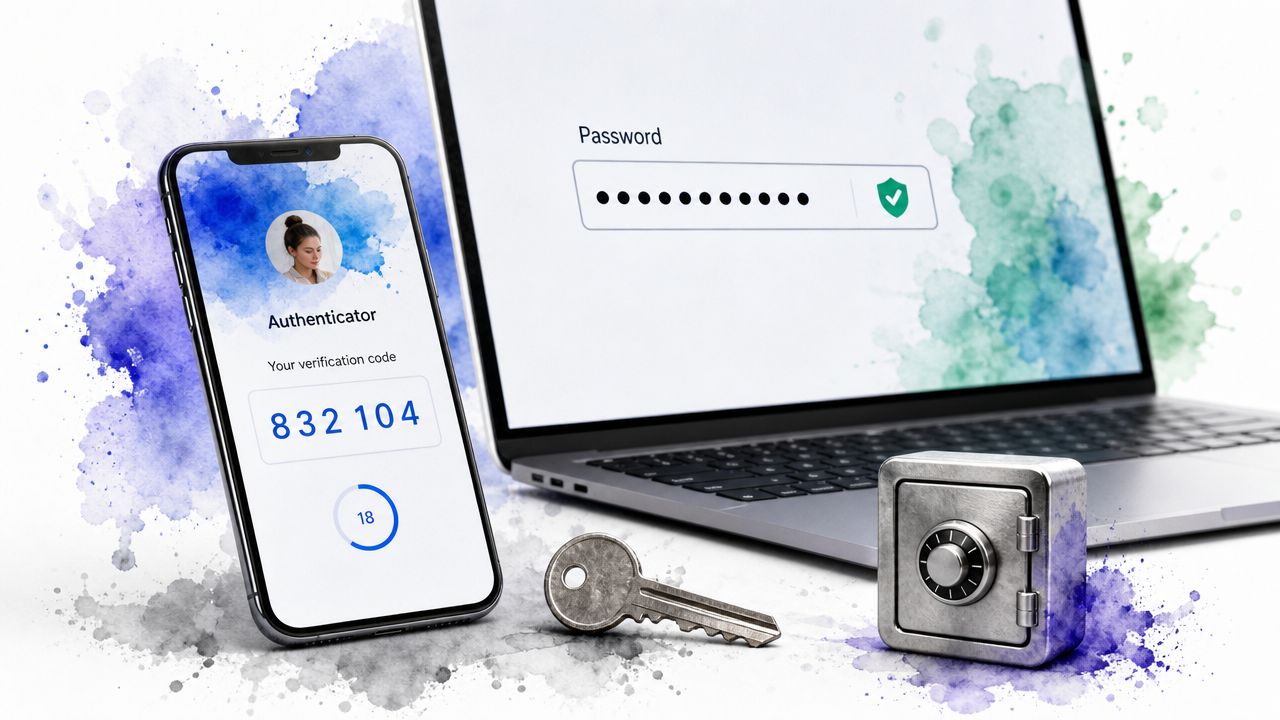
Lock down the accounts that matter most
A lot of website break-ins in small business start with a login, not some Hollywood-style hack. On a contractor or oilfield services site, that can mean access to job applications, bid details, contact forms, invoices, or the admin tools that control your whole online presence.
Start with the accounts that can do real damage. WordPress admin matters. So do your hosting account, domain registrar, business email, page builder login, and any service that can change DNS, publish content, reset passwords, or add users. If you are still deciding what kind of site setup fits your business, your choice of small business website platforms affects how easy it is to manage authentication, user roles, and account recovery.
WordPress deserves extra attention because it is common, heavily targeted, and often managed by busy owners who are also running crews, bidding jobs, and handling hiring. One stolen admin password combined with sloppy account habits can turn into a poisoned site, fake invoices, or a locked-out owner by the end of the day.
Use a password manager such as 1Password, Bitwarden, or LastPass. Give every important account its own long, unique password. Then turn on MFA with an authenticator app instead of SMS when you can. SMS is better than nothing, but app-based MFA usually gives you better protection.
Authentication that still works for busy crews
The hard part is not knowing what to do. The hard part is setting it up so your office manager, estimator, outside marketer, and after-hours web helper can still get in without sharing one admin login.
Better account structure solves most of that.
- Separate ownership from daily use: Keep one owner-level account for emergencies and major changes. Use lower-permission accounts for normal updates, hiring posts, and content edits.
- End shared logins: If multiple people use the same credentials, you lose accountability the minute something changes or breaks.
- Remove access the same day someone leaves: That includes employees, freelancers, and temporary help brought in for a hiring push or a redesign.
- Review who has access every quarter: Rural businesses often add vendors and forget them. Old accounts stay behind long after the project ends.
One plain rule works well here in the Basin. If a password lives in a notes app, spreadsheet, text thread, or email chain, treat that account as exposed and replace the credentials.
For a broader look at cleaning up weak credential habits, this piece on business password best practices is worth reading.
4. Regular Software Updates and Patch Management
Updates are where many breaches start or stop
A lot of site owners say they “keep things updated,” but when you dig in, it usually means they click update when they remember. That isn't patch management. That's gambling.
OWASP says its current released version is the OWASP Top Ten 2025, and it remains the most widely recognized baseline for web application risk awareness. One reason it stays useful is that it keeps attention on issues like vulnerable and outdated components, insecure configuration, authentication failures, and access control problems. That maps directly to how business websites get compromised.
WordPress sites need a routine, not good intentions. Core updates, plugin updates, theme updates, PHP compatibility, and hosting stack updates all matter. If your website runs your hiring funnel or lead generation, patching isn't optional maintenance. It's part of operations.
A patching routine that works
A good patching system is simple enough that someone follows it. For many small businesses, that means a staging site, scheduled update windows, and a clear priority order.
Recent operational guidance for small business sites also points out a gap most generic lists miss. Unused plugins and themes should be removed, backups should be frequent and tested, and patching SLAs should be defined so critical fixes are applied in 24 to 48 hours (small business website security guidance).
If you're still deciding what platform gives you the best control over updates and security, this comparison of small business website platforms can help you avoid setups that become hard to maintain.
- Update by risk first: Security fixes, login-related plugins, form tools, and anything touching payments or file uploads come first.
- Remove what you don't use: Disabled plugins and forgotten themes still create exposure.
- Test before and after: Check forms, menus, mobile layouts, and admin access after updates. Don't assume the site is fine because the dashboard says “success.”
5. Regular Backup and Disaster Recovery
Backups are only real if you can restore them
Most owners feel good once they hear “the site is backed up.” I don't. I want to know where the backup lives, how often it runs, whether it includes both files and database content, and whether anyone has tested a restore.
If your site gets hacked, corrupted, deleted, or broken during an update, the backup is what keeps a bad day from turning into a business outage. That's especially true if your site stores quote requests, applicant submissions, or customer inquiries that your office depends on.
A strong backup plan includes the website database, uploaded files, theme files, plugin files, configuration, and any critical settings. Tools like UpdraftPlus, BackWPup, JetBackup, and Acronis can help, but the tool isn't the strategy. The strategy is what matters.
What a practical backup plan looks like
For a contractor or field-service business, I'd keep it boring and dependable. Automated backups, offsite storage, encryption where sensitive data is involved, and written restore steps that someone can follow under pressure.
A backup you've never restored is a theory, not a recovery plan.
Use the 3-2-1 mindset if you can. Keep multiple copies, use different storage locations, and make sure at least one copy sits offsite. Then test restoration on a staging copy so you know the backup boots, displays correctly, and preserves your forms and database content.
The biggest miss I see is not backup frequency, but backup confidence. Owners assume the host has it handled. Sometimes they do. Sometimes they only keep partial snapshots, short retention windows, or server-level copies that don't solve a clean restore problem after malware spreads.
6. Principle of Least Privilege and User Access Control
Give access by job role
Not everyone who touches your website needs admin rights. Your office manager might need access to form submissions. Your marketing person might need blog access. A third-party ad vendor might only need analytics or landing page access. A developer might need temporary higher privileges, but not forever.
Least privilege means every user gets only the access needed to do the job. No more.
That matters even more for companies with remote operators, distributed teams, outside bookkeepers, or multiple vendors touching the same site. Research on cybersecurity adoption in SMEs found that adoption improves when tools fit existing workflows, are easy to use, and have support from management and trusted vendors, which lines up with what works in the field. Security controls stick when they don't fight daily operations (SME cybersecurity adoption research).
Where contractors usually get this wrong
The usual problems are predictable. Shared admin accounts. Old vendor logins that never got removed. An employee who only edits pages but still has plugin and theme access. A former marketing freelancer with access to DNS. Those aren't edge cases. They're common.
Use WordPress roles properly. Subscriber, Contributor, Author, Editor, and Administrator exist for a reason. If you need more control, tools like User Role Editor can narrow permissions further.
- Review access quarterly: Ask who still needs access and who doesn't.
- Use separate admin accounts: One for sensitive changes, another for routine work.
- Disable accounts immediately on exit: Don't wait for the end of the week.
For businesses with remote crews and outside partners, the hard part is balancing security with usability. Guidance aimed at current website threats also points out that teams need practical controls like MFA, logging, minimized permissions, input validation on both front-end and back-end systems, and turning off directory browsing, without making the business unusable for people working offsite (website security guidance for 2025 threats).
7. Security Headers and Content Security Policy
Quiet protections that matter
Security headers aren't flashy, but they close off a lot of unnecessary risk. They tell browsers how to behave when rendering your website and handling content. Done right, they reduce exposure to clickjacking, content sniffing, and sloppy downgrade behavior.
Start with the practical basics. HSTS helps force secure connections. X-Frame-Options helps stop your site from being embedded in malicious iframes. X-Content-Type-Options reduces content-type guessing by the browser. Referrer policy settings can reduce information leakage.
A lot of contractor sites run extra scripts from chat widgets, form plugins, analytics tools, map embeds, and ad platforms. That creates convenience, but it also expands the client-side attack surface.
Here's a good walkthrough on the browser side of that work:
Roll out CSP carefully
Content Security Policy is where many teams either give up or overdo it. A strict CSP can block malicious scripts, but it can also break half your site if you launch it without knowing what resources the site needs.
Start in report-only mode. Review what the browser says it's trying to load. Then tighten your script-src, style-src, img-src, and frame-src rules over time. If your hiring page needs an embedded form or your map page needs a trusted external script, allow that specific source and nothing broader than necessary.
- Avoid inline scripts when possible: External files are easier to manage and secure.
- Use self-hosted resources when practical: Fewer third-party dependencies usually means fewer surprises.
- Retest after redesigns: New builders, widgets, and plugins often introduce new external calls.
8. Input Validation and Output Encoding
Forms are attack surfaces
If your website accepts any user input, it has to treat that input as untrusted. Every contact form, hiring form, quote form, search box, comment field, and file upload can become a path for abuse if validation is weak.
This is especially important for Basin businesses using websites to recruit skilled labor. Job applications often include resumes, licenses, certifications, and free-text work history. If your site accepts any file type, trusts only front-end validation, or echoes submitted data back onto a page without encoding it properly, you're inviting trouble.
Input validation checks whether the data matches what you expect. Output encoding makes sure the site displays that data safely in HTML, JavaScript, or other contexts. You need both.
Practical validation rules
The fastest way to improve this area is to stop being permissive.
- Validate on the server: Browser-side checks are helpful for users, but attackers can bypass them.
- Use allowlists: Accept known-good formats for phone numbers, email fields, dates, and ZIP codes instead of trying to block every bad input.
- Restrict uploads hard: Check file type by content, not just extension. If a hiring form only needs PDF resumes, don't allow everything else.
- Use prepared statements: Database queries should never paste raw user input directly into SQL.
- Encode before display: If a user types HTML or script-like content into a form field, the browser should display text, not execute anything.
A common local example is a quote request form that allows a message box plus document upload. That setup is useful. It also needs tighter rules than most cheap form plugins use out of the box. Good website security best practices don't just say “have a contact form.” They make sure the form can't become the weak link.
9. Security Monitoring and Logging
You can't respond to what you don't see
A lot of small businesses find out about a compromise from a customer. That's too late.
You need logs and alerts that tell you when something unusual is happening. Repeated failed logins. New admin users. File changes where nothing should have changed. Spikes in blocked traffic. Form abuse. Plugin changes. DNS changes. Those events create the trail you'll need if you ever have to figure out what happened and how far it went.
This is also where many owners realize their website needs ongoing technical management, not just a designer who launched it and disappeared. That's one reason I tell businesses to read this piece on why your website needs more than just a designer. Design gets the site live. Monitoring helps keep it safe.
What to monitor first
Start simple if you have to. Wordfence, Sucuri, hosting logs, Cloudflare logs, and server access logs can provide enough visibility to catch obvious issues. If your environment grows, centralized tooling becomes more useful, and platforms for centralized log management can make investigations a lot easier.
Use alerts sparingly at first. Too many alerts and nobody reads them. Too few and you miss the signal.
Watch for changes to admin users, plugin installs, login behavior, file integrity, and traffic spikes before you worry about fancy dashboards.
Store logs somewhere attackers can't easily tamper with. Rotate them so they don't eat disk space. And make sure whoever is responsible for the site knows what an alert means and what the first response should be. Logging without action is just digital clutter.
10. Employee Security Awareness and Training
Your staff can open the door or shut it
Technical controls matter, but people still make or break your setup. If someone on your team clicks a fake Microsoft 365 login page, reuses the same password everywhere, or hands over access to the wrong “vendor,” your website security can come apart fast.
This shows up in ordinary business routines. A dispatcher gets an email that looks like it came from hosting support. An office employee gets asked to “verify” a domain login. A manager working from the road uses a weak hotspot and sends credentials the wrong way. None of that feels like a movie-style cyberattack. It feels like a normal workday until it isn't.
Training should cover the basics clearly. Phishing awareness. Password hygiene. MFA prompts. Secure handling of applicant data. How to report something suspicious. What not to send over plain email. Who is allowed to approve website or domain changes.
Train for the jobs people actually do
Generic annual training videos don't stick because they don't match the work. A field-heavy company needs role-specific guidance. Office staff need one level of training. Managers with approval authority need another. Outside marketing help and admin users need more.
Keep it practical.
- Use real examples: Fake invoices, fake hosting renewals, fake login reset emails, and impersonation messages are common.
- Teach reporting early: People should know who to call when something looks off.
- Make it easy to ask: Staff stay quiet when they think they'll get blamed for raising a concern.
The goal isn't to turn your crew into security analysts. It's to make sure they recognize obvious traps and know how to react before a small mistake becomes a website outage, data exposure issue, or business email mess.
10-Point Website Security Best Practices Comparison
| Item | Implementation Complexity 🔄 | Resource Requirements ⚡ | Expected Outcomes ⭐📊 | Ideal Use Cases | Key Advantages / Tips 💡 |
|---|---|---|---|---|---|
| SSL/TLS Certificates and HTTPS Implementation | 🔄 Low→Medium, initial config and renewal management | ⚡ Low, free CA options; minor TLS handshake overhead | ⭐ High, encryption, trust, SEO boost, PCI readiness 📊 | All public sites, e‑commerce, lead forms, login pages | 💡 Use trusted CA, enable HSTS, redirect HTTP→HTTPS, monitor expirations |
| Web Application Firewalls (WAF) | 🔄 Medium→High, deployment mode and rule tuning required | ⚡ Moderate, service fees, possible latency if misconfigured | ⭐ High, blocks OWASP vectors, DDoS mitigation 📊 | Sites under automated attacks; e‑commerce; WordPress targets | 💡 Start in monitor mode, tune rules, choose cloud vs appliance |
| Strong Password Policies and Authentication | 🔄 Low→Medium, policy enforcement and MFA rollout | ⚡ Low, minimal cost; password managers/MFA apps may require subscriptions | ⭐ High, reduces account takeover risk; compliance aid 📊 | Admin panels, hosting, email, multi‑user sites | 💡 Enforce 12+ chars, use authenticator apps, deploy password managers |
| Regular Software Updates and Patch Management | 🔄 Medium, testing, staging, rollback planning needed | ⚡ Moderate, dev/test effort and maintenance windows | ⭐ High, closes known vulnerabilities; improves stability 📊 | Plugin‑heavy CMS sites, servers, apps with third‑party components | 💡 Enable auto‑updates where safe, test in staging, keep backups |
| Regular Backup and Disaster Recovery | 🔄 Low→Medium, setup and periodic restore testing | ⚡ Moderate, storage costs and management overhead | ⭐ High, fast recovery from ransomware or failure 📊 | Any site with data (e‑commerce, bookings, client records) | 💡 Implement 3‑2‑1 strategy, encrypt backups, test restores regularly |
| Principle of Least Privilege and User Access Control | 🔄 Medium, role design and regular review required | ⚡ Low, configuration time; IAM tooling optional | ⭐ High, limits blast radius and aids audits 📊 | Multi‑user sites, agencies, sites with sensitive workflows | 💡 Use separate admin accounts, review access quarterly, use RBAC |
| Security Headers and Content Security Policy (CSP) | 🔄 Medium, careful testing to avoid breaking features | ⚡ Low, simple config changes; negligible performance cost | ⭐ Medium→High, reduces XSS/clickjacking and improves audits 📊 | Sites using third‑party scripts, forms, embedded content | 💡 Start with report‑only CSP, use reporting endpoints, test with tools |
| Input Validation and Output Encoding | 🔄 Medium→High, consistent implementation across app layers | ⚡ Moderate, dev time for validation, encoding, and testing | ⭐ High, prevents SQL injection, XSS, command injection 📊 | Any site accepting user input: forms, uploads, search features | 💡 Validate server‑side with whitelists, use parameterized queries and encoders |
| Security Monitoring and Logging | 🔄 Medium→High, SIEM setup and alert tuning required | ⚡ High, storage, tooling, and skilled analysts needed | ⭐ High, enables rapid detection, forensics, compliance 📊 | High‑risk or regulated sites, frequent attack targets | 💡 Centralize logs, retain 90+ days, protect logs from tampering, automate alerts |
| Employee Security Awareness and Training | 🔄 Low→Medium, program creation and continual refresh | ⚡ Low→Moderate, training platform time and admin effort | ⭐ Medium→High, reduces human error; improves reporting 📊 | All organizations, especially dispersed or high‑touch staff | 💡 Run phishing simulations quarterly, make training role‑specific and interactive |
Build Your Digital Fortress with a Local Partner
Website security is never “done.” That's the truth most business owners learn the hard way. A site goes live, everyone feels good, and then the ongoing work starts. Plugins change. Hosting environments change. Employees come and go. Forms get added. Vendors need access. Browsers tighten standards. Attackers keep testing whatever is public.
For contractors, oilfield service companies, trucking operations, fabrication shops, and rural businesses, the challenge is even more practical. You're not sitting around looking for extra IT projects. You're running jobs, dealing with customers, trying to hire good people, and keeping equipment and crews moving. Website security has to fit that reality or it won't happen consistently.
That's why solid website security best practices matter more than flashy promises. You need HTTPS set up correctly. You need a WAF filtering junk before it reaches your site. You need MFA on the accounts that matter, a real update process, tested backups, limited user permissions, safer forms, meaningful logs, and employees who know how to spot obvious problems. None of those steps are glamorous. All of them are effective.
The other reality is that website security is part of reputation management. If your hiring form breaks, applicants stop applying. If your contact page gets spammed or your site gets flagged, leads dry up and trust takes a hit. If bid requests or applicant details are exposed, the damage isn't just technical. It's operational and personal.
Northpoint Web works with the kinds of businesses that deal with these issues in practice. Contractors. Oilfield service companies. Industrial businesses. Local companies that need websites to generate leads, recruit employees, and hold up under day-to-day use. That local context matters because the right answer for a Basin contractor usually isn't the same as the right answer for a giant metro e-commerce brand.
If you want your website to act like a dependable business asset instead of a lingering risk, put systems around it. Treat updates like maintenance. Treat forms like entry points. Treat admin access like keys to the shop. And if you don't want that burden sitting on your desk every week, hand it to a team that handles it for you.
A secure site protects more than pages and plugins. It protects your leads, your hiring pipeline, your credibility, and the time you'd rather spend running your business.
If you want a website that's built for Uinta Basin business realities and maintained with security in mind, talk to Northpoint Web. We help contractors, oilfield service companies, trucking businesses, and local companies protect their sites, keep them updated, and turn them into reliable tools for leads, recruiting, and growth.