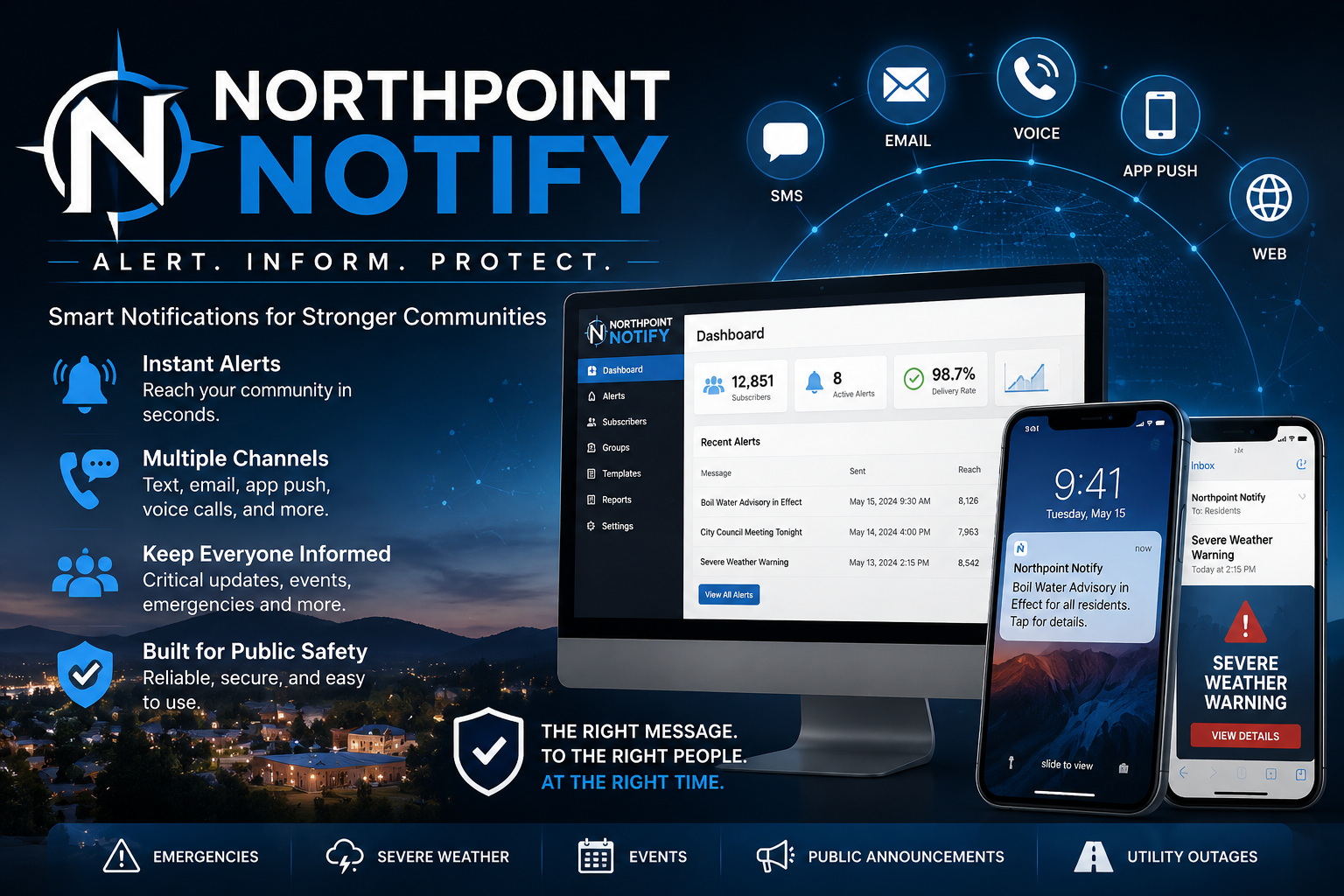
One Alert. Every Channel. Everyone Who Needs to Know.
Northpoint Notify is a modern communication platform designed for cities, towns, counties, utility districts, schools, and community organizations.
From one simple dashboard, staff can publish an alert to the website, send an email notification, and deliver a text message to subscribed residents.
Whether the message concerns a water outage, road closure, public meeting, emergency notice, recreation update, or community event, Northpoint Notify helps organizations communicate quickly and clearly.
[Request a Demonstration]
Reach Residents Wherever They Are
Posting an announcement on a website is important, but it only reaches people who happen to visit the site.
Northpoint Notify expands that reach by distributing information through multiple channels.
With one alert, your organization can:
- Display a prominent website banner
- Send a branded email notification
- Deliver an SMS text message
- Publish a complete alert page
- Notify selected subscriber groups
- Preserve a searchable alert history
Residents can choose how they want to receive information and which types of alerts matter most to them.
Built for Real Community Communication
Northpoint Notify is designed for the everyday communication needs of local organizations.
Common uses include:
- Emergency notifications
- Water service interruptions
- Boil-water advisories
- Road closures
- Weather-related closures
- Power or utility notices
- Public safety updates
- City Council meeting reminders
- Public hearings
- Recreation announcements
- Pool closures
- Facility changes
- Community events
- General news and notices
The platform can be used for urgent alerts, routine announcements, or both.
How Northpoint Notify Works
1. Create the Alert
Staff enter a title, message, category, link, and optional expiration date.
For example:
Water service on Main Street will be interrupted today from 10:00 a.m. until approximately 2:00 p.m. while crews repair a damaged line.
2. Choose the Delivery Channels
Staff select where the alert should appear:
- Website banner
- Text message
Any one channel or any combination may be used.
3. Choose the Audience
Send the alert to:
- All subscribers
- Emergency-alert subscribers
- Water and utility subscribers
- Road-notice subscribers
- Recreation subscribers
- Business owners
- A custom subscriber group
4. Review Before Sending
Before the alert is distributed, staff can review:
- Message text
- Delivery channels
- Recipient counts
- Estimated SMS message segments
- Website display status
A confirmation step helps prevent accidental broadcasts.
5. Publish and Send
The website updates, emails are sent, and text messages are delivered through the connected communication provider.
Website Alert Banner
Make Important Information Difficult to Miss
Northpoint Notify can display active alerts in a prominent banner across the organization’s website.
The banner can include:
- Alert title
- Short message
- Priority level
- Link to complete details
- Expiration date
- Dismiss button
- Accessibility attributes
Organizations can control whether an alert appears on:
- Every page
- The homepage
- Selected sections
- Mobile devices
- A dedicated alert page
When the alert expires, the banner can be removed automatically while the full notice remains available in the alert archive.
Email Alerts
Send Clear, Branded Notifications
Northpoint Notify uses your website’s configured email-delivery system to send professional alert messages.
Email notifications can include:
- Organization logo
- Alert title
- Full message
- Date and time
- Important instructions
- Link to additional information
- Organization contact details
- Unsubscribe link
- Preference-management link
For WordPress websites using FluentSMTP, Northpoint Notify can send through the existing SMTP connection.
This allows the organization to use its own domain and sending address rather than an unfamiliar third-party sender.
SMS Text Alerts
Deliver Urgent Messages Directly to Mobile Phones
Text messages are often the fastest way to reach residents during time-sensitive situations.
Northpoint Notify can connect with Twilio or another supported SMS provider to deliver messages to subscribed mobile numbers.
A typical message might read:
Duchesne City Alert: Water service on Main Street will be interrupted from 10 AM–2 PM today. Details: citywebsite.gov/alerts
The platform can support:
- Twilio Account SID and Auth Token
- Twilio phone number
- Messaging Service SID
- Test-message tools
- Message-length counter
- SMS segment estimate
- Delivery-status tracking
- Failed-message logs
- STOP and START synchronization
- Subscriber opt-out records
SMS-provider charges are paid separately and may vary based on the provider, message length, carrier fees, and number of recipients.
Public Signup Forms
Make It Easy for Residents to Subscribe
Northpoint Notify includes signup modules that can be placed in a website footer, homepage, alert page, or dedicated subscription page.
A basic signup form can collect:
- First name
- Last name
- Email address
- Mobile phone number
- Email-alert consent
- Text-alert consent
- Alert-category preferences
Residents do not need to create a WordPress account.
They can subscribe using email, mobile, or both.
Footer Signup Module
A compact form can be placed directly in the website footer.
Stay Informed
Receive important community alerts by email or text.
Email address
Mobile phone number
☐ Email alerts
☐ Text alerts
[Sign Up for Alerts]
The footer module is mobile responsive and can be added using a shortcode, widget, page-builder element, or website embed.
Full Subscription Page
A detailed subscription page can allow residents to choose the information they want to receive.
Possible categories include:
- Emergency Alerts
- Water and Utilities
- Road Closures
- Public Meetings
- Recreation and Pool
- Community Events
- Business Notices
- General City News
This helps reduce unnecessary messages and allows residents to receive more relevant information.
Subscriber Management
Keep Communication Preferences Organized
Northpoint Notify maintains a dedicated subscriber database separate from ordinary WordPress user accounts.
Authorized staff can view:
- Subscriber name
- Email address
- Mobile number
- Email status
- SMS status
- Alert preferences
- Consent date
- Signup source
- Unsubscribe history
- Last notification status
Staff can search, filter, import, export, deactivate, or update subscribers.
Consent and Unsubscribe Tools
Responsible communication begins with clear consent.
Northpoint Notify can record:
- Email opt-in
- Text-message opt-in
- Date and time of consent
- Signup form used
- Subscriber categories
- IP address, when enabled
- Unsubscribe date
- Resubscription date
Email notifications can include an unsubscribe link.
Text subscribers can opt out using standard keywords such as:
STOPPreference-management tools can allow residents to unsubscribe from one category without leaving every list.
Alert Categories
Send the Right Message to the Right People
Not every alert needs to go to every resident.
Northpoint Notify can organize subscribers and notifications by topic.
Example categories:
- Emergency
- Water and Utilities
- Streets and Roads
- Recreation
- Public Meetings
- Community Events
- Business
- General Information
Custom categories can be created for each organization.
This allows staff to send a swimming-pool announcement to recreation subscribers while reserving emergency broadcasts for urgent public-safety information.
Scheduled Alerts and Expiration
Alerts can be prepared in advance and scheduled for later delivery.
Useful examples include:
- Meeting reminders
- Planned water shutdowns
- Holiday office closures
- Recreation-registration deadlines
- Road-maintenance notices
- Event reminders
Website alerts can also include an expiration date and time.
After expiration, the banner is automatically removed without requiring staff to return to the website.
Delivery Logs
Know What Was Sent
Northpoint Notify can maintain records of alert activity, including:
- Alert title
- Date and time sent
- Staff member who sent it
- Channels selected
- Recipient counts
- Email status
- SMS status
- Provider response
- Failed deliveries
- Message identifiers
- Retry status
Delivery logs give staff a clearer record of how and when important information was distributed.
Duplicate-Send Protection
Broadcasting the same alert twice can create confusion and unnecessary expense.
Northpoint Notify can protect against accidental duplicate sending by:
- Recording when each delivery channel was used
- Requiring confirmation before sending
- Warning staff when an alert was already distributed
- Requiring a deliberate resend action
- Displaying current recipient counts
- Showing estimated SMS usage before confirmation
These safeguards make the system easier and safer for multiple staff members to use.
Staff Roles and Permissions
Not every website user should be able to send a community-wide alert.
Northpoint Notify can support role-based permissions such as:
Alert Author
Can create and edit draft alerts.
Alert Publisher
Can publish website notices.
Alert Broadcaster
Can send email and text notifications.
Administrator
Can manage subscribers, settings, credentials, and logs.
This allows an organization to separate content preparation from final broadcast authority.
Works with Existing Websites
Keep the Website You Already Have
Northpoint Notify does not necessarily require a complete website replacement.
It can be delivered in several ways.
WordPress Plugin
For WordPress websites, the complete dashboard and alert tools can be installed directly.
Embedded Website Banner
Organizations using another website provider may be able to add a small script or HTML embed to display current alerts.
Hosted Signup Form
The subscriber form can be hosted by Northpoint and linked from the organization’s existing site.
Hosted Alert Portal
An organization can use a dedicated alert page such as:
cityname.northpointnotify.comor a custom subdomain such as:
alerts.cityname.govAPI or Custom Integration
For compatible systems, alerts can be shared through a custom integration.
This flexibility makes Northpoint Notify useful even for organizations already under contract with another civic website company.
Twilio Integration
Northpoint Notify can include a settings screen where the organization enters its own Twilio information.
Settings may include:
- Account SID
- Auth Token
- Twilio phone number
- Messaging Service SID
- Test recipient
- Status callback URL
- Incoming-message webhook
- Default sender name
Each organization can maintain its own Twilio account and pay Twilio directly for phone-number and message usage.
Northpoint provides the software connection, setup assistance, and platform support.
Email Delivery Integration
Northpoint Notify sends email through the WordPress mail system.
This means it can work with delivery tools such as:
- FluentSMTP
- SMTP accounts hosted through cPanel
- Microsoft 365
- Google Workspace
- Amazon SES
- SendGrid
- Mailgun
- Other supported SMTP providers
The organization retains control over its sending identity and email infrastructure.
Built for Municipal Staff
Northpoint Notify is designed to avoid unnecessary technical complexity.
The alert screen can be organized around a straightforward workflow:
Alert Title

Alert Message

More Information Link

Alert Category

Expiration Date

Send Through:
☐ Website
☐ Email
☐ Text

Audience:
☐ All Subscribers
☐ Selected Categories

[Review Alert]
Staff do not need to understand APIs, carrier routing, SMTP protocols, or WordPress development.
Once the system has been configured, they simply create, review, and send the message.
Designed for More Than Cities
Northpoint Notify can also serve:
- Counties
- Fire districts
- Water districts
- School districts
- Airports
- Recreation departments
- Chambers of commerce
- Homeowners associations
- Churches
- Nonprofit organizations
- Utility providers
- Community groups
- Property-management companies
Any organization that needs to communicate quickly with a defined audience can benefit from the platform.
Northpoint Notify Benefits
Faster Communication
Send a message across multiple channels from one screen.
Better Reach
Contact people who may not be visiting the website.
Simpler Workflow
Create the alert once rather than rewriting it for each system.
More Relevant Messaging
Allow subscribers to select the categories they care about.
Better Records
Maintain consent, delivery, and alert-history information.
No Required Website Replacement
Add the platform to many existing websites.
Scalable Delivery
Start with email and website alerts, then add SMS as the subscriber list grows.
A Communication Layer for Your Existing Website
Your website may already contain the information residents need.
Northpoint Notify helps make sure they know when that information matters.
It adds a practical communication layer that can connect:
- Website content
- Public alerts
- Email subscribers
- Mobile subscribers
- Staff workflows
- Delivery providers
- Community communication
The result is a faster, clearer, and more organized way to keep people informed.
Northpoint Notify
Communicate Quickly. Reach More People. Keep Your Community Informed.
Northpoint Notify brings website banners, email alerts, text notifications, subscriber management, and delivery records into one practical system.
Your organization writes the message once.
Northpoint Notify helps deliver it everywhere it needs to go.