Blog

  • How Much Does a WordPress Developer Cost? Realistic Price Ranges and Scope Examples

    How Much Does a WordPress Developer Cost? Realistic Price Ranges and Scope Examples

    Hi — I’m Andrew North. Before I ever built websites I ran a dial‑up BBS and learned to troubleshoot by trial and error. That curiosity shaped how I approach projects: understand the problem, break it into small, testable pieces, and avoid surprises. If you’re asking “how much does a WordPress developer cost,” this article gives practical price bands and sample scopes so you can budget realistically before you request quotes.

    Why price ranges matter (and what they don’t tell you)

    Simple hourly rates are easy to list but don’t answer the important question: what will the developer actually deliver? A low hourly rate can still be expensive if the scope is unclear. Conversely, a higher rate can save money when it shortens the schedule or avoids rework.

    Below are typical cost bands we use when talking with municipalities, recreation departments, and small businesses. These are scope-based ranges (not guarantees) intended to help you plan. When you’re ready to get a quote, use the short questionnaire later in this article to produce a clearer request-for-quote.

    Quick cost bands and typical deliverables

    Small task or bug fix: $300 – $1,500

    What this covers: minor theme fixes, small CSS updates, plugin configuration, or a short performance tweak. Work is usually 1–8 hours and is suitable when requirements are narrowly defined.

    Content and small feature updates: $800 – $3,000

    What this covers: structured content setup, custom post types, form setup and integration, or adding a small admin view for content editors. Good for organizations that need a few workflow improvements without a full redesign.

    Website redesign or rebuild (small to mid): $3,500 – $25,000

    What this covers: visual redesign, responsive templates, content migration, accessibility adjustments, SEO basics, and CMS training. Range depends on number of templates, custom content structures, integrations (forms, calendars, payments), and whether content is migrated manually.

    Plugin customization or extension: $1,500 – $10,000

    What this covers: modifying off‑the‑shelf plugins to better fit your processes, adding integrations (e.g., form data to internal tickets), or building admin interfaces to simplify staff tasks. Complexity grows with integration points, data mapping, and required user permissions.

    Custom plugin or business app: $8,000 – $75,000+

    What this covers: custom WordPress software that replaces multiple SaaS tools (CRM, service requests, invoicing workflows) or automates significant business processes. These projects include discovery, wireframes, iterative development, testing, and phased deployment. Costs depend on features, integrations (external APIs, telephony, payment processors), data import/export, and ongoing support requirements.

    Primary effort drivers that change cost

    • Requirements clarity: the more precise your spec, the easier it is to estimate.
    • Integrations: connecting with other systems (CRMs, phone, GIS, payment processors) increases development and testing time.
    • Data migration: moving content, records, or historical tickets requires mapping, cleaning, and verification.
    • Security and compliance: tighter security or audit requirements require additional review and testing.
    • Accessibility: meeting accessibility standards requires extra design and QA work — worthwhile for public agencies and many organizations.
    • Ongoing maintenance: adding managed hosting, backups, and a support SLA changes the cost model from one‑time to recurring.

    Three scoped examples with rough effort breakdowns

    1) Website redesign for a small municipality — estimated range $12,000–$30,000

    • Discovery and content audit: 20–40 hours
    • Design and template development: 60–120 hours
    • Accessibility and performance adjustments: 10–40 hours
    • Content migration and staff training: 20–60 hours
    • Optional integrations (forms, service requests): +20–60 hours per integration

    2) Plugin customization — estimated range $3,000–$9,000

    • Scope review and API mapping: 8–20 hours
    • Development and unit tests: 20–60 hours
    • QA, staging, and deployment: 8–24 hours
    • Documentation and staff handoff: 4–12 hours

    3) Custom plugin to manage service requests and staff assignments — estimated range $20,000–$60,000

    • Discovery and workflow design: 40–80 hours
    • Core plugin development (requests, assignments, notifications): 160–400 hours
    • Integrations (maps, SMS/email, reporting): 40–160 hours
    • Testing, staging, and user training: 40–120 hours
    • Ongoing support and hosting: recurring monthly

    How Northpoint frames proposals

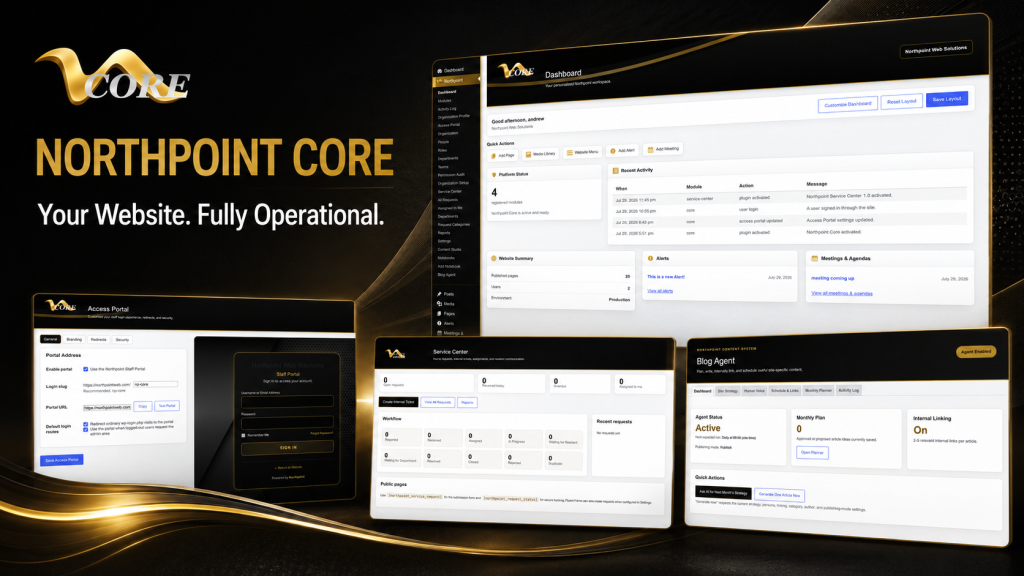
    One problem we encounter when building municipal and business systems is vague scope definitions. We break projects into phases: discovery (define exact needs), minimum viable launch (core features), and expansion (extra integrations and automations). That approach lowers risk and makes budgeting predictable. If you’d like a system that can grow over time, consider a modular strategy such as starting with a core dashboard and adding tools as needed; for many organizations that’s why Northpoint developed Northpoint Core.

    Quick RFQ questionnaire to include when you request quotes

    Copy these items into an email or form to get meaningful estimates:

    • Project summary: one paragraph describing the problem you want solved.
    • Primary users: who will use it (public, staff, admins) and how many.
    • Key features: list must-have vs nice-to-have features.
    • Existing systems: URLs, hosting provider, and any software to integrate (CRM, payment, phone).
    • Data: number and type of records or pages to migrate (approximate count).
    • Accessibility or regulatory requirements (if any).
    • Timeline: desired launch date or critical deadlines.
    • Budget range: a realistic range helps vendors recommend solutions that fit your resources.

    How to reduce cost without sacrificing value

    • Prioritize must-haves for an initial launch and defer nice‑to‑haves to a second phase.
    • Use existing WordPress plugins where appropriate and plan custom work only for gaps.
    • Provide clear examples and content upfront; unclear content needs cause repeated rework.
    • Choose a developer who understands operational workflows — not just visual design.

    Next steps

    If you’re budgeting for a website, forms system, or custom plugin, start with the RFQ checklist above. When you’re ready, talk with Northpoint Web Solutions about your website, software or workflow problem. We can help determine whether an existing custom WordPress software approach or a custom plugin is the best fit. For organizations that want to turn their website into a working operations hub, see our information about website management and how WordPress can host connected business tools.

    Remember: a website shouldn’t only be online — it should be working for your organization 24 hours a day. If you want to discuss scope or get a realistic quote, reach out and we’ll walk through the questions together.

  • Your WordPress Plugin Almost Works—When to Hire a Custom WordPress Plugin Developer

    Your WordPress Plugin Almost Works—When to Hire a Custom WordPress Plugin Developer

    If your WordPress plugin almost works but cannot support an important workflow, you may not need to replace it—or hire a developer immediately. Start by checking configuration, then evaluate whether the plugin can be extended safely, and consider custom development when its architecture or limits stand in the way.

    This guide explains what to check at each stage, what a realistic scope can include, and what to ask before hiring a WordPress plugin developer.

    What this article helps you do

    If an off‑the‑shelf WordPress plugin is “almost” the solution, this article gives a concrete 3‑step decision framework: try configuration first, then consider extending the plugin, and finally decide when a custom build (or hiring a custom WordPress plugin developer) is the right path. You’ll get practical technical checks to run, sample scopes for each option, and suggested next steps so you can move forward without guessing.

    Step 1 — Configure: get the most without code

    Before you call a developer, exhaust the plugin’s configuration surface. Many plugins include hooks, settings, feature toggles, or integrations that solve common gaps.

    • Checklist: Review settings pages, role/capability options, and integration tabs (Zapier, webhooks, REST API). Search the plugin documentation for filters or actions.
    • Quick tests: Use a staging site. Change one setting at a time and record results. Check for conflicts by temporarily switching to a default theme and disabling other plugins.
    • When this is enough: If the plugin supports your workflow after toggles and small UI changes, you save time and money.

    Step 2 — Extend: modify without replacing

    If configuration falls short but the plugin is structurally close to what you need, extending it with code is often the sweet spot. An extension can preserve upgrades while adding business‑specific behavior.

    Technical checks before extending

    • Does the plugin expose documented filters/actions? If yes, most customizations can hook into those without modifying core files.
    • Is there an API or REST endpoints? If so, you can build external integrations or admin UIs that consume those endpoints.
    • Are templates overridable via your theme? Many plugins let you drop copies of templates into your theme for display changes.
    • Does the plugin follow WordPress coding practices (namespaced functions, clear prefixes)? That reduces upgrade risk.

    Sample extension scopes

    • Small: Add a shortcode and an admin setting to show filtered results—low risk and typically a few developer hours to a couple of days.
    • Medium: Create a companion plugin that adds new REST endpoints, custom permissions, or admin dashboards—moderate effort, preserves plugin updates.
    • When to extend: The plugin handles core storage and workflows, but you need organization‑specific business rules, reporting, or UI polish.

    Step 3 — Custom build: when to hire a developer

    Custom development is the right choice when the plugin’s architecture, license, or roadmap blocks necessary functionality, or when you need tight control over data, workflows, and integrations.

    Signs you need a custom WordPress plugin developer

    • The plugin cannot store or expose data your organization needs in usable formats.
    • Business rules are complex (automated assignments, multi‑step approvals, billing integration, or heavy reporting) and the plugin’s extension points are limited.
    • Performance issues: queries or screens slow when scaled, and the plugin lacks optimized APIs or caching options.
    • Security or compliance constraints require stricter controls than the plugin provides.

    Sample custom scopes

    • Small custom: A focused plugin that implements a few organization-specific fields, a REST endpoint, and an admin list view—appropriate when you already use WordPress data structures.
    • Medium custom: A plugin that integrates forms, staff assignment, and status-driven workflows—could replace several plugins and centralize data.
    • Large custom: Full custom application inside WordPress with its own database schema, background jobs, reporting, and third‑party integrations—best when SaaS costs or workflow mismatches are high.

    Practical effort and procurement considerations

    Rather than giving price bands, think in scope and risk. Small extensions are low risk and fast. Medium projects need discovery, acceptance criteria, and staging. Large custom builds require detailed discovery, phased delivery, and ongoing maintenance plans.

    When you hire a developer, ask for:

    • A short discovery report listing data models, APIs, admin screens, and upgrade/migration needs.
    • A phased timeline with measurable milestones and a rollback plan for production changes.
    • Maintenance and hosting recommendations—WordPress‑hosted business apps need proper managed hosting and backups.

    How Northpoint helps

    One problem we encounter when building systems for municipalities and organizations is that installed plugins often contain the right ideas but not the right workflows. At Northpoint we design modular WordPress software to sit inside existing sites without rebuilding them. If you decide a custom path is best, we can evaluate whether an existing Northpoint product fits your needs, extend a plugin safely, or build custom software that runs inside WordPress.

    For example, our custom WordPress software and plugin development service can provide a discovery phase and clear scope. If you prefer a modular framework, our Northpoint Core provides a centralized administrative dashboard that supports modular tools and permissions. For organizations that need ongoing support and hosting, our website and software services cover managed hosting, maintenance, and updates so your custom plugin stays reliable.

    Next steps: a simple decision checklist

    1. Try configuration on staging and document what’s missing.
    2. Run the technical checks for extendability: hooks, APIs, template overrides.
    3. If extendable, sketch a short scope (small/medium) and get time estimates from a developer.
    4. If not extendable or you need deep integration, commission a discovery to compare a custom build vs. alternative plugins or SaaS.

    Parting note

    When I first taught myself web hosting and cPanel tricks, the lesson stuck: solve the problem closest to the user, then iterate. The same idea applies to plugins—start small, validate quickly, and avoid rewriting when a few hooks will do. But don’t be shy about hiring a developer when your workflows need durable, measurable automation. A website should be working for your organization 24 hours a day—not just sitting online.

    Talk with Northpoint Web Solutions about your website, software or workflow problem. We can help determine whether an existing Northpoint product, a custom plugin, or a custom software solution is the best fit.

    Make the Decision Before You Commission Custom Code

    Before requesting a custom build, document the exact behavior the plugin does not support. Identify who uses the workflow, what data must be stored or exchanged, which permissions apply, and what the current plugin already handles. This creates a clearer basis for configuration, extension, or custom development.

    • Describe the missing workflow in plain language.
    • Separate essential requirements from UI preferences.
    • Record current plugins, integrations, and third-party systems.
    • Note any performance, security, compliance, or upgrade concerns.

    Step 1 — Configure the Plugin Before Hiring a Developer

    Review settings pages, role and capability options, integration tabs, webhooks, and REST API documentation. Search the plugin documentation for filters and actions before assuming that custom code is necessary.

    Use a staging site, change one setting at a time, and test for conflicts by temporarily switching to a default theme and disabling other plugins. If the plugin supports the workflow after configuration and minor UI changes, this is usually the lowest-risk path.

    Step 2 — Extend the Plugin Without Replacing It

    If the plugin’s data model and core workflow are close to what you need, a companion plugin or other extension may be the right solution. Look for documented filters and actions, APIs or REST endpoints, overridable templates, and clear WordPress coding practices such as namespaced or consistently prefixed functions.

    • A small scope might add a shortcode, admin setting, or filtered result.
    • A medium scope might add REST endpoints, custom permissions, or an administrative dashboard.
    • Keeping custom logic outside the plugin’s core files helps preserve future updates.

    Step 3 — Know When a Custom WordPress Plugin Is the Better Choice

    Custom development becomes more appropriate when the plugin cannot store or expose required data, its extension points are limited, or your organization needs complex assignments, approvals, billing integrations, reporting, or tightly controlled permissions. Performance problems that persist at scale and security or compliance requirements can also justify a custom approach.

    A custom scope may be a focused plugin with fields, an endpoint, and an admin list; a workflow system connecting forms, staff, and statuses; or a larger WordPress application with its own schema, background jobs, reporting, and integrations.

    When an Almost-Right Plugin Becomes a Business Problem

    An off-the-shelf plugin may contain the right general features but still fail to support your organization’s workflows, data requirements, permissions, integrations, or reporting. The key question is not simply whether the plugin is frustrating; it is whether the gap can be solved safely without creating upgrade, performance, or security problems.

    Use a Configure, Extend, or Custom-Build Decision Framework

    Start with configuration on a staging site. If that is not enough, check whether documented hooks, APIs, REST endpoints, or template overrides support an extension. Consider a custom plugin or software solution only when the existing architecture, license, roadmap, or performance limits prevent a durable solution.

    What the Right Path Helps You Avoid

    • Unnecessary replacement of a plugin that can be extended safely.
    • Core-file changes that create upgrade and maintenance problems.
    • Large custom builds before the data model, workflows, and acceptance criteria are clear.
    • Choosing a plugin that cannot support required permissions, integrations, reporting, or performance needs.

    A Practical Scope Before Development Begins

    Before hiring a developer, ask for a discovery report covering data models, APIs, admin screens, upgrade or migration needs, staging, rollback planning, and maintenance. A phased scope makes it easier to compare an extension with a custom build and gives both sides measurable milestones.

    Do You Need a Custom Plugin Developer Yet?

    Not necessarily. Configuration may be enough, and a companion plugin may solve the problem without replacing the original plugin. A developer becomes more appropriate when the plugin cannot expose or store needed data, its extension points are limited, workflows are complex, or performance and security requirements exceed what it provides.

    Discuss the Best WordPress Path for Your Workflow

    If you have already tested configuration and need help evaluating an extension, custom plugin, or broader WordPress software solution, Northpoint can help define the problem and possible scope. The next step is a conversation about the workflow, existing plugins, integrations, and constraints—not a commitment to build.

    Not Sure Whether to Extend or Build Custom?

    If your plugin is close but your workflow still has a critical gap, talk with Northpoint about the configuration, extension, or custom software options. We can start by understanding the current plugin, the required workflow, and the constraints that affect scope.

  • WordPress Developer in Duchesne, Utah: Custom Websites, Plugins & Business Software

    WordPress Developer in Duchesne, Utah: Custom Websites, Plugins & Business Software

    Hey—Andrew North here. If you’re reading this from Duchesne, I know you care less about buzzwords and more about getting work done: a site that takes requests, a form that actually routes to the right staff, or a simple CRM so your team stops chasing emails. I grew up fiddling with BBSes and early web hosting; that hands-on curiosity is how I approach projects today: practical, iterative, and anchored to real workflows.

    What this article answers

    If you need a WordPress developer in Duchesne, Utah, this page explains exactly what Northpoint Web Solutions can do for municipal offices, recreation departments, local businesses, and service districts. Read on for a clear list of services, concrete local use cases, and an honest explanation of how we run meetings, handle remote work, and phase projects so you get value quickly.

    Core services available to Duchesne-area organizations

    • Custom WordPress website design and development — professional, accessible public sites that reflect your brand and are built around the tasks your visitors actually need to accomplish.
    • Municipal and civic website systems — public notices, meeting agendas, ordinances, and service request tools tailored for city or district workflows.
    • Custom WordPress plugins and business software — when off-the-shelf plugins don’t match your process, we build focused tools that live inside WordPress and speak to your other systems.
    • Managed WordPress hosting and maintenance — updates, backups, security, and fast hosting so your site is dependable for staff and residents.
    • Forms, automation, and staff portals — online permits, recreation registration, field tickets, internal dashboards, and automated routing that reduce manual work.
    • Local SEO, content strategy, and training — not just a site launch: ongoing content help and staff training so your team can publish and respond without bottlenecks.

    Practical Duchesne-area use cases

    Here are realistic examples of how those services are used by local clients. These aren’t case studies with invented results—they’re common, practical requirements we design for.

    Municipal service requests

    A city requests system where residents submit street, water, or park issues with photos, automatic assignment to departments, status updates, and reporting for council meetings. Northpoint Service Center is designed to support public submission, internal assignment, requester communication, and reporting without replacing an existing website.

    Recreation and event registration

    Recreation directors need rostering, waitlists, payment integration, and reporting for programs and tournaments. We build registration workflows that sync to staff dashboards, reduce no-shows, and simplify refunds or roster changes.

    Field operations and oilfield tickets

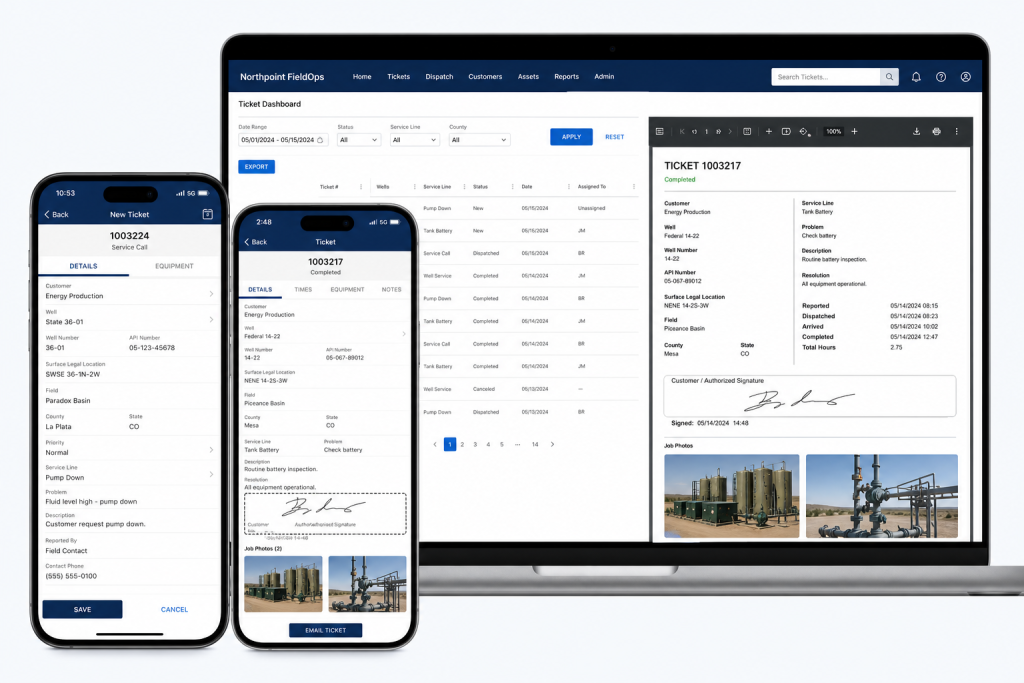
    For organizations that work in the field, a lightweight ticketing and timesheet system helps track jobs, employees, and equipment. Where appropriate, Northpoint FieldOps can provide structured field tickets and integration points so office staff can invoice without buried spreadsheets.

    Small business website plus local search

    Local contractors, professional services, and retailers often need a clean website plus the basics of local SEO and citation cleanup so customers in the Uinta Basin can find them. We combine focused pages, service descriptions, and a straightforward content plan.

    How Northpoint handles meetings, remote work, and local visits

    We keep things practical. For Duchesne-area projects you can expect a mix of remote work and scheduled on-site visits when helpful.

    • Discovery meeting: We start with a focused discovery session (phone, video, or in person) to document goals, constraints, and must-have workflows. I’ll often sketch an admin dashboard or form flow during this call so everyone understands what we’ll build.
    • Remote work and demos: Most development happens remotely. We share staged sites and regular demos so your team can test features early—no surprises at launch.
    • Scheduled site visits: When a hands-on session makes sense—staff training, public demonstrations, or stakeholder workshops—we schedule a visit to Duchesne or a nearby office. Visits are planned for maximum efficiency and clear outcomes.

    Phased projects: reduce risk, get value sooner

    Large projects are best delivered in phases. Here’s a typical three-phase approach we use to reduce risk and deliver value quickly:

    1. Phase 1 — Stabilize and prioritize: Fix critical issues, secure hosting, and implement a simple public-facing update or form that immediately improves workflows.
    2. Phase 2 — Build core features: Add staff portals, automated routing, or a content studio so your team can manage pages and requests without developer help.
    3. Phase 3 — Integrate and expand: Connect to accounting, phone systems, or specialized modules (recreation manager, field tickets, or notification tools) and refine reporting or dashboards.

    Decision framework: custom plugin vs. off-the-shelf SaaS

    When to choose custom WordPress software: if your process is closely tied to your website, you want data to live inside WordPress, or you need reduced licensing complexity across multiple departments. When to consider SaaS: if you need a turnkey, widely supported product with feature parity and you don’t require deep WordPress integration.

    We can help you evaluate both options using a simple checklist: required features, data ownership, staff training effort, ongoing costs, and integration needs. If a custom plugin is the right fit, we can build it so it integrates with tools you already use.

    Why work with Northpoint for Duchesne projects?

    One practical reason we designed Northpoint Core and the related modules is to give organizations a centralized administrative dashboard that works the way their staff do—without forcing every office into the same configuration. We emphasize clear interfaces, step-by-step deployments, and software that complements existing WordPress sites.

    A small historical note: I first learned to test code on dial-up BBSes and early cPanel hosts. That background taught me to build for reliability and simplicity—less flash, more function. A website should work for your organization 24 hours a day, not just sit there waiting for someone to update it.

    Next steps for Duchesne organizations

    If you’re ready to discuss a project, start with a short discovery call. We’ll outline a pragmatic scope, recommend either an existing Northpoint product or a targeted custom plugin, and propose a phased plan with clear milestones.

    Talk with Northpoint Web Solutions about your website, software or workflow problem. We can help determine whether an existing Northpoint product, a custom WordPress plugin, or a custom software solution is the best fit.

    Helpful links:

  • Need WordPress Help in the Uinta Basin? What Local Businesses Should Look For

    Need WordPress Help in the Uinta Basin? What Local Businesses Should Look For

    Hey—I’m Andrew North. I grew up fascinated by bulletin board systems and the early web, teaching myself with library books and trial-and-error. That background matters because I still believe a website should do real work, not just look pretty. If you run a business or municipal office in the Uinta Basin (Vernal, Roosevelt, Duchesne), this article gives a practical, industry-aligned checklist for hiring WordPress help and explains which Northpoint product or service usually matches each local need.

    Why ask region-specific questions when hiring WordPress help?

    The Basin’s mix of energy support services, contractors, recreation, and small-town government creates predictable website and workflow needs: offline field work, permit-heavy municipal processes, seasonal recreation sign-ups, and straightforward local SEO. When you interview a WordPress developer or agency, focus on whether they understand those operational realities—not just whether they can make a site look modern.

    Six common Uinta Basin use cases and the WordPress solution to ask for

    Below are the top local scenarios we see and a concrete recommendation for what to ask your developer or which Northpoint product typically fits the job.

    1) Oilfield and field operations: tickets, crew dispatch, and offline forms

    The problem: crews on-site need a quick way to submit tickets, attach photos, and track assignments without a complex SaaS stack.

    Ask for: a WordPress-based ticketing and dispatch workflow that supports mobile submissions, attachments, assignment, and reporting.

    Northpoint fit: Northpoint FieldOps is designed for oilfield field tickets and field operations software. Ask how the developer will integrate mobile-friendly forms, assignment workflows, and CSV exports so your office can reconcile tickets without extra copying.

    2) Municipal permits, public forms, and tracking

    The problem: municipalities need reliable online forms that convert to an auditable internal workflow and keep the public informed on status.

    Ask for: form-to-workflow systems that assign submissions, track statuses, send automated updates, and retain records for public access when required.

    Northpoint fit: Northpoint Civic Forms and Northpoint Civic provide form and municipal website tools designed for online permits, applications, and civic workflows. Confirm the proposal includes staff notifications, status updates to requesters, and an internal assignment dashboard.

    3) Parks, recreation, and seasonal program registration

    The problem: rec departments need class and tournament sign-ups, wait lists, receipts, and limited-time events handled without manual spreadsheets.

    Ask for: a registration system that supports capacity limits, payments or fee tracking, automated confirmations, and easy rostering for staff.

    Northpoint fit: Northpoint Recreation Manager or modular form and content tools can be configured inside WordPress to handle registrations, event pages, and staff views for rosters and cancellations.

    4) Service requests, public works, and accountability

    The problem: resident requests arrive by phone, email, and paper—and they disappear into staff inboxes.

    Ask for: a managed service-center workflow that captures requests in one place, assigns responsibility, and provides public-facing tracking codes.

    Northpoint fit: Northpoint Service Center supports submission tracking, staff assignment, requester communication, internal notes, and reporting. A clear acceptance criterion is that requests shouldn’t rely on individual inboxes.

    5) Small business operations: CRM, invoicing, and job scheduling

    The problem: multiple SaaS subscriptions for CRM, scheduling, invoicing, and forms can be expensive and fragment data.

    Ask for: a plan showing whether WordPress can centralize parts of your workflow—forms that create leads, an integrated staff portal, and automation that reduces manual entry.

    Northpoint fit: Northpoint Core and custom WordPress software can connect forms, staff dashboards, and content into a single site-based operating system. Discuss whether a hybrid approach (WordPress for lead and workflow capture plus specialized SaaS for payments) makes sense for your business.

    6) Local SEO and customer discovery for high-visibility services

    The problem: in close-knit markets, being visible for local queries—“service + town”—drives calls and jobs.

    Ask for: local SEO work tied to content that answers real customer questions (service pages, how-to posts, and Google Business optimization), and a content plan that produces steady pages or posts your team can maintain.

    Northpoint fit: Our website and software services include local search strategy and content planning tools (Northpoint Blog Agent and Content Studio). A practical deliverable is a prioritized list of 10 service pages and a monthly content schedule tailored to Uinta Basin search behavior.

    What to verify before hiring a WordPress developer

    • Can they show examples of workflow automation or custom plugins they built (not just themes)?
    • Do they propose tangible acceptance criteria—e.g., “forms create tickets with a unique tracking code and email notifications to X roles”?
    • Will the solution operate within your existing WordPress site or require a replacement? (We often add tools without rebuilding the public site.)
    • How will hosting, backups, and updates be handled—especially for sites that run critical operations?
    • Who will train staff and document the new processes?

    Implementation and effort considerations

    Custom WordPress tools can often replace several separate SaaS subscriptions, but there’s a trade-off: built-in workflow and ownership versus off-the-shelf convenience. Ask for an estimate that separates discovery, development, and ongoing support. In the early web days I learned the hard lesson that a system without documentation becomes a black box—so insist on staff training and simple admin screens.

    Quick checklist to bring to vendor meetings

    • List your top three workflows (e.g., field tickets, permit applications, event registration).
    • Identify required outputs (PDFs, CSV exports, payment receipts, tracking codes).
    • Note who needs access: public users, front-desk staff, department heads.
    • Decide whether data must be retained publicly or archived internally.
    • Ask for a staged plan: discovery → prototype → staff testing → launch → maintenance.

    Final note

    The web began as a place for sharing files over slow connections; now we use the same platform to run real work. A WordPress developer who understands local industries in the Uinta Basin can turn your website into a working system that handles tickets, permits, registrations, requests, and leads—so it actually works for your organization 24 hours a day.

    Talk with Northpoint Web Solutions about your website, software or workflow problem. We can help determine whether an existing Northpoint product, a custom WordPress plugin, or a custom software solution is the best fit.

  • WordPress Developer vs. Web Designer: Which One Do You Actually Need?

    WordPress Developer vs. Web Designer: Which One Do You Actually Need?

    Hey—I’m Andrew North. If you remember BBSes or dial‑up modems, you know how scattered early web tools could be. That same split between visual polish and behind‑the‑scenes plumbing exists today: designers shape what people see, developers build what makes the site work. Below is a pragmatic framework that helps municipal staffers, small‑business owners, and recreation managers decide which specialist to hire—or when you actually need both.

    Quick answer: pick by the task, not the title

    If your project is mostly visual, content organization, or user experience flows, start with a web designer. If you need custom integrations, forms that create records or invoices, staff portals, or software that replaces other tools, you need a WordPress developer (or a developer working with WordPress plugins and APIs).

    Decision matrix: common tasks mapped to designer vs developer

    Use this as a quick checklist when scoping a project. Tasks that fall firmly into one column usually don’t need the other role; tasks in the overlap benefit from collaboration.

    Web Designer (primary)

    • Homepage and page layout, imagery, typography, brand application
    • Navigation design and content IA (menus, page hierarchy)
    • Accessibility-conscious visual design and templates
    • Wireframes and high-fidelity page mockups
    • Content strategy for the homepage, service pages, blog structure

    WordPress Developer (primary)

    • Custom plugins or modules (CRM connectors, staff portals, field tickets)
    • Form-to-database workflows, automation, and integrations with external systems
    • Performance tuning, hosting configuration, and security hardening
    • Complex user roles, permissions, and dashboard interfaces for staff
    • Data migrations, backups, and scalable hosting setups

    Overlap (hire both or one with both skills)

    • Redesigns that change content structure plus require custom templates
    • Interactive maps, event calendars, and registration flows
    • Projects needing both polished UX and reliable backend workflows (e.g., citizen service portals)

    Recommended collaboration patterns

    When both roles are needed, a common, effective pattern is:

    1. Designer produces wireframes and a component library (buttons, forms, cards).
    2. Developer builds a theme or component-based templates that implement those designs in WordPress, including accessibility and responsiveness.
    3. Both run a short acceptance cycle: designer reviews visuals in the real site; developer fixes spacing, structure, or CMS usability issues.

    This keeps design intent intact while ensuring functionality is robust. In municipal projects I’ve worked on, keeping the CMS workflows simple for nontechnical staff is usually the highest priority—so the collaboration focuses on administrative usability as much as public pages.

    Three reusable job briefs you can copy and adapt

    Below are short, practical briefs you can paste into an RFP or email to a candidate. Each brief includes the desired outcome, clear deliverables, and who should lead.

    1) Homepage redesign (visual + content focus)

    Outcome: Modernize the homepage and main service pages to improve findability, highlight priority services, and reduce support calls.

    Deliverables:

    • One set of mobile and desktop wireframes for homepage + one service page
    • High-fidelity mockups using our brand colors and approved imagery
    • Updated content outline and metadata suggestions for SEO
    • Front-end implementation in the current WordPress theme (or a child theme)
    • QA checklist and CMS editing notes so staff can update content easily

    Lead: Web designer; developer support if template changes are needed.

    2) Customer portal / staff dashboard (developer-heavy)

    Outcome: A logged‑in portal where residents or customers can view requests, upload documents, and staff can assign tasks.

    Deliverables:

    • Requirements: roles, permissions, data fields, and notification rules
    • Custom WordPress plugin or module that stores requests, assignments, and notes
    • Front-end UI for logged‑in users and a staff dashboard inside WordPress admin
    • Integration with notification channels (email/SMS) and form provider if required
    • Documentation for staff workflows and a 60-day support window

    Lead: WordPress developer; involve a designer for the portal UI and usability testing.

    3) CRM integration and automated workflows (developer-led)

    Outcome: Form submissions create or update CRM records, then trigger follow-up tasks and invoicing where applicable.

    Deliverables:

    • Mapping of form fields to CRM entities and rules for deduplication
    • Connector that securely pushes data to the CRM API (or pulls CRM data into WordPress)
    • Automation rules inside WordPress: create job tickets, assign staff, send emails
    • Failure handling and logging, plus instructions for staff to retry failed syncs

    Lead: WordPress developer with experience in API integrations. Designer optional for front-end form UX.

    How to evaluate candidates quickly

    Ask for:

    • Examples of similar work (not fabricated)—links to live sites or GitHub where possible
    • Clear explanation of how they handle CMS usability and staff training
    • An estimated timeline with milestones and a test/acceptance phase

    Red flags: vague timelines, refusing to discuss CMS editing workflows, or promising functionality without explaining hosting and maintenance needs.

    When a single contractor can cover both roles

    Some freelancers or small agencies offer both design and development. That can work well for smaller projects where design and implementation are tightly coupled. For larger systems—staff portals, CRM integrations, or custom plugins—it’s safer to hire a developer who can build and maintain the backend, plus a designer who focuses on user experience and accessibility.

    Practical considerations and cost signals

    Design work is usually quoted by deliverable (mockups, templates), while development is often estimated by scope and complexity (integration points, custom database tables, API work). If your needs include replacing multiple SaaS subscriptions with connected workflows inside WordPress, plan for developer time to design safe, maintainable integrations.

    One last practical tip

    Start with the problem, not the job title. Saying “we need a beautiful homepage” points at a designer. Saying “we need form submissions to create staff tickets and send reminders” points at a developer. If you can, draft a short one‑page problem statement and share it with candidates—your conversation will be much more productive.

    Want help deciding? Talk with Northpoint Web Solutions about your website, software, or workflow problem. We can show whether an existing Northpoint product, a custom WordPress plugin, or a combined design + development engagement is the best fit.

    Historical note: I learned a lot about making limited tools do more back when dial‑up and early content managers forced careful design of workflows—those lessons still guide how I plan websites that actually work for an organization 24/7.

  • Why Is It So Hard to Find a Good WordPress Developer?

    Why Is It So Hard to Find a Good WordPress Developer?

    Hi — I’m Andrew North. If you’ve ever hired someone who promised a custom WordPress solution and returned a site that ‘‘looks nice’’ but can’t do the workflows you need, you’re not alone. I started building online systems back in the BBS and early web era, and one persistent problem remains: many people who call themselves WordPress developers only know themes and page builders, not how to build real business software.

    What buyers usually mean by “good WordPress developer”

    When operations managers or small-city IT staff ask for a good WordPress developer, they usually want someone who can:

    • Build features that solve real workflows (forms that become tickets, staff dashboards, role-based content)
    • Integrate WordPress with other tools (CRMs, invoicing, SMS/email notifications)
    • Write maintainable code, or recommend modular software that fits the organization
    • Provide reliable hosting, maintenance, and security practices

    Why so many hires fail: common failure modes

    Here are the patterns we see repeatedly when a project goes wrong:

    • Theme installers, not developers. Someone who’s excellent at making a site ‘‘look’’ right with a theme or page builder may not understand data models, user permissions, or long-term maintenance.
    • Over-reliance on plugin stacking. Plugins solve many problems, but stacking incompatible plugins or using plugins as hacky workarounds leads to brittle systems and upgrade pain.
    • No separation between content and application logic. Sites that store operational data inside posts or page-builder widgets make workflows fragile and reporting impossible.
    • Poor scope and change management. Developers who don’t define requirements or a phased plan often deliver something that looks done but lacks essential functionality.
    • Hidden technical debt. Quick fixes and direct theme edits produce immediate results but make future changes risky and expensive.

    Red flags to spot before you hire

    Use this quick checklist when reviewing proposals, portfolios, or initial conversations.

    • Portfolio shows only brochure sites. If every example is an informational site made with a page builder and no administrative interfaces, that’s a warning sign.
    • Vague answers about data storage. Ask where form submissions will be stored and how staff will access them. If the answer is “in the admin” without detail, dig deeper.
    • Refuses to separate design and functionality. Good teams will explain what’s theme/front-end and what’s plugin/backend behavior.
    • No mention of backups, staging, or upgrade paths. These are basics for business-critical sites and custom plugins.
    • Promises unrealistic timelines without a phased plan. Complex workflows need discovery and iterative delivery.
    • Cannot explain third-party integration approach. If you need CRM, payment, or SMS integration, ask for a clear technical plan and fallback options.

    A short interview checklist: questions to ask developers

    These questions reveal practical capability in a brief call or meeting.

    • Can you show me an example where you built a custom plugin or a site that included staff dashboards and role-based access? Ask for specifics on data flow and where data is stored.
    • How do you approach testing, staging, and deploying updates? (Look for answers that include staging sites and incremental deployments.)
    • How will you handle backups and site recovery? (Expect a concrete schedule and retention policy rather than “we back it up”.)
    • Which parts of the project will be built as plugins/modules versus theme templates? Why?
    • How will you document the system for our staff and hand off training? Request examples of documentation or a simple handoff checklist.
    • Can you integrate forms with our existing software (CRM, invoicing, email/SMS)? Describe the integration steps and failure handling.

    How Northpoint’s portfolio demonstrates what capable development looks like

    One problem we encounter when building municipal and organizational systems is scattered workflows: forms emailed to staff, requests lost in inboxes, or content managed by different people using different tools. That’s why we design modular tools that sit inside WordPress and expose administrative dashboards where staff actually do work. Northpoint Core, Northpoint Service Center, and Northpoint Content Studio are examples of that approach: they’re designed to keep operational data in structured modules rather than buried inside pages.

    When you evaluate developers, look for concrete examples of modular design, a plan for staff workflows, and the ability to add features without rebuilding the entire site. If you want to see a practical example of a WordPress Developer who builds beyond themes and forms, review our service page on WordPress Developer for Websites, Plugins & Custom Business Software.

    Relevant internal links

    Decision framework: When to hire a developer versus buy a SaaS

    Use this quick framework to decide whether custom WordPress work is appropriate:

    • If your workflows require tight integration with your website and staff dashboards, custom plugins or modular software inside WordPress usually win.
    • If you need an out-of-the-box service with predictable features and low setup, SaaS can be faster — but consider long-term data portability and licensing costs.
    • If you have multiple disconnected SaaS tools, replacing them with a connected WordPress system can reduce subscriptions and centralize data. A phased migration checklist helps reduce risk.

    Final practical tips before you commit

    • Insist on a short discovery phase to define outcomes and deliverables.
    • Request a maintenance and hosting proposal alongside development so you aren’t forced to hand off support to someone else after launch.
    • Prefer modular solutions and documented APIs over direct theme hacks.
    • Ask for a 30/60/90-day plan for initial delivery and early wins.

    When I built my first BBS and later moved into web development, the difference between a site that looks good and a system that actually works became clear fast. A website should work for your organization 24 hours a day, not just be online. If you’re tired of hires who promise custom work and deliver a theme, talk with Northpoint Web Solutions about your website, software, or workflow problem. We can help figure out whether an existing Northpoint product, a custom WordPress plugin, or a hybrid solution is the best fit.

  • Are You Tired of Your Civic Software Holding You Back?

    Local government software is supposed to make life easier.

    It should help your staff work more efficiently, make information easier for residents to find, and reduce the number of phone calls, paper forms, duplicate entries, and disconnected systems your employees have to manage.

    But for many cities, counties, and public organizations, the opposite happens.

    The software becomes the obstacle.

    You may have a website that is difficult to update. Forms still need to be downloaded, printed, and returned manually. Municipal code may be buried inside a massive PDF. Meeting agendas live in one place, public notices somewhere else, and service requests arrive through phone calls, emails, Facebook messages, and handwritten notes.

    And when you ask your software provider for something new?

    Sometimes the answer is:

    “The system doesn’t do that.”

    Or:

    “That will require another module.”

    Or:

    “We’ll put in a feature request.”

    At some point, your city’s technology stops serving your community and your staff starts serving the technology.

    Civic Software Should Work the Way Your Community Works

    Every city is different.

    A community of 3,000 residents doesn’t operate the same way as a city of 300,000.

    A rural county doesn’t necessarily need the same systems as a metropolitan government.

    And a small municipal staff should not need an IT department just to update a webpage, post a meeting agenda, or change an application form.

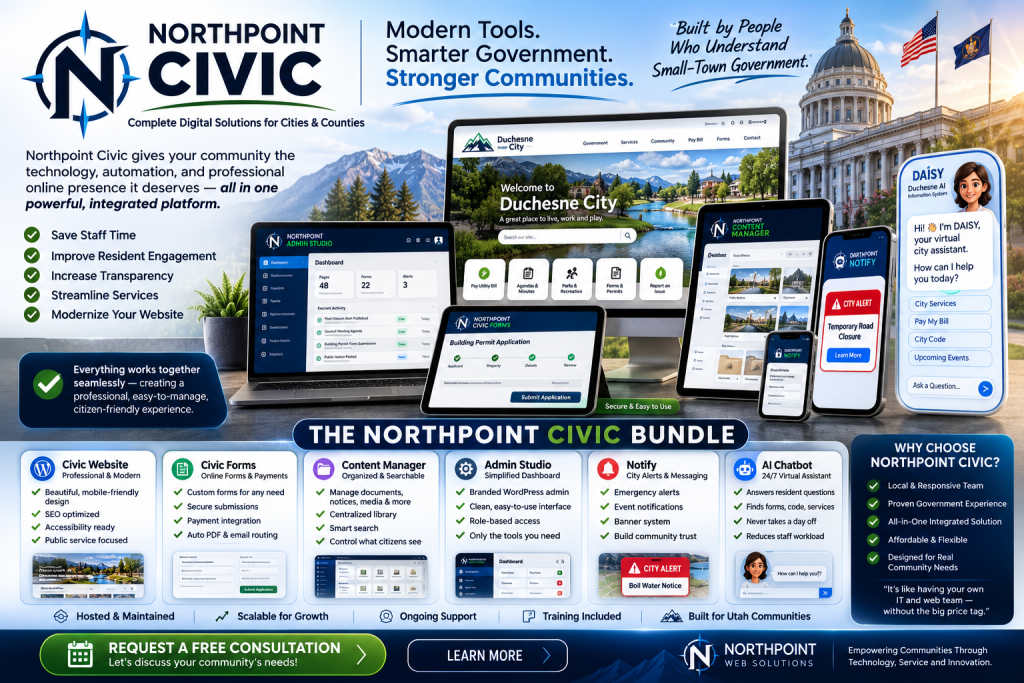
    That’s one of the ideas behind Northpoint Civic.

    Northpoint Civic is a digital service platform designed for cities, counties, districts, and local government organizations.

    Instead of forcing your organization into a rigid system, Northpoint Civic can be configured around the way your staff already works.

    And you don’t have to replace everything at once.

    You can start with the problem that is causing the most frustration and grow from there.

    One Digital Front Door for Your Community

    Residents generally don’t care which department manages a service.

    They simply want to know:

    Where do I pay my bill?

    How do I get a permit?

    Where is the application?

    When is the next council meeting?

    How do I report a water leak or pothole?

    What does the municipal code say?

    Northpoint Civic is designed around those questions.

    Rather than making residents understand the internal structure of government, your website can become a central digital front door that helps people get where they need to go.

    Northpoint Civic can bring your website, public forms, municipal code, alerts, service requests, staff tools, documents, meeting information, permits, and public records together in one connected system.

    Maybe You Don’t Need Another Website

    Sometimes the problem isn’t that your city needs a prettier website.

    The problem is what happens behind it.

    Imagine a resident submits a request about a damaged street sign.

    Instead of sending an email into a general inbox, Northpoint Civic Requests can create a trackable service request.

    That request can be assigned to the correct department, given a priority, updated by staff, and eventually marked complete.

    The resident can receive updates without repeatedly calling City Hall.

    The same idea applies throughout the organization.

    A digital form can route itself to the right department.

    A meeting agenda can appear in the appropriate meeting archive.

    A staff member can update information once instead of changing the same information on multiple pages.

    A document can be uploaded once and displayed wherever it belongs.

    The goal isn’t simply to build a website.

    The goal is to reduce unnecessary work.

    Stop Making Residents Search Through PDFs

    Municipal code is a good example.

    Many communities still publish their ordinances and municipal code as large PDF documents.

    Technically, the information is online.

    Practically, it can be difficult to use.

    Northpoint Code Library can organize municipal or county code into searchable titles, chapters, and individual sections.

    Residents can search for a phrase or topic.

    Staff can link directly to an individual code section.

    Updates can be made to the section that changed rather than rebuilding an entire document.

    Optional AI-assisted search can even help residents find relevant code while still directing them back to the official source.

    Turn Paper Forms Into Actual Online Services

    Putting a PDF form on your website is better than requiring someone to come to City Hall to pick it up.

    But it isn’t really an online process.

    The resident may still have to:

    Download it.

    Print it.

    Fill it out.

    Scan it.

    Email it.

    Mail it.

    Or bring it back to the office.

    Northpoint Civic Forms can turn many of those processes into actual online services.

    That can include:

    • Business licenses
    • Building applications
    • Facility reservations
    • Employment applications
    • Public-records requests
    • Utility requests
    • Cemetery forms
    • Recreation registration
    • Planning applications
    • Complaint forms
    • Volunteer applications

    Forms can include conditional questions, file uploads, digital signatures, payments, automatic confirmations, submission numbers, department routing, and status tracking.

    And when a printable version is still needed, that can remain available too.

    Meetings Shouldn’t Require Updating Five Different Places

    City Council meetings, planning commissions, public hearings, recreation boards, and other public meetings generate a lot of information.

    There may be:

    Agendas.

    Packets.

    Notices.

    Minutes.

    Recordings.

    Remote meeting links.

    Related ordinances.

    Supporting documents.

    Northpoint Civic Meetings can connect those pieces instead of requiring staff to maintain separate systems and pages.

    Post meeting information once, and it can appear where residents expect to find it.

    Give Residents Better Answers Without Creating More Phone Calls

    Many questions received by municipal staff are repetitive.

    When is City Council?

    Where do I pay my utility bill?

    Do I need a permit for a shed?

    Where is the business-license application?

    Who handles animal control?

    Northpoint Civic can include an AI-assisted resident help system that answers questions using information approved by your organization, including your website, municipal code, forms, policies, fee schedules, meeting information, and public documents.

    Instead of inventing answers, the assistant can direct residents to the official source, form, department, or code section.

    And when the issue involves legal advice, an emergency, private account information, or something that requires staff judgment, the system can direct the resident to the appropriate person instead.

    Keep the Software You Already Like

    Moving to a better civic platform shouldn’t automatically mean throwing away every piece of software your organization currently uses.

    Some systems may already work well.

    Keep them.

    Northpoint Civic can be implemented in phases and can often be integrated with existing services.

    A city might begin with:

    A new website + online forms

    and later add:

    Municipal code

    then:

    Service requests

    then:

    Public records

    then:

    Resident notifications

    then additional tools as the need arises.

    The technology can grow with the organization instead of requiring one massive conversion project.

    Civic Software Should Not Determine What Your City Can Do

    This may be the biggest difference.

    If your city has an unusual process or needs a tool that doesn’t exist yet, the answer shouldn’t automatically be:

    “Our software can’t do that.”

    Northpoint Civic is built by Northpoint Web Solutions, which means the platform can be customized and new tools can be developed around real municipal needs.

    Your software should adapt to your operation.

    Your operation shouldn’t have to adapt to the limitations of your software.

    One Platform. One Connected System.

    Northpoint Civic can bring together:

    • Government websites
    • Municipal code
    • Online forms
    • Emergency and community alerts
    • Resident service requests
    • Meetings and public notices
    • Document libraries
    • Department pages
    • Staff directories
    • Public-records requests
    • Permit guidance
    • Resident questions and AI-assisted help
    • Accessibility monitoring

    The result is a more connected digital government experience for both residents and staff.

    Not every community needs every feature.

    That’s the point.

    Is Your Current Civic Software Holding You Back?

    Ask a few simple questions.

    Are staff members entering the same information in multiple places?

    Are residents regularly calling because they can’t find something online?

    Are important processes still dependent on paper or PDFs?

    Do you maintain several disconnected software subscriptions?

    Are staff afraid to update the website because it is too complicated?

    Have you ever wanted to improve a process and been told your existing platform simply can’t do it?

    If the answer to several of those questions is yes, it may be time to look at a different approach.

    Northpoint Civic was built to make local government technology more practical, flexible, and connected.

    You don’t have to replace everything tomorrow.

    Start with the process that’s causing the biggest problem.

    Then build from there.

    See What Northpoint Civic Could Do for Your Community

    Northpoint Web Solutions can review your existing website, forms, municipal processes, software, and recurring staff workload and identify areas where Northpoint Civic could help.

    There is no obligation to replace every system or purchase an enormous software package.

    Sometimes one better process can make a noticeable difference.

    Learn more about Northpoint Civic and request a free consultation.

  • Can FieldOps Save You Money Over Other Oil Field Software?

    Oilfield field-ticket software can reduce paperwork and billing delays, but the wrong pricing model can become a significant operating expense. Per-user fees, implementation costs, transaction limits, and duplicate data entry all affect the total cost.

    This comparison looks at FieldOps, FieldCap, FieldFX, Aimsio, and Pandell Jobutrax, then explains when FieldOps may be a cost-effective fit for an oilfield service company.

    Many oilfield field-ticket platforms charge by the user, require substantial implementation costs, or only provide pricing after a sales consultation. For an oilfield service company with multiple crews, adding employees can quickly increase the monthly software bill.

    Northpoint FieldOps takes a different approach.

    FieldOps was designed around the actual workflow of oilfield service companies: getting work performed in the field, documenting it correctly, getting customer approval, and moving that information back to the office so the company can get paid.

    The question is: Can FieldOps actually save you money compared with other oilfield software?

    For many companies, the answer may be yes—particularly as the number of field employees grows.

    Can FieldOps Save Money on Oilfield Field-Ticket Software?

    Pricing in this industry isn’t always straightforward.

    Some companies publish starting prices, while others require customers to request a demonstration and custom quote.

    Based on publicly available pricing information as of September 2026:

    Oilfield Software Price Comparison

    Approximate recurring software cost

    FIELDOPS ESSENTIAL
    $199–$499/month
    $2,388–$5,988/year
    ████
    
    FIELDCAP
    Starting around $50/user/month
    10 users ≈ $6,000/year
    ██████
    
    FIELDOPS PROFESSIONAL
    $500–$1,500/month
    $6,000–$18,000/year
    ████████████
    
    FIELDFX
    Reported starting price: $135/user/month
    10 users ≈ $16,200/year
    ████████████████
    
    AIMSIO
    Typical annual investment reported:
    $20,000–$60,000/year
    ████████████████████████████████████
    
    PANDELL JOBUTRAX
    Custom Quote
    Contact vendor for pricing
    

    Comparison is illustrative rather than a direct quote. Competitor pricing can vary by users, features, implementation, transaction volume and contract terms.

    FieldCap

    FieldCap is one of the better-known products specifically focused on oilfield field tickets.

    FieldCap itself currently indicates a starting budget of approximately $50 per user per month and asks prospective customers to contact the company for final pricing and configuration.

    At that starting rate:

    5 users = about $250/month

    10 users = about $500/month

    20 users = about $1,000/month

    That means a growing service company with 20 users could reach roughly $12,000 per year before considering additional configuration or services.

    FieldCap offers many of the same types of capabilities oilfield companies need, including tickets, timesheets, invoicing, job management and offline access.

    FieldFX

    FieldFX is another major field-service platform used within energy and oilfield operations.

    Published third-party pricing data currently places FieldFX at approximately $135 per user per month. ITQlick estimates a 10-user system at about $16,200 per year in licensing, with possible implementation costs of roughly $5,000–$20,000 depending on the deployment.

    At $135 per user:

    5 users = $675/month

    10 users = $1,350/month

    20 users = $2,700/month

    That makes per-user pricing increasingly important as an operation adds employees.

    Aimsio

    Aimsio approaches pricing differently.

    Its plans include unlimited users, but pricing is tied partly to Annual Transaction Volume—the value of invoices or tickets processed through the system. Aimsio’s published plans include transaction thresholds of millions of dollars annually, with additional charges above those thresholds.

    G2 reports that companies using Aimsio can typically expect an annual investment of approximately $20,000–$60,000, depending on their operation and plan.

    For larger organizations, that pricing structure may make sense. Smaller independent service companies, however, may not need an enterprise-level software investment.

    Pandell Jobutrax

    Pandell Jobutrax is another strong comparison because it is specifically built around field tickets.

    Jobutrax allows field employees to create digital tickets online or offline, obtain approvals and move ticket information through the billing process without repeatedly entering the same information.

    Pandell does not currently publish a simple monthly price for Jobutrax. Prospective customers are directed to request a demo and pricing information.

    That isn’t unusual in oilfield software, but it can make it difficult for a smaller company to determine whether a system fits its budget before beginning the sales process.

    How FieldOps Is Different

    Northpoint FieldOps was designed to provide oilfield companies with the tools they actually need without forcing every company into a massive enterprise software package.

    FieldOps can handle functions such as:

    • Digital field tickets
    • Customer signatures
    • Job photos
    • Employee time and labor
    • Equipment information
    • Safety forms
    • Inspections
    • Employee certifications
    • Work orders
    • Office-to-field communication
    • Ticket approval
    • Reporting
    • Billing handoff

    Instead of building a generic field-service platform and trying to adapt it to oilfield operations, FieldOps is designed specifically around the paperwork and workflow that occurs between the field, office and customer.

    FieldOps Pricing

    FieldOps is available in configurations based on the complexity of the company’s operation.

    FieldOps Essential

    Implementation: $2,500–$6,000

    Monthly: $199–$499

    Designed primarily for companies that need to replace paper field tickets and streamline the flow of information from the field to the office.

    Typical features can include digital tickets, signatures, PDFs, job photos and office routing.

    FieldOps Professional

    Implementation: $6,000–$15,000

    Monthly: $500–$1,500

    Designed for companies that need a more complete field-operations platform, including tickets, safety forms, inspections, certifications, work orders, employee directories and expanded reporting.

    Custom configurations are also available for companies with specialized workflows or integrations.

    The Real Cost Isn’t Just the Software

    Software price is only one part of the equation.

    Consider what happens when a paper ticket sits in the truck for three days.

    Or when handwriting can’t be read.

    Or when a ticket doesn’t have a customer signature.

    Or when the office has to manually enter information from a field ticket into another system.

    Or when equipment, labor or materials are accidentally left off a ticket.

    Those seemingly small problems can cost significantly more than the software.

    FieldCap, for example, reports that one customer reduced its accounts-receivable time by approximately 50% after moving its workflow into the system.

    The goal of FieldOps is the same:

    Perform the work. Document it correctly. Get it approved. Get it to the office. Get the invoice out. Get paid.

    The fewer steps requiring manual paperwork or duplicate entry, the less opportunity there is for revenue to disappear between the well site and the accounting office.

    What Happens as Your Crew Grows?

    This may be where the economics become especially interesting.

    Consider a company with 20 people who need access to its field-ticket system.

    At a published starting rate of $50 per user per month, a per-user system would cost approximately:

    20 × $50 × 12 = $12,000 per year

    At $135 per user per month:

    20 × $135 × 12 = $32,400 per year

    And that’s before potential implementation costs, add-ons or additional modules.

    A FieldOps Essential installation at $499 per month would represent:

    $5,988 per year in recurring software cost

    Even after accounting for the initial implementation investment, the difference in recurring cost can become significant over several years.

    So, Can FieldOps Save You Money?

    Possibly—and the bigger question may be:

    How much is your current field-ticket process costing you?

    If your company is paying per user, losing tickets, entering information multiple times, waiting on paperwork, chasing signatures or delaying invoices because information hasn’t arrived from the field, the cost isn’t simply your monthly software bill.

    It’s administrative labor.

    It’s delayed cash flow.

    It’s unbilled equipment.

    It’s missing labor.

    It’s rejected tickets.

    And sometimes it’s revenue that never gets invoiced at all.

    FieldOps was built to reduce those problems while giving oilfield service companies a straightforward system that can grow with their operation.

    See What FieldOps Would Cost for Your Company

    Every oilfield service company operates a little differently.

    Northpoint can review your existing tickets, forms and workflow and show you how FieldOps could replace or improve the process you’re currently using.

    Request a FieldOps demonstration and pricing review to see what your current field-ticket process may really be costing you.

    Pricing comparisons were researched in September 2026. Competitor pricing may change and should be confirmed directly with each software provider before making a purchasing decision.

    Contact Form Demo

    Quick answer: FieldOps may cost less as crews grow

    FieldOps may be financially attractive for companies that would otherwise pay recurring per-user fees, especially as more field employees need access. The answer depends on implementation, features, workflow complexity, and whether the software reduces delayed tickets, duplicate entry, missing information, or billing delays.

    Use the figures below as an illustrative comparison rather than a quote. Competitor pricing, plan limits, implementation fees, and contract terms should be confirmed directly with each provider.

    What does oilfield field-ticket software cost?

    Oilfield field-ticket software pricing commonly falls into several models: per-user subscriptions, configuration-based monthly plans, transaction-based pricing, custom quotes, and separate implementation fees. A useful comparison should show both recurring cost and the operational factors that can affect total ownership cost.

    • Per-user pricing: Costs generally increase as more employees need access.
    • Configuration-based pricing: The monthly range may depend on the workflow and features selected.
    • Transaction-based pricing: The investment may be tied partly to invoice or ticket volume.
    • Custom pricing: The buyer may need a demonstration before receiving a quote.

    FieldOps, FieldCap, FieldFX, Aimsio, and Jobutrax comparison

    The existing comparison table is useful, but it should be converted into a responsive HTML table with columns for pricing model, published or reported range, implementation considerations, and important limitations. Keep the current competitor figures date-stamped as “researched in September 2026” and verify them before publication because software pricing can change.

    For FieldCap and FieldFX, show the effect of five, ten, and twenty users. For Aimsio, explain that transaction volume matters even when users are not the primary pricing unit. For Pandell Jobutrax, clearly distinguish a custom-quote model from a published price. Avoid presenting any estimate as a guaranteed current quote.

    What FieldOps includes

    FieldOps is designed around the workflow between field employees, the office, and the customer. Depending on configuration, the platform can support digital field tickets, customer signatures, job photos, employee time and labor, equipment information, safety forms, inspections, certifications, work orders, office-to-field communication, ticket approval, reporting, and billing handoff.

    This workflow matters because the cost of a field-ticket system is not limited to its subscription. A delayed paper ticket, missing signature, unreadable handwriting, or duplicate data entry can create administrative work and delay invoicing.

    Oilfield field-ticket software costs more than the monthly subscription

    For an oilfield service company, the real cost of field-ticket software can include user fees, implementation, duplicate data entry, delayed approvals, missing information, and invoices that are held up between the field and office.

    Compare oilfield field-ticket software by total operating cost

    Compare recurring pricing, implementation requirements, user-based charges, transaction limits, and the workflow each system supports. FieldOps is designed around moving work documentation from the field to the office so tickets can be approved and handed off for billing.

    Where FieldOps may reduce avoidable administrative cost

    • Digital field tickets and customer signatures
    • Job photos, employee time, labor, and equipment information
    • Safety forms, inspections, certifications, and work orders
    • Office-to-field communication and billing handoff

    Use transparent, date-stamped pricing comparisons

    Keep the comparison explicitly labeled as illustrative, identify the research date, and direct readers to confirm competitor pricing and terms with each provider. Show FieldOps implementation and recurring ranges separately so readers can evaluate the investment honestly.

    Is FieldOps the right fit for every oilfield company?

    Not necessarily. A smaller service company may need only digital tickets and office routing, while a more complex operation may need safety forms, inspections, certifications, work orders, reporting, or custom configurations. The appropriate comparison depends on crew size, workflow, implementation needs, and how information moves into billing.

    See what FieldOps would cost for your operation

    Invite qualified visitors to share their current tickets, forms, crew size, and approval process for a demonstration and pricing review. This gives the visitor a concrete next step without using artificial urgency or an unverified savings guarantee.

    See What FieldOps Would Cost for Your Company

    Bring your current field tickets, forms, crew size, and workflow questions to a FieldOps demonstration and pricing review. Northpoint can help you compare the process you use today with a configuration that fits your operation.

  • AI for Municipal Websites: Practical Integrations That Improve Resident Services (Not Hype)

    AI for Municipal Websites: Practical Integrations That Improve Resident Services (Not Hype)

    Hi—Andrew North here. Before the web was fancy, I fed a dial-up BBS from a basement PC and learned early that software’s job is to reduce friction. That same principle applies to municipal websites today: if your site can shoulder routine work, your staff can focus on exceptions. This article lays out practical, low-risk ways to add AI to municipal WordPress websites—features that improve resident service without creating governance headaches.

    Start with problems, not buzzwords

    Ask: what repeatable task takes staff time or frustrates residents? Typical candidates are finding the right page, routing service requests, drafting replies, and making audio/video accessible. Once you pick a clear problem, you can match a modest AI feature to it. Below are four proven, pragmatic integrations and step-by-step implementation guidance.

    1. Intelligent site search (better answers, fewer calls)

    Why it helps: Residents rarely use municipal navigation the way staff expect. An AI-powered search can interpret questions (“how do I get a building permit?”) and return the right form, FAQ, or code section.

    How to implement:

    • Index structured content first: agendas, code, permits, forms, and FAQs. Structured content yields reliable results.
    • Use an on-site model or a hosted vector-search service that lets you control the index and logs. Avoid sending raw resident-submission content to public endpoints without redaction.
    • Integrate relevancy tuning and simple analytics so staff can see what queries fail and add content or link improvements.
    • Include a fallback to human help: if the model’s confidence is low, offer direct contact options or escalate to a staff queue.

    Governance questions

    • Where are search logs stored and who can access them?
    • What retention policy will you enforce for query and click data?
    • How will you measure search accuracy and resident satisfaction?

    2. Intake triage: route the right requests to the right team

    Why it helps: A common problem we see is form submissions landing in a general inbox and disappearing. Triage cuts time-to-assignment and reduces lost requests.

    How to implement:

    • Start with your existing forms and service categories. Use classification AI to suggest a category and urgency. Keep the model’s suggestion visible to staff so they can override it.
    • Integrate with a managed service-request system inside WordPress so submissions become trackable work items, not emails. Northpoint Service Center is designed to support this sort of workflow inside WordPress.
    • Log decisions and overrides so the model improves and staff can audit routing.

    Governance questions

    • Who can change routing rules and on what authority?
    • Will the triage model be retrained on local data, and how will that data be protected?
    • How are residents informed about automated routing decisions when relevant?

    3. AI as a staff assistant: draft replies, not final answers

    Why it helps: Drafting routine replies (permit status, payment instructions, meeting follow-ups) occupies staff time. AI can draft messages that staff review and personalize.

    How to implement:

    • Limit AI to internal-facing tools. The assistant produces a draft stored in the staff portal for review—never sent directly to residents without approval.
    • Provide templates and required legal or procedural phrases that the model must include. That reduces risky omissions.
    • Keep an audit trail: who generated the draft, what prompts were used, and who approved the outgoing text.

    Governance questions

    • Who is responsible for final content sent to the public?
    • What training does staff receive to review AI drafts effectively?
    • Do you have a policy for disabling the assistant if it produces problematic text?

    4. Accessibility transcription and captioning assistance

    Why it helps: Meeting recordings, public hearings, and video updates should be searchable and accessible. Automated transcription speeds that work and provides a base for verified captions and searchable meeting minutes.

    How to implement:

    • Use speech-to-text models that allow on-premise or private-cloud deployment, or a vendor with clear data controls. Treat transcripts as draft artifacts that staff must review before publication.
    • Integrate transcriptions with your content manager so meeting minutes and public documents are linked to the audio/video source.
    • Pair automated transcripts with human review for any legally required records, and store both versions with retention metadata.

    Governance questions

    • Are transcripts stored as public records? How are redactions handled?
    • Who reviews and certifies transcripts used for official minutes?
    • What encryption and access controls protect meeting recordings and transcripts?

    Implementation checklist and practical considerations

    • Pick one small pilot problem and run it for a few months.
    • Prefer on-site or private-cloud hosting for sensitive municipal data when feasible.
    • Keep residents and staff informed about what is automated and what remains human-reviewed.
    • Document data retention, access controls, and escalation paths before launch.
    • Measure: track time saved, assignment accuracy, and resident satisfaction metrics.

    A historical note: WordPress began as a blogging platform in 2003, and its evolution into a flexible content and application platform is what lets municipalities add intelligent features without replacing their whole site. In the systems we build, WordPress often acts as the hub for forms, records, and staff tools—so adding AI becomes an extension of work you already do.

    When to call for help

    If your team needs help scoping a pilot, connecting AI to form workflows, or adding a managed service center that keeps requests from getting lost, talk with Northpoint Web Solutions. We design modular WordPress tools—like the administrative dashboards in Northpoint Core and the request workflows inside Northpoint Service Center—to make these integrations practical and controllable. Learn more about our municipal software and civic technology on the Northpoint Civic page, or explore our website and software services if you need broader support.

    A website should not just be available 24 hours a day. It should be working for your organization 24 hours a day. If you’re ready to try a focused AI pilot that reduces staff work and protects resident data, contact Northpoint Web Solutions for a straightforward consult.

    Talk with Northpoint Web Solutions about your website, software or workflow problem. We can help determine whether an existing Northpoint product, a custom WordPress plugin, or a custom software solution is the best fit.

  • Replacing Disconnected SaaS with a Connected WordPress System: A Migration Checklist

    Replacing Disconnected SaaS with a Connected WordPress System: A Migration Checklist

    Hi—I’m Andrew North. If you grew up tinkering with BBSes like I did, you understand the satisfaction of making systems talk to each other instead of living in silos. This article gives a practical checklist and phased plan to replace SaaS subscriptions with a connected WordPress system so your forms, CRM pieces, and ticketing behave like a single tool without losing data or disrupting users.

    Why consolidate SaaS into WordPress (brief)

    Many organizations end up paying for multiple point tools: a hosted form platform, a ticketing SaaS, a light CRM, and an invoicing tool. Consolidating these into WordPress—using modular plugins, custom integrations, or a framework like Northpoint Core—can reduce subscription overhead, centralize data ownership, and put workflows where your site admins already work. The goal on migration day is continuity: no broken forms, no lost tickets, and minimal staff retraining.

    High-level phased approach

    • Discovery & prioritization: inventory tools and decide what to migrate first.
    • Export & map data: prepare clean exports and field mappings.
    • Staging build & integrations: implement features inside a staging WordPress site.
    • Parallel run & QA: run old SaaS and new WordPress system in parallel for a defined period.
    • Cutover & monitoring: switch forms and endpoints, monitor for issues, and roll back if needed.

    Pre-migration checklist (Discovery & priorities)

    • Inventory every SaaS, login, and the data it holds. Note public-facing endpoints (forms, APIs) and scheduled jobs (reports, notifications).
    • Rank by user impact: public forms and service requests first, internal-only tools later.
    • Identify integrations and touchpoints: which tools send emails, push SMS, create invoices, or update calendars?
    • Decide scope: use existing WordPress with added modules (recommended) or build separate subsystems.

    Data export and mapping tips

    Export everything in CSV or JSON. Before importing:

    • Normalize field names and remove duplicates. For example, merge “phone” and “mobile” into a single contact field.
    • Keep an immutable exported snapshot in a secure location—don’t overwrite original exports during testing.
    • Map statuses and taxonomy: old ticket states (open, pending, closed) must have matching statuses in WordPress or a migration script will misplace items.
    • Test imports with a small subset first. Validate that dates, attachments, and relational links (ticket→customer) import correctly.

    Staging, integrations, and testing

    Never migrate directly on production. Use a staging server that mirrors hosting, PHP versions, and email paths.

    • Install your service-center or CRM modules on staging (Northpoint Service Center patterns are useful here).
    • Replicate authentication and permissions: staff roles often cause migration issues when people can’t see records they need.
    • Run integration tests for every outbound touchpoint: emails, SMS, third-party APIs, and calendar feeds. Mock external services where possible.
    • Test file attachments and uploads—these often fail when paths or file permissions differ between environments.

    Notification and email considerations

    Notifications are where users notice changes quickly.

    • Verify sender addresses and DKIM/SPF on staging so deliverability issues surface early.
    • Preserve templates and tokens from your SaaS notifications. If your WordPress system uses different tokens, rebuild templates to match existing language to reduce user confusion.
    • Plan throttling and batching of outbound messages during bulk imports to avoid rate limits or being flagged as spam.
    • Include clear internal escalation paths in notifications—who gets a high-priority ticket alert?

    Parallel run and cutover strategy

    Run both systems side-by-side for a short, defined period—this gives staff and residents a safety net.

    • Point new form submissions to the WordPress staging endpoint while leaving the live SaaS active. Compare counts, headers, and timing.
    • Once confident, schedule a low-traffic cutover window. Update DNS, webhooks, or embedded form endpoints all at once if possible.
    • Keep a rollback plan: know what to change to point endpoints back to the old SaaS within a short window.

    Post-migration validation and monitoring

    • Monitor logs for unhandled errors and failed background jobs. Check the first 100 incoming submissions manually.
    • Ask staff to verify one representative workflow for each major function: service request intake, ticket assignment, CRM contact update, and invoice creation.
    • Keep parallel exports for at least one reporting cycle to compare historical numbers.

    Practical tools & WordPress building blocks

    For organizations that want to consolidate forms and service requests into WordPress, modular solutions and custom plugins are often the best fit. In the systems we build, a centralized dashboard and modular framework—like Northpoint Core—helps keep permissions, staff directories, and workflows consistent. For municipal forms and permits, Northpoint Civic Forms patterns can replicate public-facing applications while keeping records inside the site. For notifications, a dedicated notification module such as Northpoint Notify helps manage templates and delivery channels.

    When to consider custom development

    Choose custom WordPress software when your workflows are unique, data ownership matters, or you need deeper integration with your website. If you only need simple form collection and a handful of automations, an off-the-shelf plugin may suffice. For mid-size organizations and municipalities that handle requests, permits, and reporting, a custom approach often reduces long-term maintenance and subscription costs.

    Quick roll-call checklist (printer-friendly)

    • Inventory tools and prioritize by impact.
    • Export clean data, secure backups, and map fields.
    • Build everything on staging and test integrations, email, and attachments.
    • Run systems in parallel; schedule a low-traffic cutover.
    • Monitor closely after cutover; keep rollback steps ready.

    A small historical note: when I first started building sites in the pre-2000s era, most data was siloed between dial-up bulletin boards and early web apps. The same problems persist—now we just have better tools to fix them. A website should do more than stay online; it should work for your organization 24 hours a day. If you’d like help evaluating the costs and risks of a migration or seeing whether an existing Northpoint product fits your needs, talk with Northpoint Web Solutions about your website, software or workflow problem. We can help determine whether an existing Northpoint product, a custom WordPress plugin, or a custom software solution is the best fit.