Hi — I’m Andrew North. Before I ever built websites I ran a dial‑up BBS and learned to troubleshoot by trial and error. That curiosity shaped how I approach projects: understand the problem, break it into small, testable pieces, and avoid surprises. If you’re asking “how much does a WordPress developer cost,” this article gives practical price bands and sample scopes so you can budget realistically before you request quotes.
Why price ranges matter (and what they don’t tell you)
Simple hourly rates are easy to list but don’t answer the important question: what will the developer actually deliver? A low hourly rate can still be expensive if the scope is unclear. Conversely, a higher rate can save money when it shortens the schedule or avoids rework.
Below are typical cost bands we use when talking with municipalities, recreation departments, and small businesses. These are scope-based ranges (not guarantees) intended to help you plan. When you’re ready to get a quote, use the short questionnaire later in this article to produce a clearer request-for-quote.
Quick cost bands and typical deliverables
Small task or bug fix: $300 – $1,500
What this covers: minor theme fixes, small CSS updates, plugin configuration, or a short performance tweak. Work is usually 1–8 hours and is suitable when requirements are narrowly defined.
Content and small feature updates: $800 – $3,000
What this covers: structured content setup, custom post types, form setup and integration, or adding a small admin view for content editors. Good for organizations that need a few workflow improvements without a full redesign.
Website redesign or rebuild (small to mid): $3,500 – $25,000
What this covers: visual redesign, responsive templates, content migration, accessibility adjustments, SEO basics, and CMS training. Range depends on number of templates, custom content structures, integrations (forms, calendars, payments), and whether content is migrated manually.
Plugin customization or extension: $1,500 – $10,000
What this covers: modifying off‑the‑shelf plugins to better fit your processes, adding integrations (e.g., form data to internal tickets), or building admin interfaces to simplify staff tasks. Complexity grows with integration points, data mapping, and required user permissions.
Custom plugin or business app: $8,000 – $75,000+
What this covers: custom WordPress software that replaces multiple SaaS tools (CRM, service requests, invoicing workflows) or automates significant business processes. These projects include discovery, wireframes, iterative development, testing, and phased deployment. Costs depend on features, integrations (external APIs, telephony, payment processors), data import/export, and ongoing support requirements.
Primary effort drivers that change cost
- Requirements clarity: the more precise your spec, the easier it is to estimate.
- Integrations: connecting with other systems (CRMs, phone, GIS, payment processors) increases development and testing time.
- Data migration: moving content, records, or historical tickets requires mapping, cleaning, and verification.
- Security and compliance: tighter security or audit requirements require additional review and testing.
- Accessibility: meeting accessibility standards requires extra design and QA work — worthwhile for public agencies and many organizations.
- Ongoing maintenance: adding managed hosting, backups, and a support SLA changes the cost model from one‑time to recurring.
Three scoped examples with rough effort breakdowns
1) Website redesign for a small municipality — estimated range $12,000–$30,000
- Discovery and content audit: 20–40 hours
- Design and template development: 60–120 hours
- Accessibility and performance adjustments: 10–40 hours
- Content migration and staff training: 20–60 hours
- Optional integrations (forms, service requests): +20–60 hours per integration
2) Plugin customization — estimated range $3,000–$9,000
- Scope review and API mapping: 8–20 hours
- Development and unit tests: 20–60 hours
- QA, staging, and deployment: 8–24 hours
- Documentation and staff handoff: 4–12 hours
3) Custom plugin to manage service requests and staff assignments — estimated range $20,000–$60,000
- Discovery and workflow design: 40–80 hours
- Core plugin development (requests, assignments, notifications): 160–400 hours
- Integrations (maps, SMS/email, reporting): 40–160 hours
- Testing, staging, and user training: 40–120 hours
- Ongoing support and hosting: recurring monthly
How Northpoint frames proposals
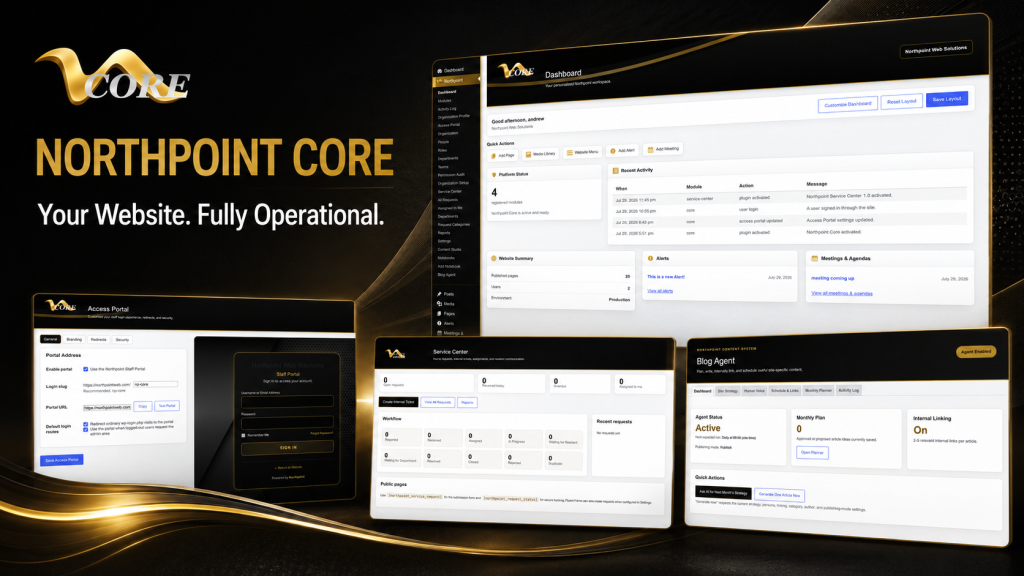
One problem we encounter when building municipal and business systems is vague scope definitions. We break projects into phases: discovery (define exact needs), minimum viable launch (core features), and expansion (extra integrations and automations). That approach lowers risk and makes budgeting predictable. If you’d like a system that can grow over time, consider a modular strategy such as starting with a core dashboard and adding tools as needed; for many organizations that’s why Northpoint developed Northpoint Core.
Quick RFQ questionnaire to include when you request quotes
Copy these items into an email or form to get meaningful estimates:
- Project summary: one paragraph describing the problem you want solved.
- Primary users: who will use it (public, staff, admins) and how many.
- Key features: list must-have vs nice-to-have features.
- Existing systems: URLs, hosting provider, and any software to integrate (CRM, payment, phone).
- Data: number and type of records or pages to migrate (approximate count).
- Accessibility or regulatory requirements (if any).
- Timeline: desired launch date or critical deadlines.
- Budget range: a realistic range helps vendors recommend solutions that fit your resources.
How to reduce cost without sacrificing value
- Prioritize must-haves for an initial launch and defer nice‑to‑haves to a second phase.
- Use existing WordPress plugins where appropriate and plan custom work only for gaps.
- Provide clear examples and content upfront; unclear content needs cause repeated rework.
- Choose a developer who understands operational workflows — not just visual design.
Next steps
If you’re budgeting for a website, forms system, or custom plugin, start with the RFQ checklist above. When you’re ready, talk with Northpoint Web Solutions about your website, software or workflow problem. We can help determine whether an existing custom WordPress software approach or a custom plugin is the best fit. For organizations that want to turn their website into a working operations hub, see our information about website management and how WordPress can host connected business tools.
Remember: a website shouldn’t only be online — it should be working for your organization 24 hours a day. If you want to discuss scope or get a realistic quote, reach out and we’ll walk through the questions together.