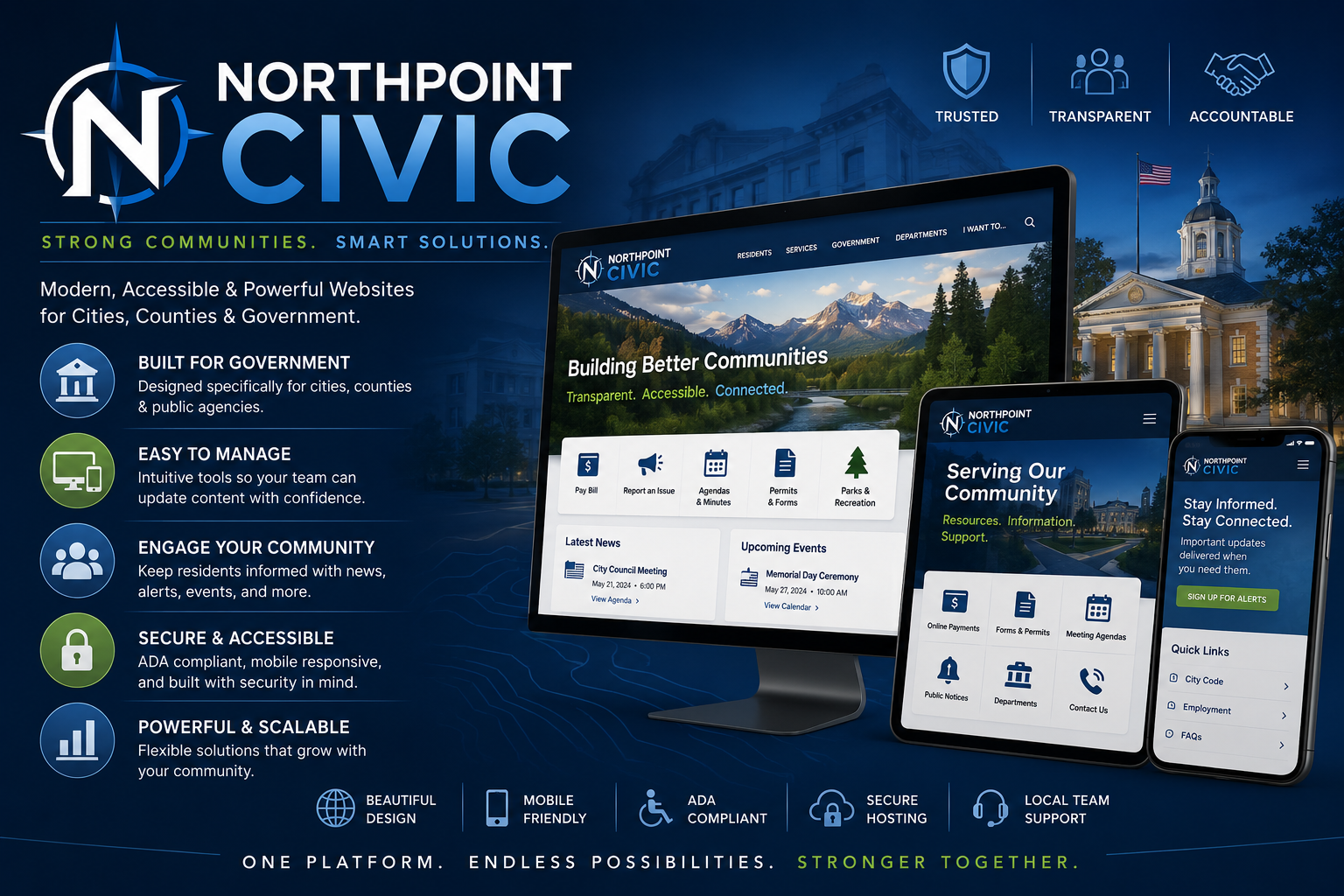
A Simpler, Smarter Website Management System for Local Government
Northpoint Civic CMS transforms WordPress into a streamlined municipal content management system built around the way cities, towns, counties, and public agencies actually work.
Instead of presenting staff with a cluttered WordPress dashboard full of technical menus, Northpoint Civic CMS organizes website management into clear, familiar sections such as alerts, meetings, public notices, forms, departments, employment, recreation, and community information.
The result is a website that remains powerful behind the scenes while becoming much easier for staff to manage.
[Request a Demonstration]
WordPress Rebuilt Around Municipal Workflows
WordPress is flexible, reliable, and widely supported, but its standard dashboard was not designed specifically for local government.
Northpoint Civic CMS reshapes that experience.
Staff members see tools that match their responsibilities rather than generic WordPress terminology.
Instead of navigating through:
Posts
Pages
Media
Appearance
Plugins
Tools
Settings
Staff can work from a dashboard organized more like:
City Alerts
Public Notices
Meetings
Departments
Employment
Forms
Parks & Recreation
Documents
Community Information
This helps reduce confusion, speeds up routine updates, and lowers the risk of accidental changes.
A Municipal Dashboard Staff Can Understand
Northpoint Civic CMS can provide a customized administrative dashboard containing:
- Quick links to common tasks
- Recent alerts and notices
- Upcoming meetings
- Pending form submissions
- Recently updated pages
- Staff instructions
- Website health notices
- Frequently used documents
- Contact information for support
- Training resources
The dashboard can be tailored to each organization.
A city recorder may see meeting agendas, minutes, notices, forms, and records tools.
A recreation employee may see pool information, sports registrations, schedules, and event pages.
A public works employee may see utility notices, road updates, project information, and alerts.
Role-Based Staff Access
Give Each Employee the Tools They Need
Northpoint Civic CMS can create custom staff roles with carefully controlled permissions.
Possible roles include:
City Administrator
Access to most website content, reports, and communication tools.
City Recorder
Access to meetings, agendas, minutes, public notices, elections, records, and forms.
Department Staff
Access only to assigned department pages and related content.
Recreation Staff
Access to recreation programs, pool information, events, schedules, and registrations.
Public Works Staff
Access to utility notices, road information, projects, and service alerts.
Alert Publisher
Permission to create or publish public alerts without access to unrelated website settings.
Website Editor
Permission to update approved content while being restricted from plugins, themes, or technical configuration.
These roles can reduce the chance that a staff member accidentally changes a site-wide setting or edits an unrelated department’s information.
Municipal Content Sections
Northpoint Civic CMS can organize recurring information into dedicated sections rather than treating everything as an ordinary page or blog post.
Examples include:
- City Alerts
- Public Notices
- City Council Meetings
- Planning Commission Meetings
- Agendas
- Minutes
- Ordinances
- Resolutions
- Employment Opportunities
- Departments
- Staff Directory
- Boards and Committees
- Parks and Facilities
- Recreation Programs
- Projects
- Elections
- Forms and Applications
- Frequently Asked Questions
- Community Events
- News and Announcements
Each section can have its own fields, categories, archive pages, permissions, and display templates.
Easier Meeting Management
Municipal meeting information often appears across several pages, calendars, PDFs, and notices.
Northpoint Civic CMS can bring those items together.
A meeting entry may include:
- Meeting title
- Board or committee
- Date and time
- Location
- Agenda PDF
- Meeting packet
- Minutes
- Public hearing information
- Virtual meeting link
- Cancellation notice
- Recording link
Staff enter the information once, and the system can display it on:
- The meeting calendar
- The board or committee page
- An upcoming-meetings list
- A meeting archive
- The homepage
- A public-notice section
Public Notices and Legal Information
Northpoint Civic CMS can provide a dedicated workflow for public notices.
A notice may contain:
- Notice title
- Type of notice
- Publication date
- Hearing date
- Expiration date
- Department
- Full notice text
- Supporting document
- Contact person
- Location
- Related meeting
Notices can automatically appear in the correct section and move into an archive after expiration.
This gives staff a more organized alternative to manually adding and removing notice text across several pages.
Agendas and Minutes
Agendas and minutes can be organized by:
- Council or board
- Meeting date
- Year
- Document type
- Department
- Status
Visitors can search or browse records more easily, while staff can upload documents through a simplified interface.
The system can also support:
- Agenda packets
- Amended agendas
- Draft minutes
- Approved minutes
- Supporting documents
- Meeting recordings
Department Management
Each municipal department can have a structured profile containing:
- Department name
- Description
- Staff contacts
- Phone number
- Email address
- Office hours
- Location
- Services
- Forms
- Frequently asked questions
- Related notices
- Related projects
- Emergency information
This keeps department information consistent across the website.
When a phone number, employee, or office hour changes, staff update the department record rather than searching through multiple pages.
Staff Directory
Northpoint Civic CMS can provide an organized employee and official directory.
Directory entries may include:
- Name
- Title
- Department
- Phone number
- Email address
- Office location
- Biography
- Photograph
- Term information
- Responsibilities
Staff members can be displayed automatically on department, board, and contact pages.
Boards and Committees
Municipal boards and committees can be managed through dedicated records containing:
- Board name
- Purpose
- Members
- Staff liaison
- Meeting schedule
- Agendas
- Minutes
- Vacancies
- Term dates
- Contact information
- Related ordinances or documents
This creates a consistent format across all committees and reduces the need to manually rebuild each page.
Employment Opportunities
Northpoint Civic CMS can include a structured employment section for:
- Full-time positions
- Part-time positions
- Seasonal work
- Volunteer openings
- Board vacancies
- Application documents
Each listing can include:
- Position title
- Department
- Employment type
- Hours
- Salary or wage
- Closing date
- Duties
- Qualifications
- Application instructions
- Supporting documents
Expired listings can be removed automatically from active openings while remaining available in an internal archive.
Parks, Recreation, and Facilities
The system can help staff organize:
- Parks
- Swimming pools
- Sports programs
- Recreation registrations
- Facility rentals
- Trails
- Campgrounds
- Community centers
- Event spaces
Each facility can include:
- Address
- Hours
- Amenities
- Rules
- Reservation link
- Fees
- Contact information
- Photos
- Availability
- Related forms
This information can appear consistently across individual pages, directory listings, and reservation systems.
Forms and Applications
Northpoint Civic CMS can connect residents to online and downloadable forms.
Examples include:
- Building permits
- Business licenses
- Utility applications
- Park reservations
- Water fill station applications
- Employment applications
- Public-record requests
- Complaint forms
- Facility rentals
- Event permits
Forms may be grouped by department, service, or audience.
Staff can find form submissions through the same municipal dashboard rather than navigating among unrelated plugin screens.
Document Management
Cities often maintain hundreds of PDFs, notices, plans, ordinances, reports, and applications.
Northpoint Civic CMS can help organize documents by:
- Department
- Document type
- Year
- Topic
- Meeting
- Project
- Board
- Public or internal status
Documents can be displayed in searchable libraries rather than scattered across individual pages.
Possible libraries include:
- Agendas and minutes
- Budgets
- Financial reports
- City plans
- Zoning documents
- Ordinances
- Resolutions
- Applications
- Policies
- Election information
- Public notices
Alerts and Emergency Information
Northpoint Civic CMS can integrate directly with Northpoint Notify.
Staff can manage:
- Active website alerts
- Email broadcasts
- Text notifications
- Alert categories
- Expiration dates
- Subscriber groups
- Delivery logs
This creates a unified municipal dashboard rather than requiring staff to manage alerts through a disconnected system.
Homepage Content Controls
The homepage is one of the most important pages on a municipal website, but staff should not need to open a page builder every time they need to change a notice or feature.
Northpoint Civic CMS can provide simple homepage controls for:
- Featured alert
- Latest news
- Upcoming meetings
- Popular links
- Community events
- Job openings
- Public notices
- Seasonal information
- Recreation registration
- Emergency contacts
Staff update the content through familiar forms, and the website layout remains protected.
Protect the Website Design
One of the biggest risks in a shared WordPress website is that someone may accidentally alter the layout while trying to update content.
Northpoint Civic CMS separates routine content management from design management.
Staff can update:
- Text
- Dates
- Contact information
- Documents
- Alerts
- Notices
- Events
- Forms
- Department information
without needing access to:
- Theme files
- Page templates
- Plugins
- Global styles
- Website code
- Navigation architecture
This allows staff to maintain current information while protecting the site’s design and functionality.
Custom Menus for Staff
Administrative menus can be simplified based on each user’s role.
For example, a recorder might see:
Dashboard
Meetings
Agendas & Minutes
Public Notices
Elections
Forms
Documents
City Alerts
A recreation employee might see:
Dashboard
Recreation Programs
Swimming Pool
Parks
Events
Registrations
Announcements
An administrator might see the complete system.
This makes training easier and gives staff a dashboard that feels designed for their job.
Branded Login and Administration
Northpoint Civic CMS can replace generic WordPress branding with the organization’s identity.
Available customization may include:
- City or agency logo
- Custom login background
- Organization colors
- Branded dashboard
- Custom help links
- Welcome message
- Staff contact information
- Website support link
- Simplified menu labels
- Removal of unnecessary WordPress notices
Employees log into a municipal management system rather than a generic WordPress installation.
Built-In Staff Guidance
Custom instructions can appear directly inside the dashboard.
Examples include:
Upload approved City Council minutes only after formal adoption.
Emergency alerts should be reviewed by an authorized staff member before text distribution.
Use the Public Notices section for hearings and official notices rather than ordinary news posts.
Contact the website administrator before changing a department’s primary contact information.
These instructions can reduce errors and make staff training more consistent.
Approval Workflows
For organizations that require review before publication, Northpoint Civic CMS can support workflows such as:
Draft
↓
Department Review
↓
Recorder Review
↓
Approved
↓
Published
Possible uses include:
- Public notices
- News posts
- Meeting minutes
- Emergency announcements
- Department updates
- Employment listings
- Policy documents
Approval features can vary based on the organization’s needs and website configuration.
Search and Archive Tools
Municipal content becomes more valuable when residents can find older information easily.
Northpoint Civic CMS can create searchable archives for:
- Meetings
- Minutes
- Agendas
- Public notices
- Ordinances
- Resolutions
- News
- Projects
- Employment
- Documents
Visitors can filter content by year, department, category, board, or document type.
Accessibility-Conscious Content Management
Northpoint Civic CMS can encourage better accessibility through:
- Structured headings
- Required image descriptions
- Accessible document labels
- Consistent link text
- Proper form labels
- Clearly identified PDFs
- Keyboard-friendly public templates
- Accessible alert banners
- Standardized content layouts
The platform can make good practices easier for staff, although accessibility also requires ongoing review of uploaded documents and content.
Works with Familiar WordPress Tools
Northpoint Civic CMS can work alongside established WordPress tools, including:
- PageLayer
- Gutenberg
- Fluent Forms
- FluentSMTP
- Northpoint Notify
- Events and calendar plugins
- SEO plugins
- Document libraries
- Payment integrations
- Security tools
- Backup systems
The system does not replace every WordPress feature. It organizes those tools into a municipal workflow.
Flexible Deployment
Northpoint Civic CMS can be used for:
Complete Municipal Websites
A full city or agency website built around the Northpoint framework.
Existing WordPress Websites
Selected municipal tools can be added to an existing installation.
Department Websites
A focused site for recreation, utilities, tourism, public safety, or economic development.
Internal Staff Portals
A private dashboard for documents, procedures, forms, and staff resources.
Website Modernization
An existing WordPress website can be reorganized without necessarily replacing all of its content.
Designed for Small and Mid-Sized Communities
Large enterprise municipal platforms often include features, complexity, and pricing that smaller communities may not need.
Northpoint Civic CMS is designed for organizations that want:
- A professional website
- Easier staff management
- Structured public information
- Modern online forms
- Strong communication tools
- Flexible hosting
- Personal support
- A system that can grow over time
Organizations can begin with the tools they need today and add additional modules later.
Available Northpoint Integrations
Northpoint Civic CMS can serve as the foundation for other Northpoint products.
Northpoint Notify
Website, email, and text alerts.
Northpoint Civic Forms
Digital applications, uploads, signatures, and payment workflows.
Northpoint AI Assistant
Conversational help for residents and visitors.
Northpoint Content Manager
Structured content types for public information.
Northpoint Admin Studio
Custom branding, dashboards, and administrative controls.
Together, these products can create a connected municipal website platform without forcing the organization into a rigid enterprise system.
Benefits for Municipal Staff
Easier Training
Staff see tools that match their responsibilities.
Fewer Accidental Changes
Technical and design settings can be restricted.
Faster Updates
Recurring information uses structured entry screens.
More Consistent Content
Departments follow shared formats and templates.
Better Public Access
Residents can browse organized notices, meetings, forms, and documents.
Flexible Growth
New modules can be added as needs evolve.
Familiar Technology
The platform is built on WordPress, one of the world’s most widely supported content management systems.
More Than a Website
A municipal website should not be merely a collection of pages.
It should help staff publish information, organize public records, communicate with residents, collect applications, and maintain important community resources.
Northpoint Civic CMS turns WordPress into a practical municipal operations platform.
It gives staff a clearer administrative experience while giving residents a better-organized public website.
Northpoint Civic CMS
Municipal Website Management Without the WordPress Clutter
Northpoint Civic CMS combines the flexibility of WordPress with a dashboard, content structure, and workflow designed specifically for local government.
Your staff gets a simpler system.
Your website remains protected.
Your residents get clearer access to the information and services they need.