You've probably got a folder full of job site photos right now. A mini excavator cutting grade in Roosevelt. A roustabout crew on location near the Uinta Basin. A welding truck parked beside pipe racks. When those pictures make it to your website, most business owners upload them exactly as they came off the phone. IMG_4031.jpg, DSC0087.jpg, final-photo-2.jpg.
That looks harmless, but it wastes a real SEO opportunity.
For contractors and oilfield companies, photos do more than fill space on a page. They prove you do the work. They show your equipment, your crews, your service area, and the kind of projects you want more of. If the filename is vague or sloppy, Google gets less context. If the filename is clear and relevant, that image can support the page it sits on and help reinforce what your business does.
This matters even more in local service industries where buyers want proof. A landowner looking for excavation in Duchesne or a production company searching for oilfield support in Vernal isn't impressed by stock photography. They want to see the actual truck, the actual crew, the actual job.
Table of Contents
- Why Naming Your Pictures Matters More Than You Think
- The Key Components of Image SEO
- How to Create the Perfect Image Filename
- Writing High-Impact Alt Text for People and Search Engines
- Practical Workflows in WordPress and Bulk Editing Tools
- Your Image SEO Checklist for Every Project
Why Naming Your Pictures Matters More Than You Think
A drilling contractor in the Uinta Basin wraps a long day, sends over photos of a vac truck, a daylighting crew, and a well site cleanup. By the time those images hit the website, they are still called IMG_8842.jpg and IMG_8843.jpg. The page may still rank, but those photos are doing almost nothing to support it.
File names are a small signal, but they help search engines connect an image to the job, service, and location shown in it. For local contractors, that matters. A name like vernal-hydrovac-daylighting.jpg gives clear context. duchesne-excavation-trench-box-install.jpg gives even more. IMG_4031.jpg gives none.
That matters on service pages built to win local searches.
If you want an excavation page for Roosevelt or an oilfield services page for Vernal to pull its weight, the supporting images should match the topic of the page. The copy talks about trenching, pad prep, site cleanup, or utility work. The internal links support those services. The photos should back that up with names that fit the same subject. That is part of a broader construction SEO strategy for contractors, not a separate task somebody cleans up later.
I see this problem all the time with field photography. The photos themselves are strong. The crew has real equipment, real job sites, and real local proof. What gets lost is the label.
A gallery image named roosevelt-ut-trencher-service.jpg can reinforce a service page about trenching in Roosevelt. A photo named uinta-basin-pipe-yard-cleanup.jpg gives useful context on an oilfield cleanup page. A shot of a mini excavator digging around utilities in Naples, Utah should not be buried as DSC00917.jpg if that page is trying to rank for utility excavation.
The trade-off is simple. Renaming files takes a few extra minutes before upload. Leaving them generic saves a little time once and wastes the value of every image after that.
For contractors, that adds up fast. You already paid for the truck, the crew, the fuel, and the time on site. Naming pictures correctly helps those job photos support your pages instead of sitting in the media library as anonymous files.
The Key Components of Image SEO
On contractor sites, image SEO usually breaks down because the wrong field gets all the attention. A shop manager uploads photos from a pipe yard in Vernal, someone pastes the target keyword into every box, and the page still gives Google mixed signals. Each image field has a separate job. Handle them that way.
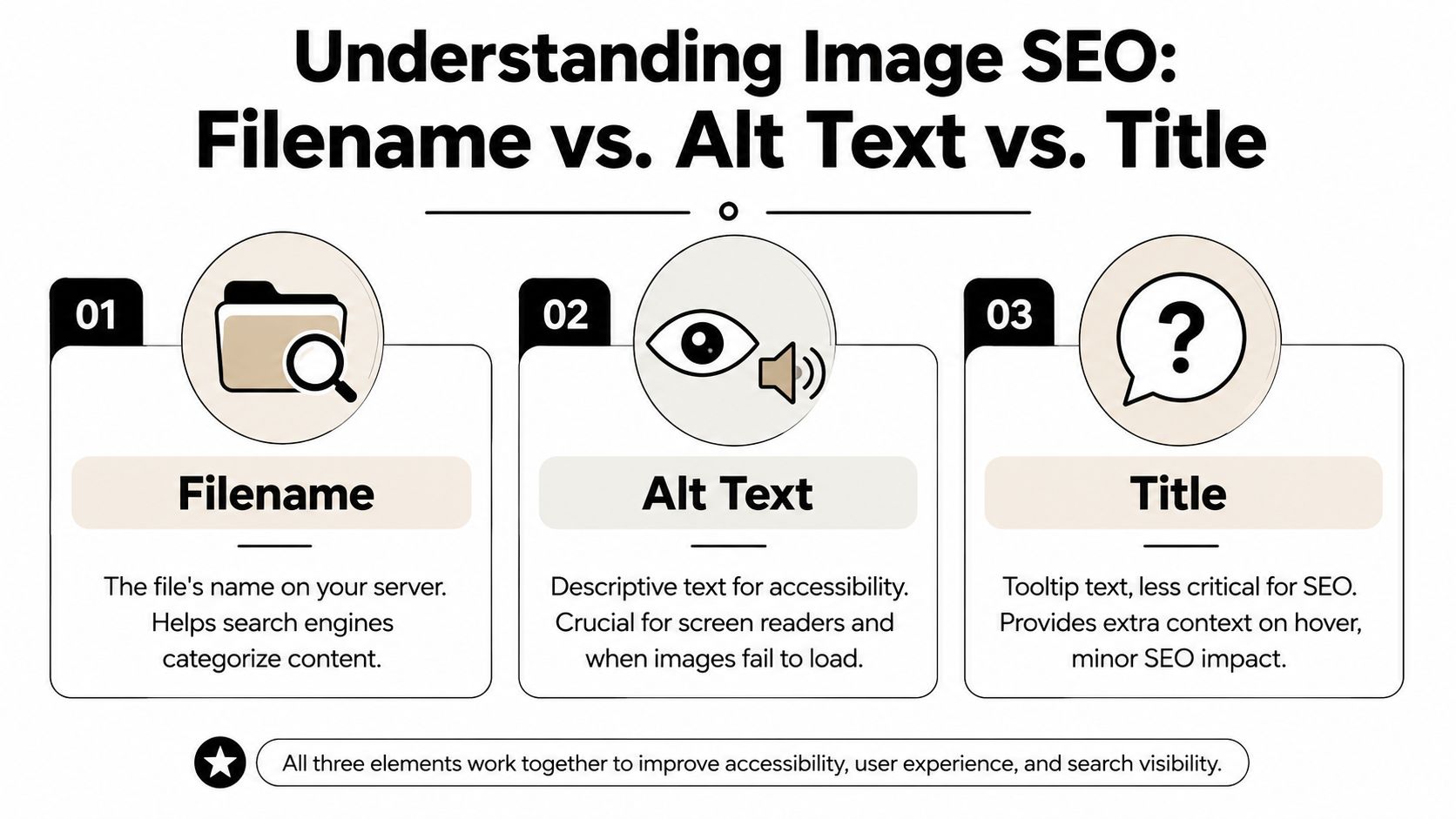
Filename
The filename is the base label attached to the image file itself. It helps with organization, and it gives search engines an early clue about the subject before they process the rest of the page.
For a contractor, this matters most on pages tied to a specific service and market. A photo from a tank battery cleanup near Naples should carry a name that matches the work shown. A generic file like IMG_4438.jpg wastes that context. A clear file like naples-ut-tank-battery-cleanup.jpg keeps the image aligned with the page topic and makes the media library easier to manage later.
This is also where platform choice can help or hurt. Some site setups make media management easy. Others turn the library into a junk drawer. If your team is still deciding between platforms, this guide to small business website platforms for managing content cleanly is worth reviewing before hundreds of job photos pile up.
Alt text
Alt text describes what is in the image. Its first purpose is accessibility. It gives screen readers useful information, and it provides fallback context if the image fails to load.
It also supports relevance when it is written plainly and tied to the photo's subject. For example, alt text like "Excavator trenching for utility line installation in Roosevelt" works because it describes the image directly. Stuffing the same service phrase into every image on the page does the opposite. It reads poorly and signals low-quality optimization.
Contractors tend to get this wrong in two ways. They skip alt text completely, or they turn it into a keyword field. Neither helps.
Title
The title field has limited SEO value on most sites. In practice, it is more useful for internal organization, especially when a company has years of field photos from excavation jobs, roustabout work, weld repairs, and site prep spread across different markets.
Use titles if they make the media library easier for your team to sort and identify. Do not expect the title field to carry the page.
Caption
Captions are visible. That changes their role.
On project galleries, service pages, and case studies, a caption can clarify what the visitor is looking at. That is useful for photos that need context, such as a dozer building a pad in the Uinta Basin or a vac truck handling fluid cleanup outside Duchesne. A short caption can reinforce the service, location, or job type without sounding forced.
Some images do not need one. If the photo is decorative or the page text already explains it, leave the caption blank.
| Element | Main job | Priority |
|---|---|---|
| Filename | Labels the file clearly for search engines and site organization | High |
| Alt text | Describes the image for accessibility and context | High |
| Title | Internal labeling or occasional hover text | Low to moderate |
| Caption | Gives visible context to readers | Situational |
Contractor sites usually do not suffer from a photo shortage. They suffer from weak labels and inconsistent image handling.
How to Create the Perfect Image Filename
A good filename isn't clever. It's accurate.
The basic workflow is simple: identify the image's actual subject, remove stop words, separate terms with hyphens, keep the filename concise, and rename the file before upload. Industry guidance commonly converges on about 3 to 5 words and warns that long filenames, keyword stuffing, underscores, and default camera names reduce clarity and can look spammy, as outlined in this step-by-step image naming guide.

A simple naming formula
Use this formula:
subject + service or equipment + location if relevant
Not every filename needs all three parts. But this keeps you from guessing.
Examples:
- Excavation photo becomes
basement-excavation-roosevelt - Oilfield support image becomes
roustabout-crew-vernal - Equipment photo becomes
trackhoe-site-prep-duchesne - Shop image becomes
welding-shop-team
Keep everything lowercase. Use hyphens between words. Skip underscores, spaces, and filler words.
Good and bad contractor examples
Here's where a lot of businesses go sideways. They either leave the default filename alone, or they overdo it and turn the file into a keyword list.
| Bad filename | Better filename | Why |
|---|---|---|
IMG_2291.jpg |
duchesne-site-prep.jpg |
Default names add no context |
excavator.jpg |
mini-excavator-trenching.jpg |
Too vague versus specific |
oilfield-service-best-contractor-utah-image.jpg |
oilfield-truck-loading.jpg |
Stuffed versus natural |
welding_shop_photo.JPG |
welding-shop-fabrication.jpg |
Underscores and generic wording hurt clarity |
final-final-new-3.jpg |
pipe-yard-cleanup-vernal.jpg |
Internal naming doesn't help SEO |
When location belongs in the filename
Local relevance matters, but only when the location helps describe the image accurately.
If the image was taken at a real project in Roosevelt, Vernal, Duchesne, or the Uinta Basin, include that place when it fits naturally. If it's a generic stock shot of a dump truck, don't cram in vernal-utah just because you want to rank there.
That trade-off matters. A filename should describe the image first. SEO comes from accurate context, not from squeezing every target keyword into one string.
A lot of businesses also run into platform issues because they rename inconsistently across uploads, galleries, and page builders. If your site setup already feels messy, it usually helps to tighten the process before you scale. That's one reason many companies simplify around more manageable small business website platforms.
A quick gut check works well here. Read the filename out loud. If it sounds like something a normal person would label the photo, you're on the right track. If it sounds like a search term pileup, fix it.
Here's a short walkthrough if you want to see the process visually.
Writing High-Impact Alt Text for People and Search Engines
A contractor uploads a jobsite photo to a service page. The filename is clean, the page targets the right town, and the image looks good. Then the alt text gets filled with scraps like excavation contractor vernal, oilfield services utah, or truck. That wastes the image for the people who rely on alt text, and it weakens the page context at the same time.
Alt text should describe what the image shows and why it matters on that page. For a local contractor in the Uinta Basin, that usually means naming the equipment, the task, and sometimes the location if the location is clearly visible or relevant.
Write for the person who cannot see the image
If a screen reader reads the page aloud, the alt text needs to carry useful meaning. If the image fails to load, the description still needs to make sense beside the headline, copy, and call to action.
That changes how you write it.
A bad alt text field reads like a keyword dump:
truckexcavationoilfield servicesconstruction company vernal utah excavation contractor
A useful alt text field sounds like a real description:
Hydrovac truck exposing utility line at a commercial site in VernalExcavator grading building pad for a new shop in DuchesnePipe crew unloading drill stem at an oilfield yard in the Uinta BasinWater truck controlling dust on a road base project near Roosevelt
Those examples do two jobs well. They help a person understand the image, and they give search engines clearer context without sounding forced.
What to include, and what to leave out
Strong alt text usually includes the subject first. Then it adds the action or setting if that context matters.
For contractor and oilfield sites, the useful details are often:
- equipment type, such as excavator, side dump, hydrovac, dozer, rig, or welding truck
- the work being done, such as trenching, grading, reclamation, daylighting, hauling, or pipe handling
- the place, only when it is part of the actual image or project context
That last point matters. If the photo is from a real tank battery job outside Naples or a site prep project in Vernal, say so if it helps the user. If it is a generic stock image of a yellow excavator, adding Uinta Basin just to chase rankings makes the alt text worse.
One rule works well in practice. Write what a project manager would say if he had to identify the photo quickly over the phone.
Keep it specific, not exhaustive
Alt text is not a caption and it is not a place to narrate every object in frame. Contractors often overdo this with yard photos and equipment shots.
For example, this is too much:
White pickup truck parked next to red tool chest beside a yellow excavator near gravel pile under blue sky
This is better:
Excavator parked at gravel yard ready for loading
The second version keeps the point. On a page about excavation services, that is enough. On a recruiting page, you might choose a different angle, such as the crew or work environment. Context decides the best alt text.
If your site runs on WordPress, the alt field is easy to update during upload or while editing the page. A properly set up WordPress website for business makes that process a lot easier to keep consistent across service pages, location pages, and project galleries.
AI can speed up drafts, but it cannot know the job
Tools can help with volume. If your team is sorting through hundreds of project photos, Alt Text Generation can give you a starting point.
Still review every draft.
A tool might identify truck or construction site. It may miss the difference between a hydrovac exposing utilities, a dozer cutting grade, and a vac truck working an oilfield cleanup job. For local SEO, that difference is the whole point. Accurate alt text comes from knowing the service, the equipment, and the job type shown in the image.
Practical Workflows in WordPress and Bulk Editing Tools
Most contractors don't need a complicated media workflow. They need one that somebody will follow on a busy week. That usually means doing the important work before upload, then finishing the page-level details inside WordPress.

What to handle before upload
Do these steps before the image ever hits the Media Library:
- Rename the file first so the URL starts clean.
- Compress and size the image for web use so it doesn't drag down page speed.
- Group images by project or service in folders on your computer before uploading.
This avoids the common mess where a company uploads fifty photos, then tries to clean them up inside WordPress after the fact.
SEO guidance also converges around 2 to 5 words for filenames and places that inside a broader best-practice stack of filename, matching alt text, relevant page content, and structured data, as discussed in this image naming SEO guide. WordPress can handle that stack well if you stay disciplined.
What to edit inside WordPress
Once the image is uploaded, open the attachment details in the Media Library and check the fields that matter.
Focus on these:
- Alt text for the image description
- Title if your internal organization benefits from it
- Caption when the reader needs visible context on the page
For example, if you upload vernal-pipe-yard-cleanup.jpg, the alt text might describe the cleanup crew and equipment, while the caption might say the project took place near Vernal during site remediation work.
If you're building on WordPress and want the platform to support better content structure from the start, a purpose-built WordPress business website makes this process easier to manage.
How to deal with older image libraries
Often, people get overwhelmed. If your site already has hundreds of images with sloppy filenames, don't try to fix everything in one sitting.
Start with:
- Service pages that bring in leads
- Location pages that target core markets
- Project galleries with strong original photography
- Homepage images that show your main services
If you also need to resize, clean up, or standardize batches of photos before upload, it helps to automate your photo editing workflow so the file prep doesn't turn into a bottleneck.
The best workflow is the one your office staff can repeat without asking what the rule is every time.
A simple naming convention document solves a lot. One page. A few examples. Clear rules. Then stick to it.
Your Image SEO Checklist for Every Project
Once you've got the basics down, the goal is consistency. Naming pictures for SEO works best when it becomes part of your normal website process, not a cleanup task you remember twice a year.
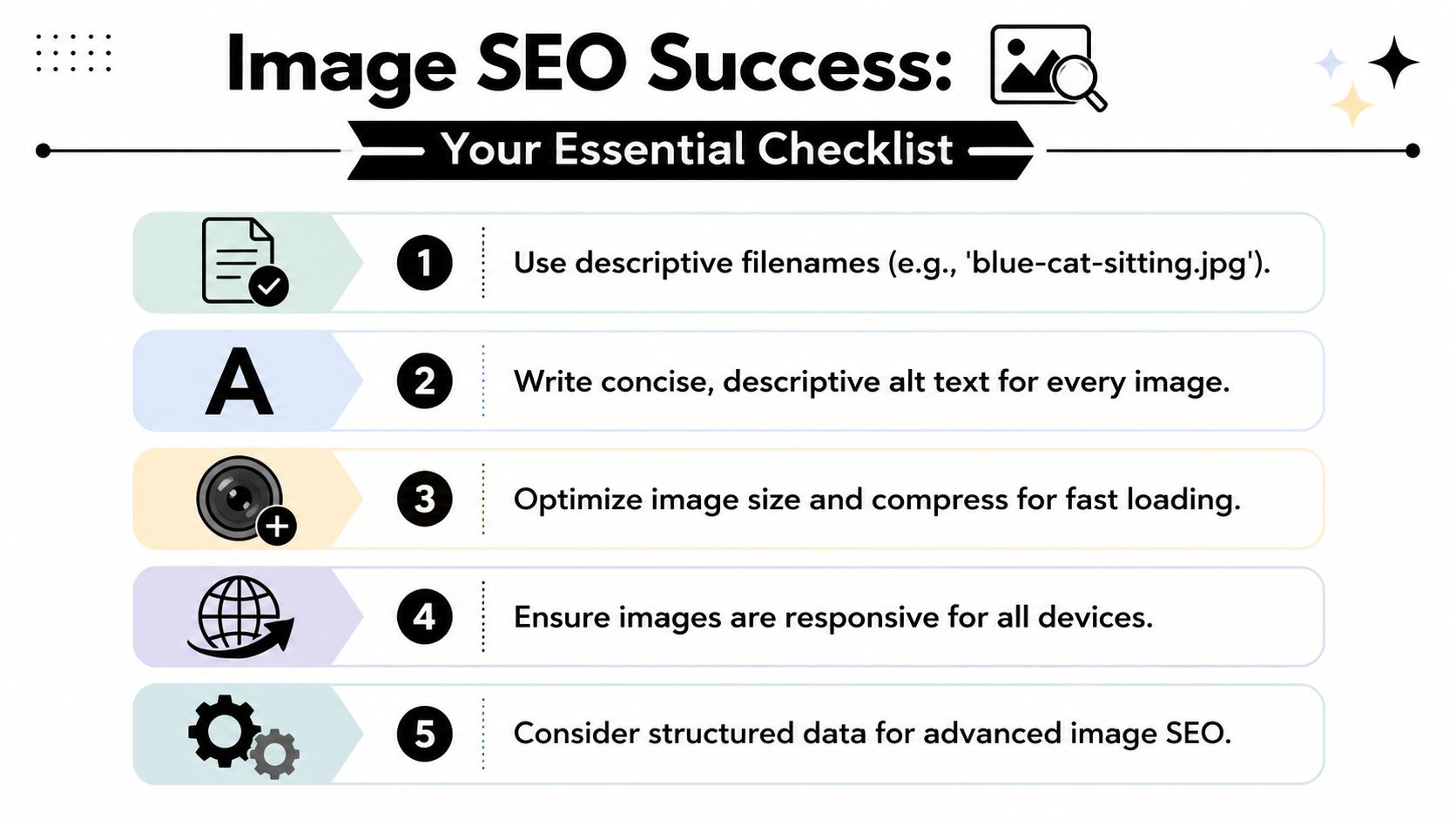
The repeatable checklist
Run through this every time you add new job photos, service images, team shots, or equipment pictures:
- Choose the right image that supports the page topic.
- Rename the file before upload using a concise, descriptive, hyphenated filename.
- Keep the filename natural and centered on the subject.
- Add clear alt text that describes the image for a person first.
- Use a caption only when helpful for readers on the page.
- Place the image near relevant copy so the page context matches the visual.
- Stay consistent across the page so the filename, alt text, and surrounding content all point to the same service or location.
Do this and avoid that
| Do | Avoid |
|---|---|
Use real subject names like hydrovac-truck-vernal.jpg |
Use camera defaults like IMG_5521.jpg |
| Keep it short and readable | Turn it into a keyword list |
| Use hyphens between words | Use underscores or spaces |
| Describe the actual image | Name the image for a service it doesn't show |
| Add alt text that helps users | Stuff city names and service terms unnaturally |
| Rename before upload | Rely on cleanup later |
For contractors, the long-term win isn't one perfect filename. It's a repeatable standard across every gallery, every service page, and every new project update. A clean process gives Google better context, keeps your media library organized, and makes your website look like it's run by a business that pays attention to details.
That matters. Buyers notice details online the same way they notice them on a jobsite.
If your contractor or oilfield business needs a website that helps you get found, generate leads, and showcase real project work the right way, Northpoint Web builds websites and SEO systems for companies across the Uinta Basin and beyond.