I still remember dialing into a BBS as a kid and waiting for pages to load while reading manuals from the public library. That early curiosity—learning by doing and fixing things when they broke—shapes how I approach municipal websites today. A city website should do more than sit online; it should work for staff and residents around the clock.
Why municipalities need easier website administration
Small cities, special districts, and rural municipalities often operate with limited staff. When your website requires developer help to change a menu, publish an agenda, or update a fee schedule, the site becomes a bottleneck. Easier administration means staff can make routine updates safely, preserve institutional knowledge, and respond faster to residents.
What “easier” looks like
- Simple, role-based editing so department staff only see what they need.
- Modular tools for forms, agendas, documents, and service requests.
- Workflows and approvals that match your internal processes.
- Clear backups, maintenance, and a recovery plan that staff understand.
Practical checklist to modernize without rebuilding everything
Not every site needs a full redesign. You can get big wins with focused improvements.
1. Audit content and navigation
Make a short list of the pages people actually use: utilities, meeting agendas, forms, public notices. Group related items under department-based menus and surface high-demand resources on a single “I need to…” page. That reduces clicks and phone calls.
2. Simplify administration and roles
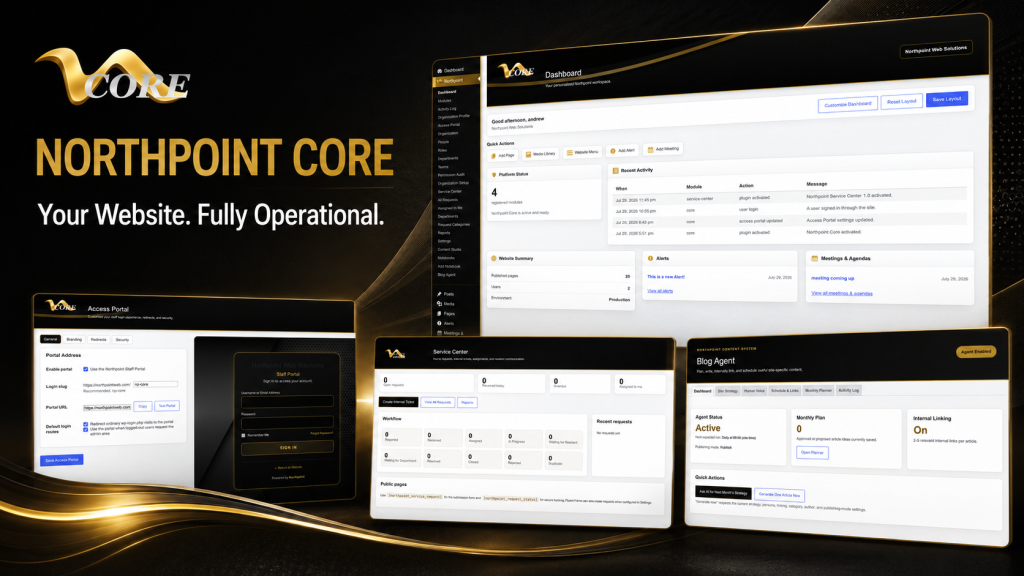
Use WordPress roles and department-based access control so each staff member has a clear, limited set of tasks. Consider a custom dashboard that shows only the tools a person needs—this reduces mistakes and training time. Northpoint Core provides a centralized admin framework designed to organize roles and modules within WordPress.
3. Replace paper processes with online forms and workflows
Online forms reduce manual entry and lost paperwork. Choose a form solution that supports file uploads, automated emails, and integrations with your request-tracking system. For public requests and internal assignment, a service-center approach that links forms to ticketing, departments, and reporting can be transformational. Northpoint Service Center is designed to support public request submission, staff assignment, internal notes, reporting, and Fluent Forms integration.
4. Improve backups and disaster recovery
Backups are only useful if someone knows how to restore them. Make sure backups are automated, stored offsite, and that you have a simple documented recovery procedure. Test restores at least annually or after major updates.
5. Managed hosting and maintenance
Managed WordPress hosting removes routine maintenance tasks from internal staff while keeping the site up-to-date and patched. A maintenance plan should include core and plugin updates, security scans, database optimization, and a schedule for content reviews.
6. Security tailored to small organizations
Security for a municipal site can be practical rather than paranoid. Use strong passwords, limit admin accounts, enable two-factor authentication where practical, and keep plugins trimmed to what you actually use. Regular monitoring and an incident contact plan are helpful—know who to call if something looks wrong.
Focus on accessibility and clear public communication
Accessibility isn’t just compliance—it’s how residents find information. Use clear headings, readable text sizes, and descriptive link text. Publish meeting agendas, minutes, ordinances, and permit instructions in straightforward language. When you post public notices, include alternative contact methods for people who can’t use online forms.
Content strategy and local search for small communities
Content that answers common resident questions ranks better and saves staff time. Build a simple content calendar focused on recurring needs: utility billing, trash schedules, permit steps, recreation registration. Northpoint Blog Agent supports monthly topic planning, draft publishing, and internal linking to help sites stay consistent.
How to manage updates with limited staff
Set realistic expectations and protect staff time.
- Schedule regular content sprints: one-hour sessions to update a specific section each month.
- Use templates for meeting agendas, job postings, and permits so anyone can fill in the details without layout work.
- Train at least two people on basic tasks and keep a short “how to” notebook for emergency updates—something like Northpoint Notebooks does for internal notes and working information.
Questions to ask before hiring a municipal website provider
When you talk to vendors, ask:
- Can you show examples of municipal sites you’ve adapted without replacing the public-facing site?
- How do you handle roles and department access so nontechnical staff can edit safely?
- What’s included in hosting, backups, and disaster recovery? Who restores data?
- How will forms and public requests be routed to staff, and can we customize workflows?
- Do you provide training and a short reference guide for day-to-day tasks?
These practical questions focus on how the vendor will reduce your daily workload, not just what the website will look like.
Small improvements with big impact
A few focused changes often deliver the best return: a clear top-level navigation, an “I need to…” quick links block on the homepage, online forms tied to request tickets, and a simple content calendar. These moves reduce phone calls and help staff spend time on priorities.
Where to get started
If you’re unsure what to tackle first, start with a quick website review: identify the three pages that cause the most questions; make those easier to find; and create or improve the form a resident uses most often. For organizations that want an administrative framework, Northpoint Core is built to turn WordPress into a dashboard for modular municipal tools.
Whether you need help with a full redesign, a form and ticketing system, or just a plan for better content, I’m happy to talk through practical next steps. Tell us what is difficult about managing your current website, and we can help identify a practical next step. Request a Northpoint website review to discuss design, maintenance, hosting, accessibility, or administrative tools. Need a better way to manage public requests, content, or staff access? Let’s talk about the tools your organization actually needs.
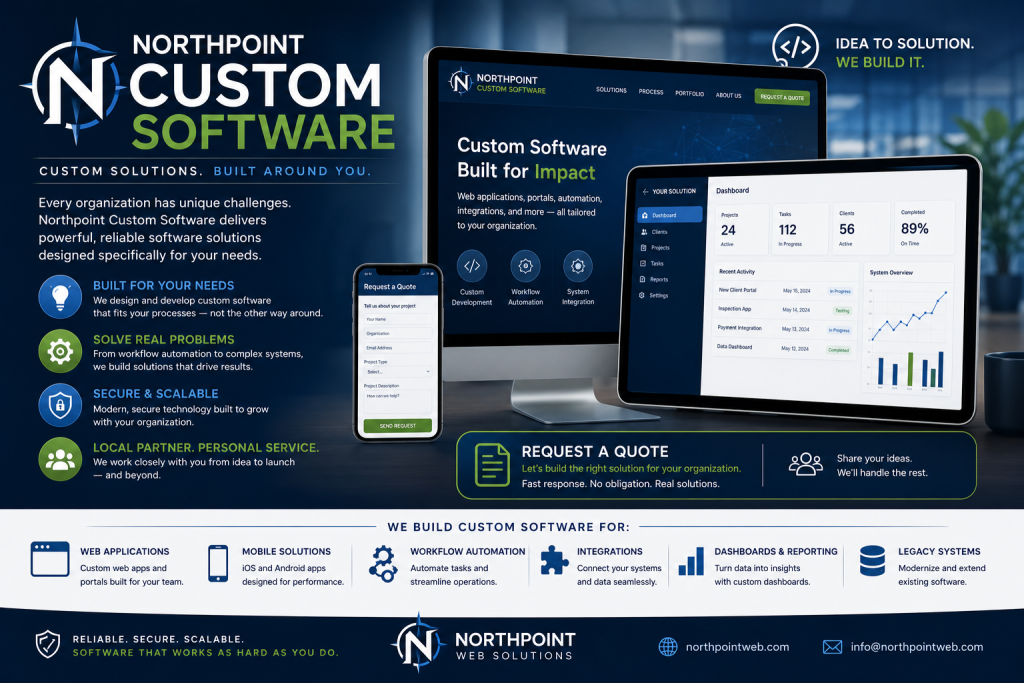
Contact Northpoint Web to discuss a WordPress website or custom software solution for your organization.