If you run a contracting, trucking, excavation, oilfield, or other industrial business in Utah, your website needs to do more than display a logo and phone number. It should help the right people understand what you do, confirm that you can handle their work, and take the next step without calling the office for basic information.
This guide explains the website structure, features, local visibility, recruiting considerations, budget questions, and build-versus-buy decisions that matter most for businesses serving the Uinta Basin and similar Utah markets.
A lot of small businesses still treat the website like a sign on the highway. Put up a few pages, list a phone number, add a logo, and call it done. That approach doesn't hold up anymore for industrial businesses. Your website has to help you win estimates, support field credibility, answer questions fast, and in many cases bring in applicants before your competitors do.
That matters even more in a place like the Uinta Basin. Local reputation still drives a lot of business, but buyers, project managers, property owners, and job seekers still search online first. They want proof. They want to know what equipment you run, what areas you serve, whether you're legitimate, and how easy it is to work with you.
Table of Contents
- Your Website Is More Than a Digital Business Card
- The Blueprint for a High-Performance Business Website
- Website Features That Win Jobs in Utah Industries
- Your Website as a 24/7 Recruiting Machine
- Getting Found Online SEO and Google Business Profile
- Budgeting for Your Website Costs Timelines and ROI
- Your Next Steps The Build vs Buy Checklist
Your Website Is More Than a Digital Business Card
A Vernal contractor gets a call from a plant manager who needs a crew fast. He checks the company website before he calls back. The homepage is dated, the services are vague, and the only next step is a generic contact form. The contractor may still be capable of doing the job, but the site creates doubt and slows down the sale.
That is the key issue. A website should help the business run better.
For companies in the Uinta Basin, that means more than putting a logo, phone number, and a few photos online. The site should help a prospect decide whether to request a bid, help office staff spend less time answering basic questions, and help job seekers apply without chasing paperwork across three phone calls. If it does none of that, it is not supporting revenue or hiring. It is just taking up space.
The strongest small business websites act like part of operations. They qualify leads. They route people to the right service. They answer common questions before someone ties up your front office. They also support recruiting, which matters here because many local businesses are competing for the same CDL drivers, operators, welders, mechanics, and field hands.
What this looks like in the Basin
For a roustabout company, the site should send quote requests to the office and job applications to operations, without mixing the two.
For an excavation contractor, the site should separate residential work from commercial bid opportunities so the owner is not sorting through poor-fit leads at night.
For a trucking company, the site usually has two jobs. It needs to bring in shipper and broker inquiries while also giving drivers a clear path to apply.
A website that does not support operations creates more office work instead of less.
A lot of owners still buy web design like they are buying a nicer brochure. That is usually where the project slips off track. Good-looking pages matter, but they come after business function, which is exactly why your website needs more than just a designer. The site has to match how the company wins jobs, handles incoming leads, and brings in dependable people.
The Blueprint for a High-Performance Business Website
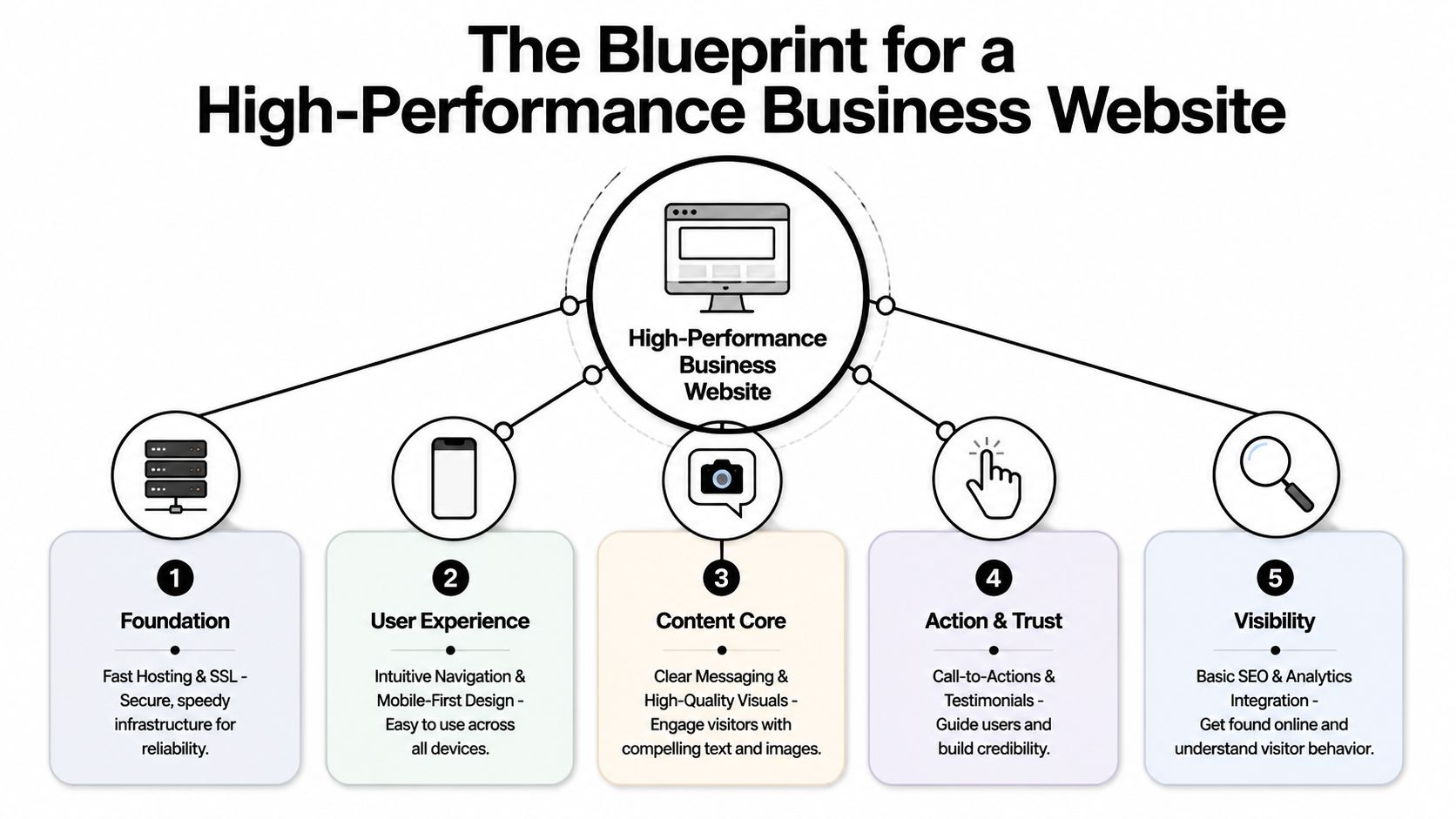
A good business website needs a solid chassis. If the frame is weak, it doesn't matter how nice the paint looks. In small business web design, the chassis is the set of fundamentals that let the site load fast, work on a phone, guide people clearly, and give search engines enough structure to understand what the business does.
What the foundation needs to do
If a superintendent clicks your site from the field, it has to work on a phone without pinching, zooming, or hunting around for the menu. If a property owner wants a bid, the path to contact has to be obvious. If someone lands on the wrong page first from Google, they still need to know where to go next.
That starts with mobile-first responsive architecture and semantic structure. Stratedia's guide to small business website features notes that strong sites use flexible layouts, media queries, clear heading hierarchy like H1, H2, and H3, and concise internal navigation. The same guidance points to local-business schema and consistent NAP data as practical ways to strengthen crawlability and local SEO relevance.
The non-negotiables
Here are the pieces I'd treat as baseline requirements for any Utah contractor or industrial company site:
- Mobile usability first: Most owners review their own site on a desktop. Most prospects don't. They visit from a phone in a truck, on a jobsite, or after hours.
- Clear navigation: Keep the menu short. Services, industries, about, careers, contact. That's usually enough.
- Fast hosting and secure setup: People won't say your hosting is bad. They'll just leave when the site feels clunky or throws a browser warning.
- Simple page hierarchy: Every page needs one main topic. Don't bury excavation, trucking, fabrication, and rentals on one vague services page.
- Visible calls to action: “Request a quote,” “Call now,” and “Apply today” should never be hard to find.
Practical rule: If a first-time visitor can't tell what you do, where you work, and what to do next within a few seconds, the site is underperforming.
There's also a trade-off owners need to understand. Fancy animation, oversized video backgrounds, and loaded-up templates often make a site feel expensive while making it harder to use. In industrial markets, clear beats clever almost every time. A straightforward page with strong service copy, real photos, trust signals, and clean navigation will usually do more for the business than a design-heavy homepage that gets in the way.
Website Features That Win Jobs in Utah Industries
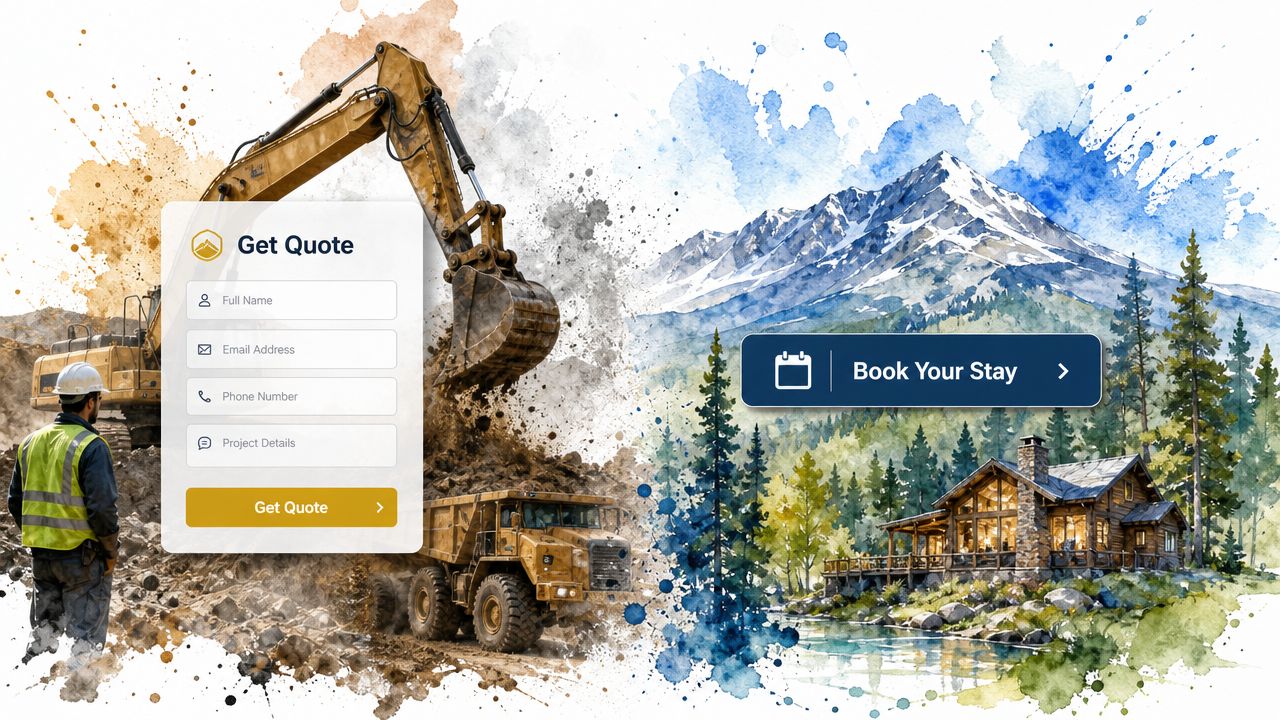
Generic websites miss the mark because they treat every business the same. A small business web design plan for a Vernal hydrovac contractor shouldn't look like a vacation rental site in Heber, and it shouldn't behave like one either. The features need to match how buyers evaluate the service.
Contractors and excavation companies
For excavation, concrete, grading, utilities, and general contracting, the website should answer two questions fast. Can you do the work, and have you done similar work before?
The strongest features are usually practical:
- Project gallery with context: Not just photos. Add location, scope, and type of work.
- Bid request forms: Separate estimate requests from general contact questions.
- service area pages: Duchesne, Roosevelt, Vernal, and surrounding areas matter when local search intent is high.
- Trust elements: Licensing, safety focus, equipment capabilities, and testimonials from actual clients.
A lot of contractors also need stronger search visibility around service-specific terms. If you're trying to understand where content strategy fits into that, this overview of AI-powered construction SEO from Riff Analytics is a useful read because it connects search intent with contractor lead generation in plain language.
Oilfield and industrial service companies
Oilfield businesses often undersell themselves online. Their real strengths are operational. Equipment readiness, field experience, safety culture, response capability, and the ability to work under pressure. None of that comes through on a thin five-page brochure site.
What helps more:
| Feature | Why it matters |
|---|---|
| Equipment and service pages | Buyers can quickly confirm capability |
| Safety and compliance content | Builds credibility with industrial clients |
| Industry-specific service breakdowns | Helps visitors self-identify the right fit |
| Emergency or rapid-response contact paths | Reduces delay when timing matters |
A roustabout company, welding contractor, or environmental service provider doesn't need fluff copy. It needs plain language, field photos, clear service descriptions, and obvious contact options.
Trucking and transportation businesses
Trucking sites usually try to talk to everyone at once. Brokers, shippers, owner-operators, job seekers, and dispatch contacts all land in the same place. That creates confusion.
A better approach is to split the paths early. One route for customers. One route for drivers.
Useful features include:
- Dedicated driver application page
- Fleet or equipment overview
- Freight or service coverage information
- Fast contact method for dispatch or quoting
When a website forces drivers to dig through customer pages just to find a job application, the company loses applicants it could've captured.
Vacation rentals and hospitality operators
This is a different market, but the same principle applies. A rental site in the Utah mountains needs to remove hesitation. Strong photos, local activity guides, clear booking flow, property details, and seasonal information do more than generic branding copy.
The best websites don't try to impress everyone. They make the next step obvious for the right visitor.
That applies whether you're booking a stay, requesting a quote, or checking whether a company has the equipment and professionalism to handle the job.
Your Website as a 24/7 Recruiting Machine
It is common in the Uinta Basin to have work on the board and still turn jobs down because the crew is short. A trucking company needs two more CDL drivers. A welding shop needs a fitter who can pass a test. An oilfield service company needs operators before the next project starts. In those cases, the website has a hiring job to do, not just a sales job.
A lot of small business websites are built only to collect quote requests. That leaves money on the table if labor is the actual constraint. Market Team's article on essential small business website elements points to the same practical issue. For contractors, trucking firms, and oilfield companies, the website often needs to recruit CDL drivers, operators, mechanics, and welders with the same discipline it uses to attract customers.
That changes what the site needs to say.
A recruiting page should answer the questions a serious applicant asks in the first minute. What jobs are open right now? Is the work local, rotational, or travel-heavy? What kind of equipment will they run? What certifications matter? How fast can they apply from a phone while sitting in a pickup at lunch or between jobs?
If those answers are hard to find, the applicant moves on to the next company.
Strong hiring pages usually include:
- A dedicated careers section: not a single link buried in the footer
- Individual job pages: CDL driver, heavy equipment operator, welder, diesel mechanic, laborer
- Short mobile-first application forms: basic info first, resume second
- Real field and shop photos: crews, trucks, equipment, yard, work conditions
- Clear job expectations: schedule, location, certifications, pay range if you choose to publish it, and who should apply
- Credibility signals: safety standards, years in business, project types, and service area
A short visual walkthrough helps owners see how web strategy supports real business outcomes, including hiring.
The wording matters too. Job seekers in industrial markets respond to clear, plain language. "Apply for CDL jobs in Duchesne County." "Work on active pipeline and site-prep projects." "Start with a short application from your phone." That works better than vague culture copy that says nothing about the job.
I also recommend treating recruiting and local visibility as part of the same system. Good hiring pages can support SEO services for contractors because they create relevant pages around real job titles, work types, and service areas. Pair that with a cleaned-up Google Business Profile so applicants can confirm the company is legitimate, local, and active. If you need a practical reference for that side of it, Wispra's Google Business Profile guide is a useful starting point.
Northpoint Web works with contractors, oilfield companies, trucking businesses, and other Uinta Basin firms on this type of structure. The goal is straightforward. Get more qualified applicants in the door without forcing your office manager to chase every hire by phone, Facebook post, and word of mouth alone.
Getting Found Online SEO and Google Business Profile
A website can be clean, useful, and well-written and still underdeliver if people can't find it. Local visibility depends on two things working together. Your website needs to be structured well, and your Google Business Profile needs to send clear local signals.
What local SEO really means
For most Utah contractors and service businesses, SEO isn't about chasing broad national terms. It's about showing up when somebody searches for the service plus the place. Excavation contractor Vernal. Hydrovac company Roosevelt. Welding shop Duchesne.
That starts on your site with basics that many companies skip:
- Service pages built around real offerings: not one vague page trying to rank for everything
- Location relevance: mention actual service areas naturally
- Consistent business details: name, address, and phone number should match across the web
- Clear page structure: headings and internal links should make sense to both users and search engines
Performance matters here too. Business.com's website design tips note that industry guidance consistently recommends keeping pages under 3 seconds to reduce abandonment, with practical fixes like image compression, lazy loading, minimizing code, and browser caching.
A slow website doesn't just frustrate visitors. It weakens the handoff between search visibility and actual conversions.
If you're comparing options for local search support, contractor SEO services in Utah is the kind of service category worth evaluating when you need help tying together site structure, location targeting, and lead generation.
Where Google Business Profile fits
Google Business Profile is often the first thing a prospect sees before they ever reach your site. That means the profile has to reinforce trust, not create doubt.
Focus on the basics:
- Use the exact business name consistently
- Choose the right primary and secondary categories
- Keep phone, address, and hours accurate
- Upload real photos
- Collect and respond to reviews
- Link the profile to the right landing page on your website
For owners who want a practical walkthrough, Wispra's Google Business Profile guide is a helpful reference because it breaks the setup and optimization process into steps that make sense for local businesses.
Budgeting for Your Website Costs Timelines and ROI
A Vernal contractor can spend $1,500 on a quick site, get it live fast, and still lose work because the pages do not answer basic buyer questions, route leads to the right person, or help recruit dependable field labor. A higher quote is not the problem by itself. The question is what the site needs to do for the business, and what missed jobs or missed hires will cost if it falls short.
As noted earlier, many small business owners now expect their websites to support revenue, not just show contact info. That is the right way to budget for a site in the Uinta Basin. For a welding company, excavation outfit, trucking operation, or oilfield service business, the website should help bring in estimate requests, support sales conversations, and give applicants a clear path to apply.
What you're paying for
Most website quotes mix planning, production, and ongoing support into one number. If you do not break that number apart, it is hard to compare one proposal to another.
You're often paying for:
| Cost area | What it covers |
|---|---|
| Strategy | Site structure, goals, messaging, conversion paths |
| Build | Design, development, mobile responsiveness, forms |
| Content setup | Service pages, project pages, location pages, careers pages |
| Technical setup | Hosting coordination, SSL, redirects, analytics, integrations |
| Ongoing work | Updates, security, backups, edits, SEO improvements |
Design is only one line item.
Cheap template builds often create extra work for the owner later. Someone still has to write the service pages, sort out project photos, connect forms to the office, set up hiring pages, and keep the site current. If that work never gets done, the lower upfront price stops looking cheap.
Cheap site versus useful site
A DIY builder can work for a business with a short service list and simple goals. If you want to compare website builders for businesses, do it with a clear view of your operating reality. A one-person handyman business has different needs than a Roosevelt company hiring CDL drivers and bidding multi-step industrial work.
A freelancer can be a good fit when scope is tight and the owner already has strong copy, photos, and direction. A more involved build makes sense when the site needs service-area pages, hiring funnels, CRM or scheduling integration, multiple divisions, or a cleaner sales process for office staff.
The trade-off is not just price. It is time, clarity, follow-through, and whether the website fits how the business runs day to day.
Before approving a proposal, ask:
- What pages are included
- Who writes or organizes the content
- Whether the site is built for leads, recruiting, or both
- What is included after launch
- How edits, maintenance, and search improvements are handled
If you're trying to sort out why pricing varies so much, this breakdown of what's really included in a $7,500 website build gives a practical view of the labor, scope, and business function behind the final price.
Your Next Steps The Build vs Buy Checklist
The decision to build a website yourself or hire a professional depends on your team's capacity for the work required. A site that brings in bid requests and job applicants takes planning, writing, setup, updates, and follow-through. For a contractor in Vernal or a trucking company in Roosevelt, that work usually lands on the owner, office manager, or whoever already has too much on their plate.
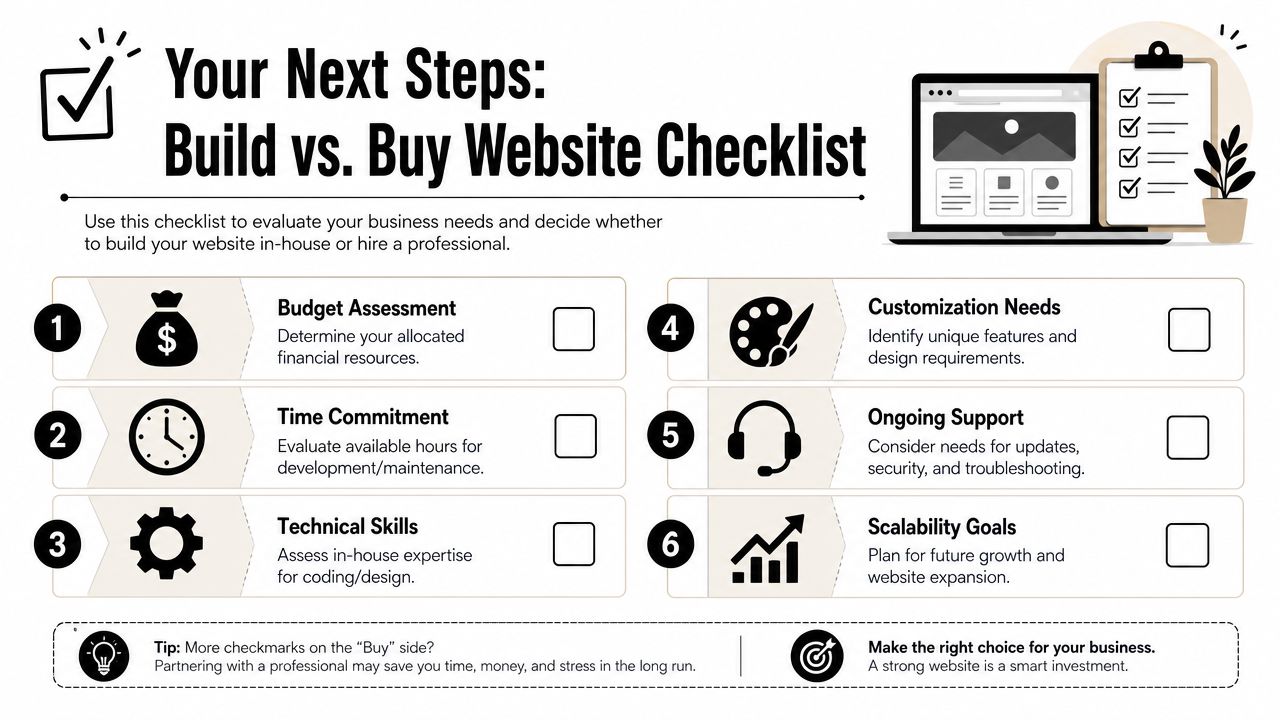
A lot of small businesses still operate without a website, even while new sites keep going live every day and web design remains a large service market, according to Hook Agency's web design statistics roundup. That matters for one reason. In the Uinta Basin, a website is no longer a nice extra. It is basic operating equipment if you want to win work, show up credibly, and recruit dependable people.
When DIY makes sense
DIY works best when the site has a narrow job to do and someone on your team can stay on it week after week.
Build it yourself if these statements are true:
- Your site is straightforward: a few core pages, a contact form, and no special integrations
- Someone owns the updates: not once, but every month
- You can write useful copy: clear service pages, hiring pages, and calls to action
- You can fix small problems: formatting issues, plugin conflicts, and broken sections happen
If you are sorting through platforms, this guide to compare website builders for businesses is a practical place to start.
When to hire a freelancer or agency
Hire outside help when the website needs to support operations, not just exist online. That usually means lead generation, recruiting, multiple service lines, or a sales process your office staff can use.
Use outside help when:
- The website needs to bring in qualified leads
- You need recruiting pages for CDL drivers, operators, mechanics, or field crews
- You serve different towns, divisions, or job types
- Your team will not maintain the site consistently after launch
- You need forms, tracking, SEO, or business systems set up correctly
A simple rule helps here. If the website needs to help your company make money or hire faster, cheap shortcuts usually get expensive.
If you're in Duchesne, Roosevelt, Vernal, or anywhere in the Uinta Basin and need a website that helps bring in jobs, applicants, and real business visibility, Northpoint Web is a practical option to consider. They work with contractors, oilfield service companies, trucking businesses, vacation rentals, and other small businesses that need more than a brochure site.
What This Guide Covers
Organize the article around the decisions a business owner must make: what the website needs to accomplish, which pages and features support those goals, how local search fits in, what affects cost and timeline, and when outside help makes sense.
- Website planning for contractors and industrial businesses
- Service, project, recruiting, and contact pages
- Mobile usability, speed, security, and navigation
- Local SEO and Google Business Profile considerations
- Budget, scope, maintenance, and build-versus-buy decisions
Start With Business Goals, Not Design Features
Before choosing colors, animation, or a template, identify the people the site must serve and the action each person should take. A buyer may need a quote path, a job seeker may need an application path, and an existing customer may need a phone number or service information. These paths should be visible in the navigation and page content.
For companies with several lines of work, separate service or industry pages are usually clearer than placing every capability on one vague services page. The exact structure should follow the company’s real sales and operating process.
Core Pages and Features for Utah Contractors
A practical site commonly needs a clear home page, focused service pages, an about or capabilities page, a contact or quote path, and—when hiring is important—a careers section. Project galleries are more useful when they explain the type and scope of work rather than showing unlabeled images.
- Mobile-first layout and readable content
- Short, understandable navigation
- Distinct calls to action for quotes, calls, and applications
- Service-area information that reflects where the company actually works
- Fast, secure hosting and a maintainable content structure
Match the Website to the Industry
Contractors and excavation companies should make services, project types, service areas, and bid requests easy to understand. Oilfield and industrial companies may need clearer capability, equipment, safety, compliance, and response information. Trucking companies often need separate paths for shipper or broker inquiries and driver applications. These are planning patterns, not mandatory templates; the final structure should reflect the actual business.
A Contractor Website Has to Do More Than Look Current
For Utah contractors, trucking companies, and industrial service businesses, a website often has to support more than general awareness. It may need to help a prospect request a bid, confirm capabilities, find the right service, or apply for a job. When the site is slow, vague, difficult to use on a phone, or missing proof of relevant work, it can create hesitation before a sales conversation starts.
A Practical Website Blueprint for Local Industrial Businesses
A useful small business website should connect clear service information, mobile usability, local search visibility, lead routing, and recruiting needs. The right structure depends on how the company wins work, serves customers, and handles applications—not on copying a generic brochure-site template.
What a Better Site Should Help Your Business Do
- Help buyers understand your services and service area quickly.
- Make quote requests and general questions easier to route.
- Show relevant equipment, capabilities, projects, and operating information.
- Give applicants a clear path to learn about jobs and apply.
- Support local visibility for the services and communities you actually serve.
Use Specific Evidence Instead of Generic Marketing Claims
Industrial buyers are more likely to trust specific information than vague claims. Use real project context, service details, equipment information, safety or compliance material where appropriate, and clear contact paths. Do not add testimonials, certifications, client counts, or performance claims unless the business can substantiate them.
Questions to Resolve Before You Build
- Do I need a large website? Start with the pages that support your most important services, audiences, and actions.
- Is a cheap template enough? Compare the ongoing cost of unclear messaging, poor mobile usability, and poorly routed inquiries—not just the initial build price.
- Should I do it myself? DIY may work for a simple business, but a more complex service mix may require help with structure, content, integrations, or ongoing management.
- Will a new site automatically rank? No. Technical quality, useful content, local information, and ongoing visibility work together.
Plan the Right Website for Your Business
Once you know which services, audiences, locations, and actions matter most, the next step is to review the available website services and determine what level of planning, development, SEO, and management fits the business.
Review Your Website Options
If your current site is difficult to update, unclear to prospects, or not organized around the way your business wins work, review Northpoint's website services and identify the most appropriate next step for your company.