If you’re a finance or procurement leader preparing a budget, the question “what’s the cost to build a WordPress AI plugin?” needs a practical, banded answer and a clear list of what affects that price. I’ll walk through realistic cost ranges, the phases you should plan for, common problems that extend scope, and what you can prepare now to keep the project on time and on budget.
Quick answer — cost and schedule bands
Every project is unique, but you can use these broad bands for initial planning:
- Small plugin (simple AI endpoint, single feature): $15k–$40k, 6–10 weeks
- Medium plugin (multiple endpoints, admin UI, integrations): $40k–$90k, 10–20 weeks
- Large plugin (custom models, complex workflows, enterprise integrations): $90k+, 20+ weeks
These bands cover design, development, basic QA, and a launch plan. They do not include ongoing hosting for model serving, third-party model API costs, or extended maintenance—those are typically recurring line items.
Why the range is wide
Two identical-sounding AI features can have very different costs depending on:
- Data readiness: Do you have labeled training data? Is it clean and accessible? Preparing and labeling data is often the single largest hidden cost.
- Integration complexity: Does the plugin need to read/write many WordPress custom post types, connect to external CRMs, or integrate with SMS/email gateways?
- Model approach: Will you call a hosted LLM API (lower up-front cost) or train/tune a model on private data (higher cost and longer timeline)?
- Compliance and privacy: Healthcare, finance, and municipal data can require extra design and legal review.
- Hosting and scaling: Real-time inference, low-latency APIs, or batch processing each need different infrastructure and testing.
Phase-by-phase breakdown (what to budget for)
1. Discovery and requirements (1–3 weeks)
Deliverables: scoped feature list, success criteria, user flows, high-level architecture, and a risk register.
Why it matters: One problem we encounter when building custom WordPress tools is vague scope. Discovery reduces surprises. For AI projects, include a data audit here: what data exists, formats, expected volume, and privacy constraints.
2. Prototype / proof of concept (2–6 weeks)
Deliverables: a working prototype using representative data, a basic admin UI, and a decision on the model approach (API vs. custom tuning).
Purpose: Proves the idea works and demonstrates the level of effort for full implementation. In an era that began with dial-up BBSs and text commands, quick prototypes were how we learned what actually worked—same idea here.
3. Model training or integration (2–8+ weeks)
If you use a hosted LLM, this phase can be short: prompt design, safety filters, and API key handling. If you need custom training or fine-tuning, budget extra time for dataset curation, training cycles, evaluation, and iteration.
4. Full plugin development (4–12 weeks)
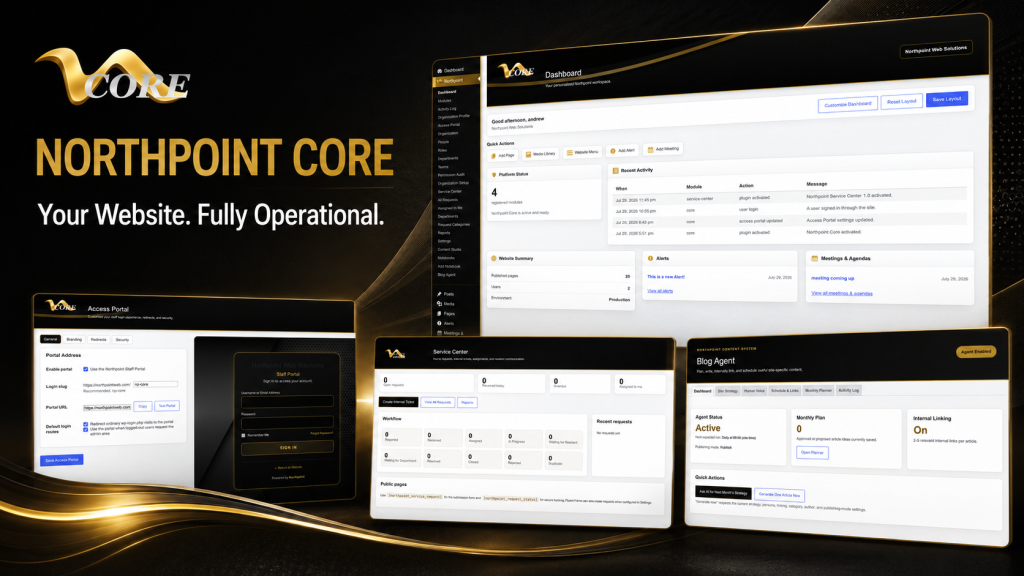
Includes building the WordPress admin UI, shortcodes or blocks, REST endpoints, WP role/permission handling, and external integrations (CRMs, payment gateways, or document stores). If your organization uses Northpoint Core or modular systems, we design plugins to fit the existing admin framework and avoid replacing public-facing sites.
5. QA, accessibility, and compliance testing (2–6 weeks)
QA for AI features must include functional tests, performance tests under load, and checks for biased or unexpected outputs. For public organizations, accessibility review is also essential.
6. Launch and transition to maintenance (1–3 weeks)
Deliverables: deployment plan, rollback strategy, documentation, and staff training. Post-launch monitoring and a short retainer for tuning usually follow.
Common problems that extend timeline and cost
- Poor or scattered data: If staff need to find and clean historical documents, expect weeks of data work.
- Undefined acceptance criteria: If stakeholders can’t agree what “good” looks like, features expand mid-project.
- Multiple integrations: Each external system (legacy CRMs, municipal permitting systems) adds integration time and testing.
- Security and compliance reviews: Government entities often require additional sign-offs that add calendar days even if engineering work is small.
- Performance requirements: Real-time chatbots need different architecture than a nightly batch summarizer.
What you can prepare to keep costs predictable
- Collect sample data: Export representative files, anonymize them if needed, and provide a data dictionary.
- Define success metrics: Accuracy targets, latency limits, or user adoption goals make acceptance objective.
- List required integrations: Provide API docs, credentials, and who to contact on each vendor side.
- Decide on model approach: If you’re willing to start with a hosted LLM, initial cost and schedule shrink considerably.
- Plan for hosting and budgeted API spend: Estimate expected API calls or inference hours so you don’t get surprises.
Ongoing costs you should plan for
Beyond development, plan for:
- Monthly hosting for any model-serving infrastructure or a higher-tier WordPress host
- Third-party AI API usage (LLM tokens, image processing, transcription)
- Maintenance, security updates, and plugin compatibility testing with core WordPress and other plugins
- Periodic model retraining or prompt tuning as your data changes
Decision checklist before you sign a statement of work
- Do we have representative, accessible data?
- Are success metrics and acceptance criteria defined?
- Which integrations are essential at launch vs. phase 2?
- Will we accept a hosted LLM for v1, or do we require custom training?
- Who owns recurring cloud/API costs after launch?
Where Northpoint fits and next steps
At Northpoint Web Solutions, we build WordPress plugins and modular site software that integrate with existing sites rather than replacing them. If you’re unsure whether your project needs a custom plugin, a Northpoint module, or a combination of hosted AI APIs and WordPress integration, start with a focused discovery. One practical option is a short prototype that proves the model approach and integration points before committing to full development.
For more reading on how WordPress can become an operational platform (forms, service requests, staff portals) see our guide on turning your site into business software. If you’re ready to discuss specifics, talk with Northpoint Web Solutions about your website, software or workflow problem. We can help determine whether an existing Northpoint product, a custom WordPress plugin, or a custom software solution is the best fit.
Historical note: When I first learned to build bulletin board systems in the pre-web era, rapid prototypes were the fastest way to understand what actually worked. The same is true for AI projects today: test early, learn fast, then scale.