Hey—I’m Andrew North. If you’ve ever spent late nights troubleshooting a clunky form or stitching together three different tools to handle one workflow, you’re in the right place. I learned to tinker with BBSes and early web hosting before WordPress existed; those early experiments taught me to favor tools that actually make daily work easier, not more complicated. Below is a clear, practical framework you can use to decide whether your organization should invest in custom WordPress software or pick a ready-made SaaS product.
Start with the core question
Do you need a system that exactly matches your organization’s workflow and data, or will a SaaS product that fits most of your needs be cheaper and faster to deploy? Answering that requires looking past upfront cost to control, integrations, data ownership, staff capacity, and long‑term maintenance.
Decision checklist: six dimensions to evaluate
Score each item on a simple 1–5 scale (1 = SaaS clearly better, 5 = custom build clearly better). Totals closer to 30 point toward building; totals closer to 6 point toward SaaS.
1. Cost (short and long term)
- Consider upfront development vs. recurring subscription fees.
- Factor in hosting, backups, and possible vendor lock‑in costs for SaaS.
2. Control and customization
- Do you need custom workflows, unique data fields, or branded user interfaces?
- Custom WordPress software often wins when off‑the‑shelf options force workarounds that reduce staff efficiency.
3. Integrations and existing systems
- List required integrations (phone systems, accounting, GIS, CRMs, scheduling).
- If your workflows depend on multiple internal systems, a custom plugin or tailored configuration inside WordPress can glue them together without extra subscriptions.
4. Data ownership and privacy
- Municipalities and departments handling resident data often prefer full control over storage, backups, and exportability.
- SaaS may be acceptable if terms, export tools, and retention policies meet your rules.
5. Staff capacity and technical skill
- Do you have staff for routine maintenance, updates, troubleshooting, and security? If not, a managed SaaS reduces internal burden—unless you also plan managed hosting and maintenance for a custom WordPress solution.
6. Security and compliance responsibility
- SaaS vendors often maintain operational security, but you must still understand breach notification, access controls, and compliance requirements.
- With custom software you control responsibilities; that’s more work but also more control.
Five red flags that favor building custom WordPress software
If you see several of these, a custom WordPress plugin or modular solution is worth strong consideration:
- Your workflow requires data fields or relations that no SaaS supports without heavy compromise (for example: multi‑department approvals with custom escalation rules).
- You must keep data on your infrastructure or under specific retention/export rules for legal or policy reasons (common with municipalities and special districts).
- Multiple existing systems need to talk to one hub (website, internal staff portal, forms, GIS, and accounting). A WordPress‑based administrative dashboard can act as that hub.
- You want to avoid deep vendor lock‑in or continual per‑user licensing costs that scale poorly with growth.
- You need a workflow that’s unique to your organization and that impacts daily staff efficiency enough to justify development time.
Five signs SaaS is the better fit
SaaS may be the right choice when several of these apply:
- You need to deploy quickly and a SaaS product meets at least 80% of your essential requirements.
- Your team lacks capacity for ongoing maintenance and you prefer the vendor to handle uptime, patches, and security.
- The SaaS integration ecosystem (payments, calendar, identity provider) reduces custom work and total cost of ownership.
- Your data sensitivity and compliance needs are modest and the vendor provides clear SLAs and export tools.
- Standardized workflows—like basic scheduling, online payments, or donor management—are available in mature SaaS products at reasonable cost.
Specific checklists for common Northpoint audiences
Municipal IT director
- Must-have: data exportability, roles/permissions aligned with departments, public record access.
- Investigate SaaS: vendor policy for public records requests, data residency, and incident response.
- Consider custom: if you need a Service Center tied into the website and internal staff dashboards, a WordPress module may preserve control and reduce separate subscriptions.
Recreation department director
- Must-have: roster exports, waitlists, refunds, and seasonal scheduling.
- Investigate SaaS: registration platforms that handle payments and waivers; check refund and roster workflows.
- Consider custom: if you want registration tightly integrated with your website, reporting tailored to municipal accounting, or a branded mobile experience, a custom WordPress solution can centralize those pieces.
Small-business owner
- Must-have: straightforward onboarding, predictable monthly costs, and minimal maintenance.
- Investigate SaaS: compare total subscription fees for necessary features; confirm data export and cancellation terms.
- Consider custom: if a WordPress plugin can replace several subscriptions (CRM, invoicing, booking) with a single hosted solution and reduce complexity.
Practical implementation steps
- Make a feature list with “must,” “should,” and “nice‑to‑have” items.
- For each item, mark whether SaaS, a native WordPress plugin, or custom development meets it.
- Estimate total cost: subscription vs. development + hosting + maintenance for 3 years.
- Run a pilot on a single workflow—forms to assignment to reporting—to validate assumptions.
- If building, plan for updates, backups, and a handoff process so your staff isn’t dependent on one contractor.
A note on WordPress as a business platform
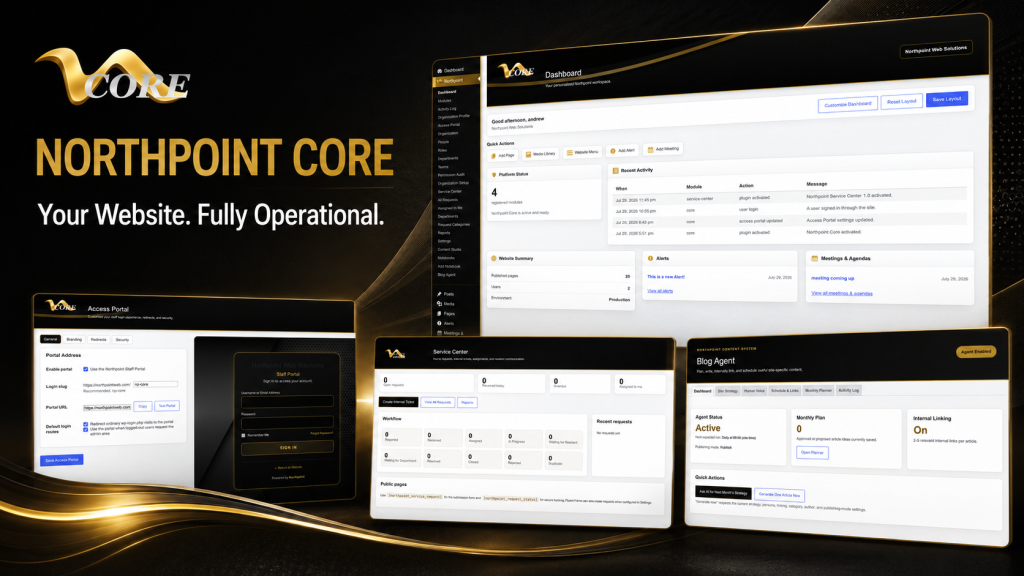
WordPress can be more than a brochure site. At Northpoint we design modular WordPress software—like administrative dashboards, service centers, and content tools—so sites actively support internal workflows. One reason we developed Northpoint Core is to provide a centralized place for those tools without replacing the public site. That approach is useful when you want custom workflows but still prefer the convenience of a familiar content management system.
Historical perspective
When I started with BBS and early web hosting, the idea of using one server for both public notices and internal ticketing was unusual. Today, the same principle applies: a well‑designed website should be working for your organization 24 hours a day—accepting requests, publishing updates, and feeding internal dashboards—without staff needing to jump between a dozen services.
Next steps and a low‑pressure offer
If you want a fast, practical evaluation, send your feature list and I’ll help you map it to SaaS options and WordPress approaches. Talk with Northpoint Web Solutions about your website, software or workflow problem. We can help determine whether an existing Northpoint product, a custom WordPress plugin, or a custom software solution is the best fit.
Helpful internal reading: Learn about our approach to custom WordPress software, see examples of WordPress business operating system and connected business tools, or explore how our Northpoint Recreation Manager supports recreation workflows.