
Tag: Northpoint Core

  • WordPress as a Business Operating System: 7 Real Workflows You Can Run Inside Your Website

    WordPress as a Business Operating System: 7 Real Workflows You Can Run Inside Your Website

    Hi — I’m Andrew North. If you remember the BBS days, you know what a small, well-tuned system can do for a community. I still think about that when I plan websites: a site shouldn’t just live on a server; it should do useful work for your organization. This article explains how to treat WordPress as a business operating system and lists seven real workflows you can run inside your website, with implementation notes and links to relevant Northpoint modules so you can evaluate what fits your organization.

    Why run workflows inside WordPress?

    Many organizations juggle multiple SaaS subscriptions—forms in one app, CRM in another, invoicing somewhere else. That’s fine until you need reliable data ownership, consistent permissions, or one place staff trust. Running workflows in WordPress keeps your data inside your site, reduces duplicate data entry, and can save staff time when modules are connected through a single administrative dashboard.

    How to read the workflow notes

    Each workflow below includes:

    • a brief description of the workflow
    • common implementation notes (what to think about during setup)
    • which Northpoint modules typically map to the workflow

    1) Public form → tracked service request → assignment → completion

    Use case: pothole reports, permit applications, facility maintenance requests.

    Implementation notes: build public forms with clear required fields and attachments. Capture requester contact info and location data. Map submissions to a ticket that can hold internal notes, assignments, due dates, and status history. Configure requester notifications and public updates where appropriate.

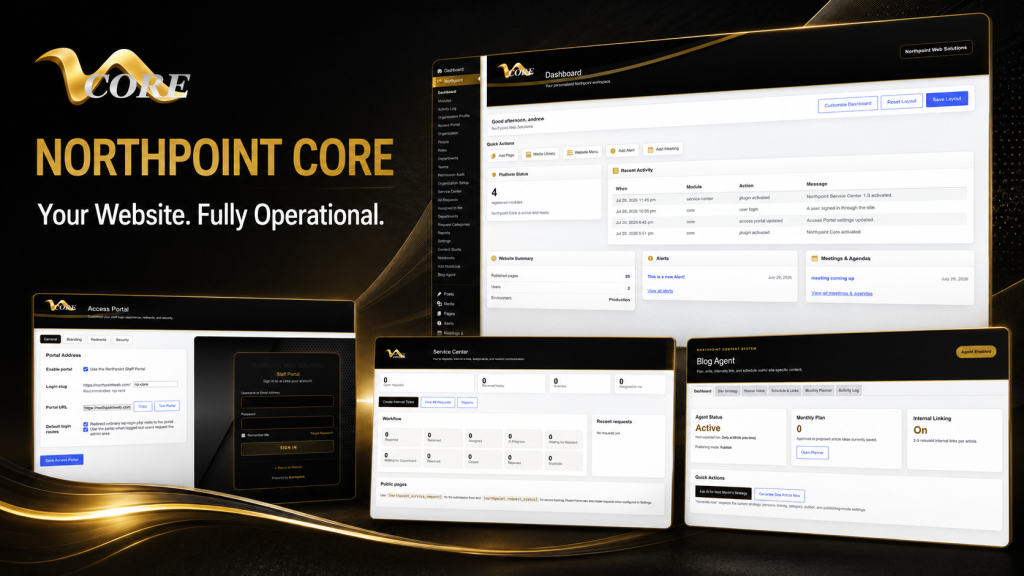
    Northpoint map: this is a natural fit for the Northpoint Core dashboard together with Northpoint Civic Forms and the Northpoint Service Center-style tools described in our documentation. In the systems we build, Service Center integrates form intake with assignment and reporting.

    2) Lead or customer form → CRM contact → task queue → follow-up

    Use case: sales leads, client intake, volunteer signups.

    Implementation notes: ensure form fields map to a CRM record (name, email, tags, source). Add automation rules that create a follow-up task or reminder for a specific team. Use roles and permissions so only authorized staff can view sensitive data.

    Northpoint map: implement as part of Northpoint Core with Organization tools for staff and roles, and the internal contact/tracking features available through our CRM-oriented modules. For content-driven follow-ups, pair with Northpoint Content Manager where appropriate.

    3) Quote request → job record → scheduling → field ticket → invoicing

    Use case: contractors, service providers, recreation programs that convert registrations into jobs and bills.

    Implementation notes: convert a submission into a job record that carries project details, attachments, assigned staff, and scheduled dates. Provide a printable or mobile-friendly field ticket for crews, then generate invoices tied to the job when work completes. Consider integrating payment links or reminders on invoices.

    Northpoint map: this end-to-end workflow is described in our contractor guide and pairs custom job-management logic with invoicing capabilities. See our article Turn Your Contractor Website into a Job Management Hub and the modular tools available through Northpoint Core and our custom integrations for invoicing and field tickets.

    4) Event or program registration → roster → waitlist → automated communications

    Use case: recreation classes, tournaments, community events.

    Implementation notes: collect required registration details, handle capacity limits by creating a waitlist, and generate roster PDFs or CSV exports for staff. Automate confirmation, reminders, and cancellations so staff aren’t manually emailing dozens of participants.

    Northpoint map: use Northpoint registration tools within Northpoint Core or our recreation-specific module Northpoint Recreation Manager when you need more scheduling, refund, or roster features.

    5) Purchase order / vendor invoice intake → AP tracking → approval workflow

    Use case: small municipalities, departments, or businesses that need a simple accounts-payable workflow without an external AP system.

    Implementation notes: create a submission form for incoming invoices or purchase orders, attach scanned documents, route to approvers with comment fields, and track payment status. Add notifications for overdue approvals or missing documentation.

    Northpoint map: this can be implemented inside Northpoint Core using custom forms and assignment rules. If you need a tailored approval chain, our team can build a small plugin that enforces the specific steps your organization requires—an example of how custom WordPress software can replace a separate workflow tool.

    6) HR onboarding checklist → personnel record → training reminders

    Use case: new-hire forms, background checks (metadata only), role-based access provisioning.

    Implementation notes: separate public onboarding forms from internal personnel records. Store only non-sensitive metadata in the site unless you have secured hosting and clear data policies. Use automated reminders for required training, certifications, and performance reviews.

    Northpoint map: implement with Organization tools inside Northpoint Core and permissioned internal pages powered by Northpoint Content Manager and Notebooks for internal documentation.

    7) Content planning → draft creation → scheduled publishing → SEO automation

    Use case: centralized blog strategy, public notices, and consistent content workflows that reduce duplicate effort across departments.

    Implementation notes: use a content calendar, assign writers, store draft guidance, and automate scheduled publishing. Pair content tasks with SEO recommendations and internal linking suggestions so posts are discoverable and consistent.

    Northpoint map: Northpoint Core paired with Northpoint Blog Agent and Northpoint Content Manager provides an end-to-end content workflow inside WordPress.

    Practical considerations before consolidating tools

    • Data ownership and privacy: decide which data stays in WordPress and which requires external processing (payments, sensitive records).
    • Staff training and permissions: give each role only the access they need. Northpoint Organization tools help structure roles and teams.
    • Integration scope: prioritize replacing the tools that cause the most duplication first—forms, tickets, and basic CRM are common starting points.
    • Hosting and backups: managed hosting is essential for business-critical sites. See our website management page for managed hosting and maintenance options.

    A historical note

    When I started building online systems in the late 1990s and early 2000s, many small organizations relied on disconnected spreadsheets and emailed PDFs. WordPress has matured since then; it can now host lightweight business systems that once required expensive desktop software or multiple cloud apps.

    Next steps

    If any of these workflows sound useful, start by listing your three highest-friction processes. We can help map them to specific WordPress modules, show which Northpoint tools apply, and scope a phased implementation that minimizes disruption.

    Talk with Northpoint Web Solutions about your website, software, or workflow problem. We can help determine whether an existing Northpoint Core module, a custom WordPress plugin, or a hybrid approach is the best fit.

  • Planning a Fair or Festival? 8 Website Features That Make Vendor Registration and Onsite Maps Work

    Hi — I’m Andrew North. If you’ve ever run registration from a spreadsheet while fielding emails and late payments the week before your fair, you already know why a few website features change everything. I learned how to build tools by tinkering with BBSes and early WordPress sites; the same practical mindset applies to event websites today: pick a small set of features that remove repetitive work.

    What problem this article solves

    Fair and festival websites often try to do too much or too little. The most common headaches I see are: vendor registrations lost in email, booth maps that aren’t updated, schedules that don’t reach staff or visitors, and mobile maps that die when connectivity is spotty. Below are eight features you can prioritize to reduce day-of chaos and make vendor management repeatable year after year.

    Eight essential website features

    1. A purpose-built vendor registration form with conditional logic

    Start with a registration form that asks for only the fields you need and shows relevant questions based on vendor type. Conditional fields reduce back-and-forth email and speed approvals. Include file uploads for certificates or permits, a required acceptance of your vendor terms, and a way to collect booth size and power needs.

    One problem we encounter when building registrations is lost submissions: a form goes to an inbox no one checks. Turn submissions into trackable items inside a managed system so nothing falls through the cracks — more on that below.

    2. Online payments and refundable-deposit handling

    Collecting fees during registration prevents no-shows and removes manual follow-up. Design payment as a step in the registration workflow, but keep administrative controls so staff can mark refunds, issue invoices, or accept payment offline if necessary.

    3. Vendor portal / admin dashboard

    A simple vendor portal allows applicants to see their status, download receipts, and update contact information without emailing staff. For staff, a dashboard that lists pending approvals, required inspections, and payments turns scattered tasks into a queue they can work down every day.

    4. Interactive vendor map with assignment tools

    An interactive vendor map that shows assigned booths, vendor types (food, retail, nonprofit), and utility requirements saves hours on site layout. Make the map editable from your admin area so changes update live. When possible, include booth coordinates and printable maps for crew use.

    5. Live schedule publishing and change notifications

    Publish event schedules on the site and implement a simple versioning system so staff know when changes are made. Combine schedule updates with pushable alerts to vendors and volunteers—email plus SMS when necessary—so last-minute changes reach the right people.

    6. Mobile-first onsite map and offline caching

    Visitors and vendors will view maps on phones. Build a mobile-first map interface that supports simple gestures and large touch targets. Consider progressive enhancement so the map caches essential data for offline use in areas with limited cell coverage—this is especially useful for rural fairgrounds.

    7. QR codes and shortlinks for booth pages

    Print QR codes for each booth that link to a vendor’s profile or menu. QR codes make it easy for visitors to find food options, check hours, or leave ratings without a physical program. Use shortlinks for printed schedules and staff checklists.

    8. Exportable reports and integrations

    Make administrative exports easy: vendor lists, fee ledgers, power allocations, and site maps should export to CSV or PDF. If you use an accounting system or a municipal payment gateway, plan how registration data will integrate to avoid double entry.

    Design and operational considerations

    Mobile-first, not mobile-only

    Design every screen with a phone in mind, but ensure critical admin tasks are still usable on a tablet or laptop. A signup flow that’s simple on mobile will reduce abandoned registrations.

    Permissions and approval workflows

    Not every staff member needs access to every tool. Use role-based permissions so permit officers, layout staff, and finance each see appropriate queues. In the systems we build, separating duties reduces mistakes and keeps approval history auditable.

    Accessibility and readability

    Keep forms readable and accessible: large labels, clear error messages, and keyboard-friendly controls. Accessibility benefits everyone and makes public-facing materials easier for older vendors and visitors.

    Plan for email delivery and submission tracking

    Rather than relying on a plain inbox, treat registrations as managed items. If your website converts forms into internal tickets or requests, staff can assign, comment, and set deadlines without hunting through email. If you want a practical starting point for moving forms into a tracked system, see How to Stop Losing Form Submissions: Build a Managed Service Center into Your WordPress Site.

    How to phase these features into a budget-conscious project

    Rather than one large launch, phase the work:

    • Phase 1: Solid registration form, payments, and confirmation emails.
    • Phase 2: Admin dashboard and vendor portal so staff stop copying spreadsheets.
    • Phase 3: Interactive maps and mobile caching for onsite use.
    • Phase 4: Integrations, exports, and advanced notifications.

    This phased approach reduces risk and lets you learn what vendors actually need before building everything.

    Where website apps fit in: make the site work for you

    Your website can do more than publish PDFs. Turning a registration form into a tracked workflow and a map into an editable layout are examples of making your website work for the organization 24 hours a day. If you want an operating platform rather than a brochure, consider a modular approach built on a system like Northpoint Core, which is designed to expand website functionality without replacing your existing site. For fair-specific tools and mobile fair apps, see Custom Fair Management Software and Mobile Fair Apps Built for Real Events, and if you need modern online forms for permits and registrations, explore Northpoint Civic Forms.

    For many organizers, the hardest part is deciding which feature to build first. Tell us what’s difficult about managing your current website, and we can help identify a practical next step. Request a Northpoint website review to discuss registration, maps, scheduling, or a custom module that fits your fair.

  • Best WordPress Tools for Recreation Registration: How to Reduce No-Shows and Manual Work

    Hi — I’m Andrew North. I started fiddling with BBSes and dial-up tools years before most people had a website, and the same simple idea stuck with me: software should do the repetitive work so staff can focus on people. If you run a municipal recreation program in Utah and you’re evaluating recreation registration software WordPress options, this article compares the practical approaches recreation directors actually need and explains which features reduce no-shows and manual work.

    Three realistic approaches for recreation registration

    When departments evaluate registration tools they usually fall into three camps: hosted SaaS registration platforms, off-the-shelf WordPress plugins, and custom WordPress modules or apps built into the existing website. Each approach solves some problems and creates others.

    1. Hosted SaaS (third-party registration platforms)

    Pros: Quick to implement, often feature-packed (payments, waiver signing, automatic waitlist handling), and support is provided by the vendor. Cons: recurring subscription costs, data siloed outside your website, integration work to get rosters or reports into municipal accounting, and less control over branding or workflow.

    For small Utah towns that need to launch registrations quickly, SaaS can be attractive. But if your goal is to own your data, simplify staff workflows inside your WordPress site, or reduce multiple logins, SaaS may add long-term friction.

    2. Off-the-shelf WordPress plugins

    Pros: Can live on your WordPress site, fewer vendor relationships, and often lower annual cost. Plugins cover event calendars, e-commerce, form builders, and memberships that can be combined into a registration flow. Cons: plugins vary widely in quality, integrations can be fragile after updates, and stitching features together (payments + waivers + waitlists + rosters) can require extra configuration or add-on purchases.

    One problem we encounter when building municipal sites is that combining multiple plugins often leaves staff with scattered admin screens. You might get registration forms from one plugin, payments in another, and rosters exported manually to spreadsheets—exactly the workflow that creates work and errors.

    3. Custom WordPress modules or in-site apps

    Pros: Built to match your municipal workflow—one system for registrations, rosters, reporting, refunds, and staff dashboards. Data stays on your site, integrations are consistent, and features can be added incrementally. Cons: higher up-front development time and the need for ongoing maintenance.

    Northpoint Core provides a centralized administrative dashboard and framework designed to turn WordPress into a business operating platform, and custom recreation modules are designed to work inside that framework to reduce scattered screens and duplicate data entry.

    Key features recreation departments actually need

    Regardless of the approach you choose, these are the features that materially reduce no-shows and manual workload.

    • Waitlists with auto-promotion: A proper waitlist should optionally auto-enroll the next person when a spot opens and send automatic notifications. Manual waitlist processing is a time sink.
    • Automated reminders (email + SMS): Multiple reminders (registration confirmation, pre-class reminder, day-of reminder) reduce no-shows. Look for templates and scheduling controls so staff can adjust timing for different programs.
    • Flexible payment and refund handling: Support for full payment, deposit, or pay-at-class workflows. Refund workflows should record status and produce reconciliation-friendly reports.
    • Roster and attendance tools: Live rosters that export CSV, printable sign-in sheets, and simple check-in options (tablet or QR codes) cut down morning chaos.
    • Reporting and exports: Attendance, revenue, refund history, and waiver acceptance should export cleanly to CSV and be filterable by date, program, and facility.
    • Waivers and required fields: Online waivers or release forms that must be accepted before a registration is complete reduce last-minute paperwork and potential liability confusion.
    • Capacity and multi-session management: Limits per session, waitlist per session, and rules for siblings, discounts, or scholarships.
    • Staff roles and dashboards: Role-based access so seasonal staff see only what they need to — rosters, attendance, and messaging tools — without exposing administrative settings.
    • Accessibility and mobile-friendliness: Registrations need to work on phones and meet municipal accessibility priorities.

    How these features reduce no-shows and manual work

    Automated reminders and paid deposits directly reduce no-shows by making details obvious and creating a small financial incentive to attend. Waitlist auto-promotion minimizes lost seats by filling spots immediately and without staff intervention. Roster exports and attendance tracking turn ad-hoc paper sign-ins into data you can use for reporting, grant applications, or staffing decisions.

    For many municipalities we work with, the biggest time-wasters aren’t the registrations themselves; they’re the follow-up tasks—reconciling payments, emailing waitlisted participants, re-creating rosters from multiple systems. Centralizing those pieces inside one WordPress-based admin view cuts repeated clicks and spreadsheet juggling.

    Practical decision framework for recreation directors

    Answer these questions before deciding:

    1. Do you need to own and export raw registration data easily for accounting or grants?
    2. Do seasonal staff need limited access to rosters and attendance tools without full admin rights?
    3. Are recurring programs (multi-session classes or leagues) a significant portion of registrations?
    4. Do you want to reduce vendor subscriptions and keep functionality on your municipal website?

    If you answered yes to two or more, a WordPress-first approach—either a carefully chosen plugin stack or a custom module—will likely save staff time and long-term cost. If you need to launch immediately and don’t mind a separate dashboard, a hosted SaaS tool can be viable short-term.

    Integration and implementation tips

    • Prefer systems that export CSV and provide webhooks or APIs so you can automate reconciliation or connect to accounting later.
    • Test refunds and payment flows in a staging environment before going live to avoid morning-of surprises.
    • Use automatic reminders but allow managers to override messages when necessary for weather cancellations or last-minute changes.
    • Document your staff workflow: who handles refunds, who checks rosters, and how waitlist promotions are approved. Automate the routine parts and keep manual approvals for exceptions.

    Where WordPress-built solutions fit

    Your website can do more than advertise classes. It can host forms, manage workflows, and deliver reports. If you’re interested in integrating registration with other municipal services—public forms, service requests, or facility bookings—consider options that are designed to work inside WordPress rather than separate silos. For example, Northpoint Civic Forms can modernize online forms and make them part of a managed workflow, and a centralized admin platform like Northpoint Core is designed to bring administrative tools into a single dashboard. If you’re losing form submissions or need a managed service center approach, see our checklist: How to Stop Losing Form Submissions. For municipalities that want a civic-focused platform, Northpoint Civic describes options that combine public forms, service workflows, and administrative access.

    Next steps

    If your staff spends more time reconciling spreadsheets than coaching or running programs, let’s talk. Tell us what is difficult about managing your current website, and we can help identify a practical next step—whether that’s a plugin audit, a staged migration to an in-site registration module, or a simple automation to reduce no-shows and manual tasks.

    Request a Northpoint website review to discuss design, maintenance, hosting, accessibility, or administrative needs, or contact Northpoint Web to discuss a WordPress registration solution for your recreation department.

  • What a WordPress Administrative Dashboard Should Do: Turning Your Site Into an Organization Hub with Northpoint Core

    Hey—I’m Andrew North. If you’ve ever wrestled with five different logins, a dozen people editing the same page, or staff who only have partial visibility into tasks, you’re not alone. Back when I was learning on bulletin-board systems and early dial-up connections, the appeal of a single place to manage things was obvious. Today’s websites should do the same for your organization: be one place staff use every day to get work done.

    Three administration problems most organizations recognize

    When we start conversations with municipal IT leads, nonprofit operations managers, or small-agency administrators, three issues always come up:

    1. Scattered logins and fragmented tools

    Staff juggle separate logins for hosting, WordPress, forms, GIS, email lists, and third‑party apps. That creates delays when someone is out, increases the chance of orphaned accounts, and makes auditing difficult.

    2. Inconsistent content and broken workflows

    Content edits, press releases, and announcements are often produced in email threads or shared drives, then pasted into the site without a review process. The result: inconsistent tone, duplicated pages, outdated notices, and confused visitors.

    3. Loose or unclear staff permissions

    WordPress roles are a start, but many organizations need department-level access, assignment of tasks, or temporary permissions that standard roles don’t cover. Without clearer controls, mistakes happen and responsibility is hard to track.

    How a centralized dashboard maps to those problems

    A well-designed administrative dashboard doesn’t just add another interface; it centralizes common tasks and enforces a repeatable workflow for content, requests, and staff responsibilities. Northpoint Core is designed to be that central hub—it’s a modular framework that brings tools together inside WordPress so you don’t force staff to bounce between unrelated systems.

    Single sign-in and consolidated tools

    Instead of telling staff to remember hosting credentials, form‑builder logins, and separate admin panels, a dashboard gives them one place to land. Northpoint Core is designed to host modules—Content Studio, Notebooks, Service Center—so your team logs into WordPress and has contextual links to the exact tools they need. That reduces friction and makes backups, maintenance, and onboarding simpler.

    Content workflows that reduce duplication

    One reason we designed Northpoint Content Studio to work within the Core framework is to create a dedicated environment for drafts, internal reviews, and scheduled publishing. Editors can write in a place that’s separate from live pages, route content for approval, and publish on a schedule. That cuts down on accidental live edits and makes it easier to keep tone and formatting consistent across pages and departments.

    Department-based permissions and task assignment

    Northpoint Organization tools support departments, teams, staff, roles, and permissions. When combined with a dashboard workflow, an incoming service request can be routed to the right department, assigned to a staff member, given a due date, and tracked—all without exporting to another ticketing system. This reduces the “who owns it?” problem that normally slows responses.

    Practical workflow examples

    Here are three short examples of what these combined tools accomplish in real operations (no fictional testimonials, just practical patterns we use when building systems).

    Streamlined public request handling

    When a resident submits a request through a site form, Northpoint Service Center captures the submission, creates an internal ticket, assigns it to a department, and provides a communication history visible to staff. Staff don’t need to check email or multiple spreadsheets; the dashboard shows outstanding items and due dates in one list.

    Content publishing with review and scheduling

    Content Studio lets writers create drafts, request review from a supervisor, and schedule publication. The dashboard highlights pending drafts and recent edits, reducing accidental overwrites and allowing nontechnical staff to focus on approvals, not formatting.

    Accountability with role-aware views

    Department heads see only their teams’ items; site admins see the whole picture. That minimizes role confusion while keeping oversight simple. Northpoint Organization tools support these structures so permissions reflect how your organization actually works.

    When to add a full dashboard versus incremental tools

    Deciding between a complete administrative dashboard and smaller, incremental tools is often about scale and coordination. Here’s a short decision framework to help you choose.

    • Choose incremental tools when: Pain points are isolated—one department needs a form automation or the marketing team wants a better editor. If only one workflow is broken and it affects a small group, a targeted plugin or process change may be faster and cheaper.
    • Choose a dashboard when: Multiple teams struggle with overlapping workflows, you need consolidated reporting, or account and permission management is a recurring problem. Dashboards pay off when coordination matters more than a single feature.
    • Budget and timing: If you need quick wins while planning a dashboard, implement the highest-impact incremental tools first (forms with routing, a dedicated editorial workspace), then fold them into the dashboard later. Northpoint’s modular approach is designed for this incremental path.

    Technical and organizational considerations

    Building a dashboard on WordPress keeps your website and tools together, but it does require planning: define roles, map workflows, choose which modules to activate, and plan for maintenance. One practical advantage is owning your software rather than depending on multiple SaaS subscriptions; another is that modules can be added over time without rebuilding the public site.

    If you want examples of dashboards and modular apps built into WordPress, our Software & Apps page explains how Northpoint positions Core as a platform for modules such as Content Studio, Notebooks, and the Service Center. For an admin-specific, branded dashboard experience, see Northpoint Admin Studio, which illustrates simplified WordPress administration and role-aware views for staff.

    Final thoughts and a brief historical note

    When I think about websites that actually work for organizations, I remember the early web days and how a single bulletin board served a community. The goal hasn’t changed: provide a central place people return to because it makes life easier. A WordPress‑based dashboard built with Northpoint Core turns your public website into that kind of place for staff: one login, clearer workflows, and fewer things falling through the cracks.

    Need a practical next step? Tell us what is difficult about managing your current website, and we can help identify which incremental tool or dashboard module will make the most difference. Request a Northpoint website review or contact Northpoint Web to discuss a demo or a review of your current setup.

    Prefer to browse first? See our Software & Apps overview for Northpoint Core and related modules, or learn about a simplified admin experience on the Northpoint Admin Studio page. If your priority is reliable operations, our Website Management services cover hosting, maintenance, backups, and ongoing support while you add applications.

    Whether you need one tool or a full administrative hub, schedule a conversation about your current website and the improvements that would make the greatest difference for your staff and visitors.

  • Turn Your WordPress Site Into Business Software: A Practical Guide

    Hey—if you’ve ever dialed into a BBS on a noisy phone line, you know the internet used to feel like a set of boxes you could rearrange yourself. I still think about that when I help organizations turn a static WordPress site into something that actually runs daily operations. Your website can do more than advertise your business. It can help run it.

    What problem does this article solve?

    Many small businesses, nonprofits, and municipal offices have websites that only publish information. They collect enquiries into email inboxes or, worse, spreadsheets. That leads to lost requests, duplicated work, unclear ownership, and manual follow-ups. This article gives a practical decision framework and an implementation checklist for turning a WordPress website into business software—job tracking, customer portals, scheduling, invoicing, internal dashboards, and automated workflows—without rebuilding everything.

    When to build custom software instead of buying another subscription

    Consider custom software on your website when several of these are true:

    • You use multiple subscriptions each serving one task (forms, CRM, scheduling, invoicing) and staff must copy information between them.
    • Your workflows rely on spreadsheets and email for assignment and follow-up.
    • You need a branded customer or staff portal that lives on your site.
    • You want ownership and portability of your data rather than another closed platform.
    • Existing tools don’t integrate cleanly with your website or public forms.

    Custom development isn’t always cheaper up-front, but it can reduce ongoing subscription costs, simplify staff work, and keep data under your control.

    Signs you should wait or prototype first

    If your needs are narrow and affordable off-the-shelf tools exist that integrate cleanly with WordPress, try them first. Prototype a single workflow before committing to multiple custom modules.

    A checklist to prepare your organization

    Before any code gets written, take these practical steps:

    • Document the current process for one common task (for example: service request → assignment → completion → invoice).
    • Identify who needs access and at what level (public requester, staff, manager).
    • List the data you collect now and any data you wish you had for reporting.
    • Decide which systems must stay (accounting, payroll) and which can be replaced.
    • Set success measures: reduced time per request, fewer lost items, faster response, or simpler reporting.

    Practical steps to turn a WordPress site into business software

    Use a modular approach so you don’t rebuild everything at once. A good sequence is:

    1. Fix the input: replace unmanaged forms with managed submissions (forms that create request records, not just emails).
    2. Add staff roles and assignment: allow staff to claim or assign requests with internal notes and due dates.
    3. Publish a simple customer status portal so requesters can check progress without calling.
    4. Automate routine notifications and follow-ups to reduce manual reminders.
    5. Build reporting and dashboards for common management questions.
    6. Iterate with real users and add more modules as workflows stabilize.

    In the systems we design, starting with reliable form submission and assignment cuts the most waste. One of the reasons we designed Northpoint Core was to provide a central place for those managed records and to add modules over time without disrupting the public site. Learn more about Northpoint Core to see how a centralized platform can shape this workflow.

    Technical considerations that matter

    Keep these practical constraints in mind when planning:

    • Roles and permissions: use department-based access so staff only see what they need.
    • Backups and recovery: business applications need regular backups and a tested restore process.
    • Performance: application-driven pages should be optimized and monitored to stay responsive.
    • Mobile usability: field staff often need mobile-friendly or progressive web app interfaces.
    • Data portability: store data in ways that can be exported to accounting or reporting systems later.

    How modular software reduces risk

    Instead of one giant system, modular tools let you add one capability at a time—forms and service tracking, then CRM integration, then invoicing or field operations. That approach lets staff learn gradually, prevents long development cycles, and keeps the public site stable. Northpoint’s module strategy is designed around this principle: add functionality with modules that work inside your existing WordPress site rather than forcing a rip-and-replace.

    Adding AI and automation responsibly

    Practical AI helps with content planning, summarizing long staff notes, suggesting next steps for follow-up, or routing requests. Use AI as an assistant, not the final decision-maker. Keep human review for approvals, sensitive communications, or legally significant matters. If you want to explore AI features, start small with summaries and routing suggestions, then expand as staff confidence grows. See the Northpoint AI Assistant for one way to add smarter help to visitor interactions.

    Maintenance, hosting, and ongoing work

    Business apps need ongoing maintenance: plugin updates, backups, monitoring, and occasional adjustments as workflows evolve. Managed WordPress hosting and a maintenance plan reduce risk and keep applications reliable. If your team lacks technical staff, consider a managed solution that understands application-driven sites and can handle backups, security, and performance tuning.

    Next steps and a simple plan you can use now

    1) Pick a single recurring problem to solve—lost service requests, slow scheduling, or manual invoicing. 2) Map the current process and identify decision points. 3) Replace the public form with a managed form and build a staff inbox with assignment. 4) Add a simple status portal so requesters can check progress. 5) Measure and iterate.

    If you’d like a practical starting point, our Northpoint Civic Forms can replace unmanaged city or business forms and tie them into a managed request workflow. For internal simplicity, an Admin Studio dashboard can present only the tools your staff need.

    Your website can do more than advertise your organization. It can work for you—organizing requests, reducing repetitive work, and giving staff a clearer day. If you want to talk through a specific workflow, request a Northpoint website review, or see a demonstration of Northpoint Core and related modules, tell us what is difficult about managing your current website, and we can help identify a practical next step.

    Contact Northpoint Web to discuss a WordPress website or custom software solution for your organization.

  • Modern Municipal Websites: Practical Steps for Easier Administration and Better Public Service

    Hey—I’m Andy from Northpoint. I learned the basics of online systems back in the BBS and dial‑up days, and I still prefer practical, low‑friction solutions. For many small cities and special districts, a website that just sits online isn’t enough; it should answer common questions, accept requests, and reduce repetitive work for staff.

    Why easier website administration matters for municipalities

    Local governments and small districts typically juggle limited staff, many document types, and frequent public requests. When website updates, meeting agendas, code publications, or permit forms are hard to manage, staff end up doing the same manual tasks over and over. That’s where a practical municipal website pays back: by automating routine steps, centralizing documents, and routing requests so staff can focus on service instead of website maintenance.

    Design goals that reduce staff work

    Start with three pragmatic goals: make content easy to find for residents, make editing easy for nontechnical staff, and make public requests trackable. These goals shape choices about CMS structure, roles and permissions, and form workflows.

    Core components of a practical municipal WordPress site

    Here are the components I recommend thinking about up front—each one keeps the website working for the organization around the clock.

    1. A content structure that mirrors departments

    Organize pages and menus by department (public works, recreation, utilities, council) so residents find what they need quickly. Use department-based access control for editors so staff only see the sections they manage. Northpoint Organization tools are designed to support departments, staff, roles, and permissions to make that practical inside WordPress.

    2. Modern online forms and request tracking

    Replace paper applications with web forms and a simple tracking system. Public service request systems should create a ticket, allow internal notes, set due dates, assign staff, and send status updates to requesters. Northpoint Service Center supports these features and integrates with Fluent Forms for form handling.

    3. A simplified admin experience

    Nontechnical staff shouldn’t need to navigate a crowded WordPress dashboard. A branded, simplified admin area reduces mistakes and training time. Northpoint Admin Studio is built to transform the standard WordPress admin into a cleaner workspace tailored to an organization’s workflows.

    4. Document and meeting management

    Publish agendas, minutes, ordinances, and municipal codes in a way that’s searchable and easy to update. Tools that structure documents and link them to meeting pages mean less scrambling before council meetings.

    5. Hosting, backups, and disaster recovery

    Managed WordPress hosting paired with regular backups and a tested recovery plan keeps public information available. Backups should be stored offsite and recoverable without replacing the entire site. Northpoint offers managed hosting and maintenance services that include backups, updates, and technical support.

    Accessibility, security, and maintenance—simple, repeatable steps

    Accessibility and security are ongoing efforts, not one‑time tasks. Focus on repeatable maintenance steps:

    • Keep WordPress core, themes, and plugins updated on a regular schedule.
    • Run automated backups and periodically test restores.
    • Use basic security hardening: strong passwords, role‑based access, and limited admin accounts.
    • Perform accessibility checks on key pages and forms; fix problems in prioritized batches rather than trying to perfect everything at once.

    These tasks are part of standard maintenance plans and are easier when your hosting includes update and backup automation.

    Content strategy and local search for small and rural communities

    A content calendar keeps public notices, event announcements, and council updates flowing without last‑minute scrambling. Northpoint Blog Agent supports topic planning, writer personas, scheduling, and internal linking to help staff keep a steady rhythm of content that serves residents and local businesses.

    For rural communities, local SEO focuses on clear contact information, location pages, and service descriptions that match how residents search. Make sure department pages and service requests use plain language and that contact details are consistent across the site.

    Improving a website without rebuilding everything

    You don’t always need a full redesign. Start with a content audit to find the heaviest traffic pages, outdated content, and frequent phone inquiries that could be handled online. Add modular tools—form handlers, a request tracker, a simplified admin dashboard—so staff can adopt improvements one at a time. Northpoint modules are designed to install into an existing WordPress site and expand functionality without a full rebuild.

    Questions to ask when choosing a municipal website provider

    When you evaluate vendors, ask practical questions:

    • Can you show examples of admin workflows that nontechnical staff use? (Look for simple dashboards and role controls.)
    • How are backups stored and how would a restore be performed?
    • What tools do you offer for forms and request tracking, and do they integrate with Fluent Forms or other common plugins?
    • Can the provider help publish municipal code, agendas, and minutes in searchable formats?
    • Is the solution modular so we can add features later without replacing the whole site?

    Practical next steps for busy staff

    If you have limited time and staff, pick one small project that will save hours each month: publish permit applications online, set up an automated meeting agenda page, or add a basic request tracker for public works. Small wins prove the concept and make it easier to expand later.

    Historically, shifting from paper and telephone to web forms has been one of the most visible improvements for local government—decades after community bulletins and dial‑in services, websites now let a town process requests any hour of the day. A website that works for your organization 24 hours a day reduces interruptions and improves resident satisfaction.

    Wrap-up and next steps

    If your website is a source of constant work instead of a tool that reduces work, there’s a practical path forward: organize content by department, add simple forms and a request tracker, tighten roles and permissions, and move maintenance and backups to a managed plan. Northpoint Core and related modules are designed to help WordPress sites become useful administrative tools without forcing a full site replacement.

    Tell us what is difficult about managing your current website, and we can help identify a practical next step. Request a Northpoint website review to discuss design, maintenance, hosting, accessibility, or administrative tools. Whether you need a complete site, ongoing support, or one specialized tool, Northpoint can help you plan a solution that fits your organization.

  • Practical Steps for Municipal Website Design: Easier Administration and Better Public Service

    Municipal website design should do more than publish office hours. A well-planned site helps residents find answers, access public documents, submit requests, and complete common tasks while giving staff a simpler way to manage content and workflows.

    This practical guide explains how cities, towns, and special districts can improve a municipal website incrementally—from navigation and online forms to permissions, backups, accessibility, and request tracking—without rebuilding everything unnecessarily.

    Start with the question: what should the website do for you?

    A public website should do more than display office hours. It should answer frequent questions, accept and route public requests, hold public documents, and let staff update content without a technical degree. Identify the few tasks that consume the most staff time—permit intake, service requests, meeting agendas, or recreation sign-ups—and design around those workflows first.

    Common priorities that save time

    Focus on a short list: clear department pages, searchable meeting agendas and minutes, online forms for permits and complaints, a public-service request tracker, and a simple staff portal for content and documents. These features reduce phone calls, duplicate work, and the need for email attachments.

    Use WordPress as the platform—then extend it where needed

    WordPress is familiar to many nontechnical staff and supports custom tools without forcing a full platform change. If you already have WordPress, you don’t have to rebuild everything. Install focused modules that provide the functionality you need and keep your public site intact while improving administration behind the scenes. For example, a centralized admin framework like Northpoint Core is designed to turn WordPress into an operational dashboard where staff manage content and tools in one place.

    Public request systems and forms: design for real workflows

    Online forms should do more than collect submissions. They should generate a tracking code, notify the right department, provide internal notes, and allow staff to update status. Tools that support Fluent Forms integration and provide task assignment, due dates, and public updates can reduce back-and-forth and keep residents informed. Northpoint Service Center, for example, is designed to support submission tracking, staff assignment, requester communication, and Fluent Forms integration so your intake process becomes an actual workflow rather than a stack of emails.

    Roles, permissions, and staff portals

    Small governments often wrestle with who can edit what on the website. Create department-based access control: give each department a limited administrative area, define roles (editor, reviewer, admin), and use a simple portal where staff see tasks and pending approvals. This reduces mistakes and centralizes content work without requiring technical staff to intervene for every change.

    Backups, hosting, and disaster recovery

    Managed WordPress hosting that includes automated backups and easy recovery options matters more than flashy features. You want nightly backups, a clear recovery process, and an environment where updates to WordPress and plugins can be tested before they go live. That way, if something fails after an update, you can restore a working copy quickly and avoid long downtime.

    Security and maintenance for small organizations

    Security isn’t a single product—it’s a practice. Keep WordPress core, themes, and plugins updated, enforce strong admin passwords, use two-factor authentication for accounts with elevated access, and limit access by role. Regular maintenance plans that include monitoring and staged updates reduce the risk of problems and keep the site reliable for residents.

    Accessibility and public documents

    Municipal websites must be usable by all residents. Prioritize simple, readable layouts, clear headings, keyboard-friendly navigation, and accessible PDF practices. For public records like agendas, minutes, and ordinances, using structured publishing tools makes documents easier to find and keeps a consistent approach across departments. Northpoint offers tools that support meeting agendas, minutes, and municipal code publishing that are designed to integrate with WordPress document workflows.

    Content strategy and local search

    Identify the pages residents use most—utility billing, service requests, emergency contacts, recreation calendars—and keep those pages front and center. A small content calendar helps coordinators publish regular updates, and an internal linking plan improves navigation. Local SEO for rural communities usually starts with accurate, consistent contact information, service area details, and pages for the services you provide, rather than trying to rank for broad, competitive keywords.

    Improve incrementally—don’t rebuild unless you must

    If your current site mostly works, consider an incremental plan: a content audit to remove outdated pages, add forms and request tracking, reorganize navigation, and implement a staff-facing dashboard. A complete redesign is sometimes necessary, but often targeted improvements produce the biggest gains with the least disruption. If you’d like a structured approach, read our practical manual for municipal modernization: A Practical Guide to Municipal Website Design and Easier Administration.

    Choosing a vendor and what to ask

    Ask potential providers how they handle backups and recovery, what admin training looks like, whether they support roles and department access, and how they integrate forms and service requests into staff workflows. Avoid vendors that require you to surrender ownership of content or lock you into a proprietary platform. Practical technology is portable—keep your content and data under your control.

    Next steps and a simple checklist

    Begin with these steps: run a short content audit, list top staff headaches, identify two forms that should be online, set hosting and backup expectations, and assign one staff member as the website lead. If you want modules that handle public requests, agendas, and administrative dashboards while keeping your public site unchanged, consider tools like Northpoint Service Center or explore municipal publishing options such as Northpoint Municipal Code.

    When I first started building websites after learning from library books and early web experiments, the best solutions were the ones that actually reduced work. That’s still true. A municipal website should be working for your organization 24 hours a day, not just sitting online.

    Tell us what is difficult about managing your current website, and we can help identify a practical next step. Request a Northpoint website review to discuss design, maintenance, hosting, accessibility, content, or administrative needs. Whether you need a complete website, ongoing support, or one specialized tool, Northpoint Web can help you plan a solution that fits your organization.

    Start with the municipal work the website should handle

    Begin with the tasks that create the most staff work or resident confusion. Common priorities include permit intake, service requests, meeting agendas, recreation sign-ups, utility information, emergency contacts, and public-document access.

    For each priority, document what residents need to find, what information staff must collect, who owns the next step, and how the request or document will be updated. This turns a website project into a workflow-planning exercise instead of a purely visual redesign.

    Build the core pages residents use most

    Organize the site around clear department pages and common resident tasks. Keep frequently used information easy to reach, use descriptive page titles, and remove outdated or duplicated content during a short content audit.

    • Department and contact pages
    • Meeting agendas and minutes
    • Permits, complaints, and service-request forms
    • Utility, recreation, and emergency information
    • Public records, ordinances, and municipal code content

    Use WordPress to support administration—not just publishing

    WordPress is familiar to many nontechnical staff and can be extended with focused tools. If the existing site is already built on WordPress, improvements may be possible without replacing the public website.

    A centralized administrative framework such as Northpoint Core can provide a foundation for bringing content and tools into a more organized staff experience. Evaluate any extension based on the workflows it supports, the permissions it provides, and how easily staff can maintain it.

    Turn online forms into trackable service workflows

    An online form is more useful when it supports what happens after submission. For service requests and public inquiries, consider a tracking code, department notification, internal notes, assignment, due dates, status updates, and resident communication.

    The page’s public request systems and forms guidance can be extended with tools such as Northpoint Service Center and Fluent Forms integration, depending on the organization’s requirements.

    Is your municipal website creating more work than it removes?

    A municipal website should help residents find answers and help staff manage recurring work. If staff are handling permit questions, service requests, meeting documents, or updates through disconnected emails and attachments, the problem may be the website workflow—not simply the design.

    Start by identifying the tasks that consume the most staff time. Those workflows should shape the website structure, forms, permissions, and administrative tools.

    Design the website around municipal workflows

    A practical municipal website combines clear public information with usable administrative tools. That can include department pages, searchable agendas and minutes, online forms, request tracking, document publishing, and department-based access.

    WordPress can support this approach without requiring an organization to abandon an existing public site. Focused extensions can improve administration while keeping the public-facing website intact.

    What a better municipal website can improve

    • Residents can find common answers and public documents more easily.
    • Forms can route requests to the appropriate department instead of creating email bottlenecks.
    • Staff can update assigned content without needing technical help for every change.
    • Roles and approvals can reduce accidental edits and clarify responsibility.
    • Backups, staged updates, and maintenance practices can support a more reliable site.

    A practical, incremental approach

    If the current site mostly works, a complete rebuild may not be the first step. A content audit, improved navigation, online forms, request tracking, and a staff-facing dashboard may address the largest problems with less disruption.

    Northpoint’s municipal tools are presented in this article as WordPress-based options for administration, service requests, agendas, minutes, and municipal code publishing. The right scope should follow the organization’s workflows and ownership requirements.

    Questions to ask before choosing a municipal website provider

    • Who owns the website content and data?
    • How are backups and recovery handled?
    • Can departments have limited access to their own content?
    • What training is provided for staff?
    • Can forms and service requests become trackable workflows?
    • How are accessibility, updates, security, and public documents managed?

    Plan the next practical improvement

    Northpoint can review your current municipal website and discuss design, maintenance, hosting, accessibility, content, or administrative needs. Whether the appropriate next step is a focused improvement, ongoing support, or a larger website project, begin with the staff headaches and resident tasks that matter most.

    Find the right next step for your municipal website

    Tell Northpoint what is difficult about managing your current website. A website review can help identify practical improvements related to design, maintenance, hosting, accessibility, content, or administrative workflows.