A lot of owners reach this point after the same kind of week. A prospect checks your site before calling, the homepage looks dated, the service pages are thin, and the contact form sends nothing useful to your team. Or you need a site quickly because the business still depends on referrals, Facebook, or a placeholder page someone set up years ago.
The platform choice affects more than design. It affects how fast you can launch new service pages, how easy it is to update hiring content, whether your site can support local SEO, and how much you will spend fixing limitations a year from now.
That trade-off looks different by industry. A construction company may need location pages, project galleries, and quote forms tied to specific services. An oilfield services company may care more about credibility, recruiting, and the ability to add equipment or safety content without calling a developer every week. A local retailer may need inventory, pickup, and POS integration before anything else.
This guide focuses on those practical differences. It compares the major small business website platforms with an eye toward lead generation, hiring, content control, and long-term cost, not just templates and monthly pricing. If WordPress is on your shortlist, this breakdown of a WordPress website for business will help frame where it fits.
It also gives you a simple way to decide whether to build it yourself or hire a professional agency like Northpoint Web. DIY can work for a newer business with a narrow service list, limited content needs, and someone on staff who will keep the site updated. Hiring a team usually makes more sense when the website needs to support SEO, recruiting, paid traffic, multiple locations, or a sales process that cannot afford missed leads.
If you are comparing platforms based on generic feature grids, that will only get you part of the way there. Even broad comparisons like this best website builder for 2025 overview tend to miss the operational details that matter once your website has to help the business grow.
Table of Contents
- 1. WordPress.org (self-hosted)
- 2. Wix
- 3. Squarespace
- 4. Shopify
- 5. Webflow
- 6. HubSpot Content Hub (formerly CMS Hub)
- 7. Square Online (by Block/Square)
- 8. BigCommerce
- 9. WordPress.com
- 10. Duda
- Top 10 Small Business Website Platforms, Feature & Pricing Comparison
- Beyond Platforms: When to Partner with an Agency
1. WordPress.org (self-hosted)
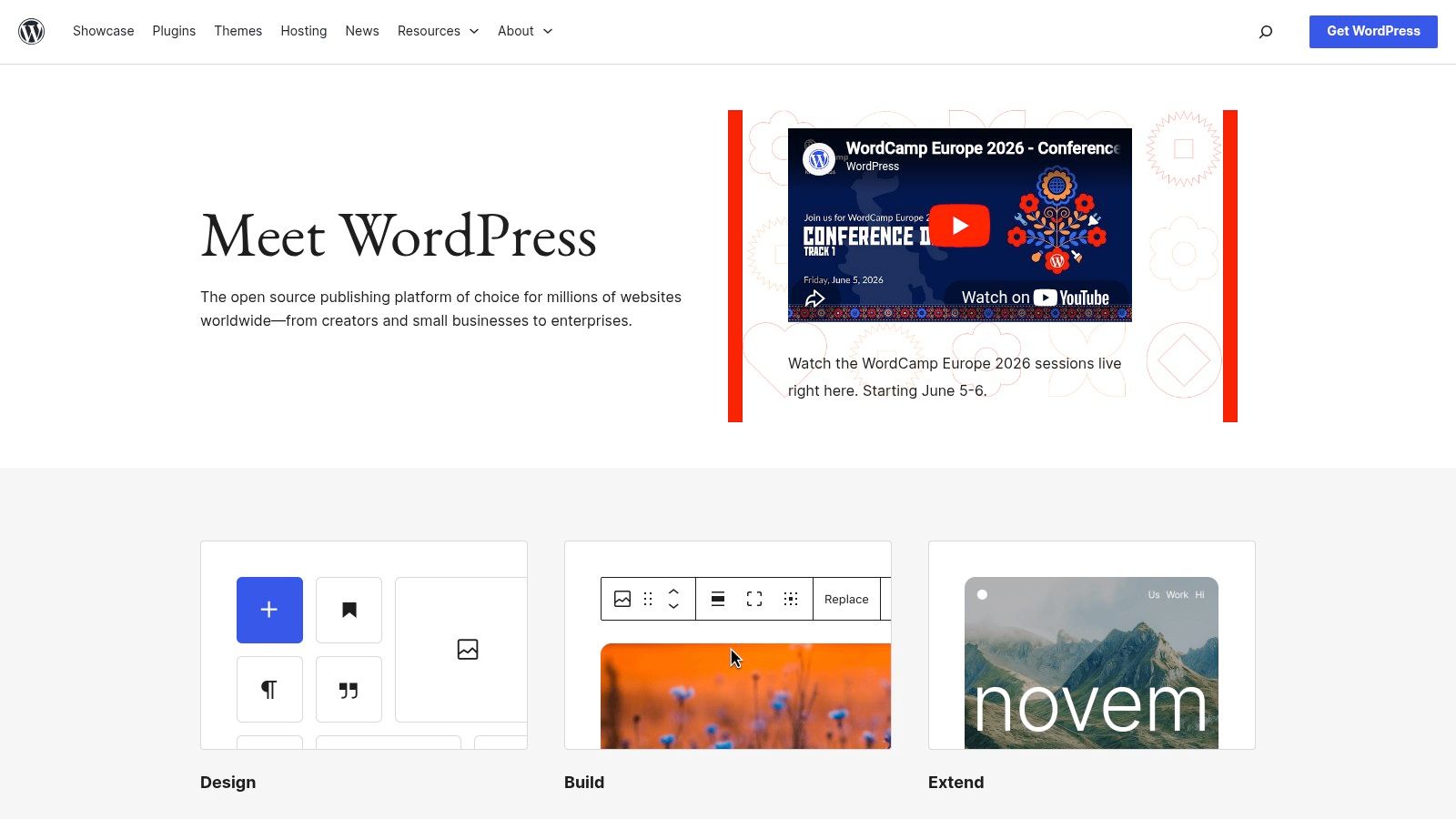
If you want the most control, this is still the platform to beat. WordPress.org is the option I'd point to for companies that need their website to do more than sit online and look respectable. It handles marketing pages, service pages, location pages, blogs, hiring pages, quote forms, and e-commerce without locking you into one vendor's ecosystem.
For construction companies, trucking businesses, excavation contractors, and industrial service firms, that flexibility matters. A lot of these companies start with a basic brochure site, then later need career pages, CRM-connected forms, landing pages for service lines, and content built around local SEO. WordPress grows into that better than almost anything else.
Why it wins for long-term growth
The biggest advantage is ownership. You control hosting, plugins, performance setup, SEO tooling, and how the site evolves. If your business eventually needs custom lead routing, gated documents, recruiting workflows, or a deeper content strategy, WordPress gives you room to build without starting over.
That doesn't mean it's automatically the right choice for everyone. Self-hosted WordPress works best when somebody is responsible for updates, backups, plugin quality, and security. If nobody owns that, the site can get sloppy fast.
- Best for growth-minded businesses: Strong fit for contractors, oilfield services, and companies planning to publish content, add service areas, or expand hiring.
- Best for SEO control: You can shape URLs, metadata, page structure, schema, speed work, and content architecture with much more freedom than most closed builders.
- Worst fit for hands-off owners: If you don't want to think about hosting, updates, or plugin governance, a managed platform may be easier.
Practical rule: If your website will likely need custom forms, recruiting pages, ongoing SEO content, and long-term ownership, self-hosted WordPress is usually the safer bet.
If you're considering this route for a lead-focused business site, Northpoint Web's guide to a WordPress website for business is a useful next step.
2. Wix
Wix fits the owner who needs a site live soon, wants to manage it personally, and has no interest in dealing with hosting or plugin maintenance. For a business with a short service list, a contact form, a gallery, and maybe scheduling or light ecommerce, that can be the right call.
I usually recommend Wix for businesses that value speed and simplicity over technical control. A local retailer, salon, startup contractor, or solo service company can get a professional-looking site up without a developer and keep it updated in-house.
Where owners get into trouble is assuming a fast launch solves the long-term website question. Wix is strongest when the site is mainly a digital brochure with lead capture. It gets harder when the website needs to support a serious SEO program, location growth, hiring funnels, or custom integrations.
That matters in industries like construction and oilfield services. Those companies often start with a simple need, then add service area pages, equipment pages, recruiting content, safety documentation, and quote workflows. Wix can handle the early stage. It is less comfortable once the site becomes a core sales and operations tool.
A practical way to judge fit is to ask who will own the website six months from now. If the answer is the business owner or office manager, Wix is often manageable. If the answer is a marketing team, agency, or growth-focused business that expects ongoing optimization, a more flexible platform usually holds up better.
- Best for fast DIY launches: Good fit for businesses that need a clean site, basic forms, galleries, and easy day-to-day edits.
- Works well for simple local sites: Strong option for retail, personal services, and smaller service businesses without complicated workflows.
- Weakest on portability and customization: Rebuilding later is common once SEO, recruiting, or lead routing become bigger priorities.
For owners deciding between DIY and professional help, the primary question is not whether Wix can work. It can. The question is whether a quick self-build will still support the business a year from now. If you want the simplicity of a builder but need clearer strategy on structure, content, and conversion paths, a small business web design partner can help you avoid building a site that has to be replaced too soon.
3. Squarespace
Squarespace is the cleanest answer for business owners who care about presentation and don't want maintenance headaches. Its templates are polished, its editor is more controlled than Wix, and the overall experience is usually smoother for people who aren't technical.
That controlled environment is exactly why some owners love it and others outgrow it. You're less likely to create a chaotic layout, but you're also less likely to build highly customized systems later without friction.
Best fit for presentation-first businesses
Squarespace works well for local contractors with a small set of core services, boutique retailers, design-oriented businesses, consultants, and businesses that need a sharp online presence more than a complex architecture. If your site is mostly home, about, services, gallery, testimonials, and contact, Squarespace does that well.
It also works for owners who want fewer moving parts. Hosting, security, templates, and core site functionality are bundled together, which reduces maintenance compared with self-hosted systems.
A simple platform is often the right choice when the business model is simple. It becomes the wrong choice when the company expects the website to support recruiting, content expansion, and custom workflows later.
Where I get cautious is with industrial and field-service companies that think they only need a five-page site forever. Many don't. Once hiring becomes difficult or local search matters more, they often need more page depth and more content flexibility than they planned for.
4. Shopify
If you sell products first and market your business second, Shopify belongs near the top of your list. It's built for commerce from the ground up. Product management, checkout, payments, shipping, taxes, and point-of-sale workflows are all stronger here than on general-purpose builders.
For local retailers, apparel brands, food businesses, specialty stores, and parts sellers, Shopify usually makes more sense than trying to force a brochure platform into being a store. It's also worth considering for contractors or industrial suppliers selling branded merchandise, replacement parts, or standard packaged products online.
When Shopify is the right move
Shopify shines when the catalog, the cart, and the checkout experience matter. If the website's main job is helping customers browse products and complete purchases, this platform is hard to beat. It also scales well when in-store and online inventory need to work together.
The caution is that Shopify can become app-heavy. That's not always bad, but business owners should budget for feature expansion and keep the stack organized.
- Best for retail-first businesses: Strong online store and POS support.
- Good for hybrid operations: Useful when you sell online and in person.
- Less ideal for content-heavy lead generation: It can handle content, but it's not the first choice for businesses built around quote forms, recruiting pages, and local service SEO.
For a local gift shop, niche retailer, or equipment seller, Shopify can be the operationally cleanest option. For an excavation contractor or trucking company, it usually isn't.
5. Webflow

Webflow sits in an interesting middle ground. It gives designers a lot of layout control and cleaner maintenance than a plugin-heavy self-hosted site, but it also asks more from the user than Wix or Squarespace. For the right business, that's a fair trade.
This is a good platform for brand-conscious companies that want a custom marketing site without managing a traditional CMS stack. Webflow is often a strong fit for firms that care about presentation, speed, structured content, and a polished front-end experience.
Who should choose Webflow
I'd look hard at Webflow if the site needs to feel custom but the business doesn't want the ongoing maintenance of WordPress. It's useful for professional service firms, higher-end local brands, and companies building focused lead-generation sites with a controlled set of templates and CMS content types.
It's less ideal when the owner wants to jump in casually and make major layout edits without understanding how the system works. Webflow is visual, but it's not beginner-simple.
Build decision: Webflow makes sense when design quality and maintenance control matter more than plugin flexibility.
If you're comparing DIY costs against agency work, it helps to understand what goes into strategy, structure, copy, SEO setup, and technical implementation. Northpoint Web breaks that down in what's really included in a $7,500 website build.
6. HubSpot Content Hub (formerly CMS Hub)
HubSpot Content Hub fits a specific kind of business. A sales-driven company with multiple follow-ups, estimate requests, booked demos, and handoff between marketing and sales can get real value from having the site, forms, CRM, email automation, and reporting in one system.
That matters more than design freedom for some owners.
I usually recommend HubSpot Content Hub for companies where the website's main job is to generate, route, and track leads. That includes commercial construction firms, oilfield service companies, industrial suppliers, and other B2B service businesses with longer sales cycles. If your process includes quote requests, territory assignment, nurture emails, and visibility into which pages and campaigns produced the lead, HubSpot is built for that workflow.
Best for lead management and reporting
The trade-off is straightforward. HubSpot gives you tighter control over lead handling and attribution, but you give up some front-end flexibility compared with WordPress.org or Webflow. For many small businesses, that is a fair deal. For a design-led brand site or a highly custom local marketing site, it can feel restrictive and expensive.
The price only makes sense if the team will use the system. A company that logs deals, tracks source data, responds to form fills quickly, and builds follow-up automation can justify HubSpot. A company that just wants a brochure site with a contact form usually cannot.
This is also one of the clearer lines between DIY and agency help. If you already have a sales process, a CRM owner, and someone on staff who can manage campaigns, HubSpot can work well in-house. If your team is still figuring out lifecycle stages, lead routing, content structure, and reporting, setup mistakes get expensive fast.
7. Square Online (by Block/Square)
Square Online is one of the simplest options for businesses already using Square in person. If your store, food truck, rental counter, coffee shop, or small retail operation runs on Square POS, this platform removes a lot of friction.
Inventory, payment processing, pickup, delivery, and order management feel much more connected than they do when you bolt a site onto a separate commerce system. That convenience is the whole point.
A strong option for local retail and food service
Square Online is a practical choice when you don't need elaborate design freedom. It's not the platform for highly custom brand sites, but it handles the basics well for businesses that care more about selling than styling.
This is the kind of platform I'd recommend to owners who say, “I need online ordering, gift cards, and product sync, and I don't want to think about much else.” That's a reasonable use case.
- Best for Square users: Existing POS users get the most value.
- Good for operational simplicity: Fewer moving parts between in-person and online sales.
- Not built for complex marketing sites: If content strategy or local SEO becomes central, you may hit limitations faster.
For local retail, that trade-off is often acceptable. For industrial service firms, it usually isn't.
8. BigCommerce
BigCommerce is the platform I'd bring into the conversation when the catalog starts getting messy. If you sell parts, equipment, product variants, industrial supplies, or a wider product set that's harder to manage in entry-level builders, BigCommerce deserves attention.
It's not usually the first platform small businesses start with. It's often the one they look at after they realize simple store builders don't handle product complexity as well as they hoped.
Best when the catalog is the hard part
BigCommerce is strongest for businesses with heavier commerce requirements. Industrial suppliers, parts sellers, multi-category retailers, and B2B-oriented stores are the obvious candidates. Native commerce depth is one of its biggest strengths.
The downside is that it can feel like more platform than a very small business needs. If you only sell a limited set of items and want a simple site, Shopify or Square Online may feel easier day to day.
For the right company, though, BigCommerce can prevent a later rebuild. That matters when the site is becoming operational infrastructure, not just a storefront.
9. WordPress.com
WordPress.com exists for business owners who like the idea of WordPress but don't want to self-manage the technical side. It strips away some of the mess of hosting and maintenance while keeping more familiarity with the WordPress ecosystem than a typical website builder.
This can be a solid middle ground. You get a simpler setup path, bundled hosting and updates, and a more approachable experience than fully self-hosted WordPress. But you also give up some freedom.
Good middle ground for simpler businesses
I'd consider WordPress.com for businesses that want room to grow beyond a basic builder but aren't ready to manage a full custom stack. It's a practical fit for service businesses, local organizations, and owners who want to publish content but prefer a more controlled environment.
The main thing to understand is that WordPress.com is not the same as WordPress.org. Plugin access, infrastructure control, and customization flexibility depend much more on plan level and platform rules.
If you know you want full ownership later, starting with self-hosted WordPress is usually cleaner. If you mainly want less maintenance today, WordPress.com can make sense.
This is often a better fit for smaller, less complex businesses than for aggressive growth-stage companies.
10. Duda
Duda is a platform I usually think about from the agency side first. It's built for repeatability, client permissions, governance, and producing multiple sites efficiently. That makes it useful for teams deploying many similar projects, especially when process matters more than total customization freedom.
For a single business owner, that agency-first DNA can be either helpful or unnecessary. It depends on how the site is being managed.
Why agencies like it more than owners do
Duda is strongest when a team is building and maintaining sites at scale. Multi-location businesses, franchise-like structures, and agencies serving many local businesses can get real value from that setup. It's organized, controlled, and efficient.
For one local business owner building one website, it may feel less natural than Wix, Squarespace, or WordPress. That doesn't make it weak. It just means the platform shines more in managed environments than in solo-owner DIY use.
One broader issue applies here and across the category. Bain's small-business research argues providers should align support models with customer size and have a way to move businesses into the right support as they grow, which is one reason platform choice should be treated as a scaling decision, not only a launch decision, as discussed in Bain's research on underserved small businesses.
Top 10 Small Business Website Platforms, Feature & Pricing Comparison
A contractor may need quote requests, hiring pages, and location-based service pages. A local retailer may need inventory sync and in-store pickup. An oilfield service company may care more about lead routing, crew recruiting, and proof of capability than design effects. That is why the right platform depends less on popularity and more on how the site supports revenue, operations, and future changes.
This comparison is meant to help owners choose faster and choose with fewer surprises. It also helps draw the line between a platform that works for a true DIY build and one that usually needs professional setup from an agency such as Northpoint Web.
| Platform | Core Strength ✨ | Best For 👥 | SEO & Performance ★ | Value/Cost 💰 | Standout 🏆 |
|---|---|---|---|---|---|
| WordPress.org (self‑hosted) | Unlimited control, plugins and integrations ✨ | Contractors, oilfield, lead‑gen and recruiting 👥 | ★★★★★, top technical SEO control | 💰 Flexible, hosting and development costs vary | 🏆 Best for SEO, scalability and ownership |
| Wix | Drag‑and‑drop builder with apps ✨ | Small service businesses wanting fast launch 👥 | ★★★, decent basics | 💰 Subscription, add‑ons can raise cost | 🏆 Fastest to publish with vertical templates |
| Squarespace | Polished responsive templates ✨ | Portfolios, local contractors, simple e‑commerce 👥 | ★★★, solid basics | 💰 Predictable plans, low maintenance | 🏆 Consistent design and simple upkeep |
| Shopify | Complete commerce stack and POS ✨ | Retailers, parts sellers, omnichannel stores 👥 | ★★★★, commerce‑focused | 💰 Subscription plus apps and payment fees | 🏆 Best checkout and retail workflows |
| Webflow | Pixel‑perfect visual CMS and clean code ✨ | Marketing sites, lead‑gen, brand sites 👥 | ★★★★, high performance output | 💰 Mid to high, plan structure takes care to price correctly | 🏆 Designer control plus clean production code |
| HubSpot Content Hub | CRM‑connected CMS and automation ✨ | Lead‑driven service firms and sales teams 👥 | ★★★★, CRM‑linked SEO and analytics | 💰 Premium pricing as contacts and hubs scale | 🏆 Unified CRM, marketing and sales flow |
| Square Online | Square POS and online ordering ✨ | Local retail, rentals, food trucks 👥 | ★★★, local commerce fit | 💰 Free to start, processing costs apply | 🏆 Easy POS integration for local sellers |
| BigCommerce | Deep B2B and complex catalog support ✨ | Industrial and equipment sellers, growth stores 👥 | ★★★★, built for catalogs | 💰 Higher base pricing, no platform fees | 🏆 Strong native catalog and B2B features |
| WordPress.com | Hosted WordPress with upgrades ✨ | Small businesses wanting WordPress without server management 👥 | ★★★★, WordPress capability with less infrastructure work | 💰 Bundled tiers, predictable | 🏆 Low‑maintenance WordPress experience |
| Duda | Agency multisite, white‑label tools ✨ | Agencies or teams deploying many contractor sites 👥 | ★★★★, optimized for scale | 💰 Agency pricing, efficient at scale | 🏆 Best for multi‑site governance and workflow |
Beyond Platforms: When to Partner with an Agency
A business owner picks a platform on Friday, launches a site two weeks later, and still gets weak lead quality, few quote requests, and almost no organic traffic. I see that pattern often. The problem usually is not WordPress, Wix, Shopify, or Webflow. The problem is that the site was never planned around sales, service pages, trust signals, hiring, and local search.
A platform gives you the tools. It does not decide what pages to create, how to explain a specialized service, where forms should go, or how to turn a visitor into a call, quote request, or applicant.
That gap matters. Buyers research companies before they call. They compare options, scan reviews, look for proof, and decide fast whether a business looks credible. If your site is thin, hard to use, or vague about what you do, they move on.
For service businesses, the bigger issue is fit. A local boutique with five core product lines and simple store hours can often do well with a DIY build. The same is true for a solo consultant, a new service company testing demand, or a restaurant that mainly needs menus, hours, and online ordering.
Construction, oilfield services, trucking, excavation, fabrication, and industrial service companies usually need more. They need service pages that match how customers search. They need location relevance, clear contact paths, estimate forms that collect useful job details, and content that answers practical buying questions. Many also need a hiring path because the website has to support recruiting as much as sales.
That is usually where DIY starts to break down.
The main limit is not intelligence or effort. It is time, structure, and experience. Owners know their business. They often do not know how to map services to search intent, write copy that qualifies leads, set up analytics correctly, or build pages that support both SEO and conversion. Website builders make publishing easy. They do not remove the need for strategy.
Launch speed creates its own trap. AI site generators and quick templates can get a business online fast, and that has value. But speed at launch is different from long-term fit. Once you add locations, separate service lines, team recruiting, case studies, or a stronger content program, the wrong setup starts costing time and money. Even broad website builder coverage such as Webnode's website builder article shows how much attention the category gives to fast setup. For many small businesses, the harder question is whether the site will still support growth a year from now.
A simple rule works well here. DIY is usually a reasonable choice if the site is small, the offer is easy to explain, the sales process is straightforward, and someone on your team can keep the site updated. Hiring a professional agency makes more sense when the website needs to support multiple services, multiple locations, local SEO, lead routing, recruiting, ongoing content, or CRM and marketing integrations.
That distinction matters even more in rural and industrial markets. In Utah, the Uinta Basin, and similar regions, businesses rarely need a flashy site. They need a site that helps them get calls, quote requests, credibility, and applicants from the right people. That requires good structure and practical messaging more than visual effects.
Northpoint Web is one option for companies that need website design, SEO, hosting, and lead-focused implementation for contractors, oilfield service companies, industrial businesses, and local service companies. The value of that kind of agency relationship is not just design work. It is having a team handle platform selection, page structure, search visibility, conversion setup, and ongoing maintenance so the owner can stay focused on operations.
If your business needs more than a template and you want a website built to support leads, credibility, and recruiting, contact Northpoint Web to talk through the right platform and whether a DIY build or managed project makes more sense for your company.