Etiqueta: WordPress

  • WordPress Developer in Duchesne, Utah: Custom Websites, Plugins & Business Software

    WordPress Developer in Duchesne, Utah: Custom Websites, Plugins & Business Software

    Hey—Andrew North here. If you’re reading this from Duchesne, I know you care less about buzzwords and more about getting work done: a site that takes requests, a form that actually routes to the right staff, or a simple CRM so your team stops chasing emails. I grew up fiddling with BBSes and early web hosting; that hands-on curiosity is how I approach projects today: practical, iterative, and anchored to real workflows.

    What this article answers

    If you need a WordPress developer in Duchesne, Utah, this page explains exactly what Northpoint Web Solutions can do for municipal offices, recreation departments, local businesses, and service districts. Read on for a clear list of services, concrete local use cases, and an honest explanation of how we run meetings, handle remote work, and phase projects so you get value quickly.

    Core services available to Duchesne-area organizations

    • Custom WordPress website design and development — professional, accessible public sites that reflect your brand and are built around the tasks your visitors actually need to accomplish.
    • Municipal and civic website systems — public notices, meeting agendas, ordinances, and service request tools tailored for city or district workflows.
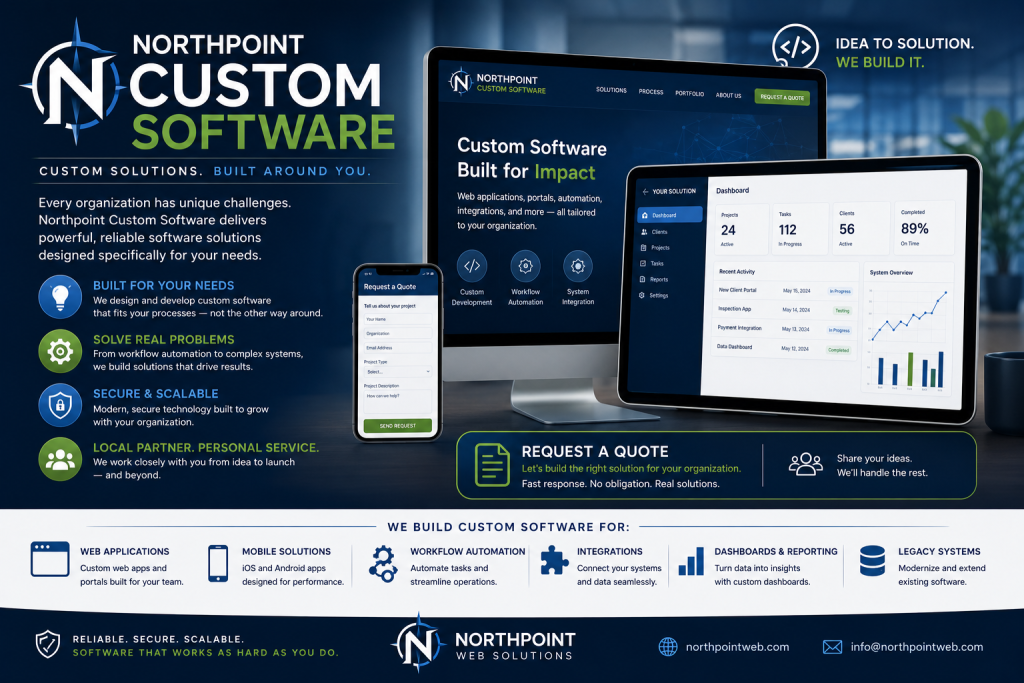
    • Custom WordPress plugins and business software — when off-the-shelf plugins don’t match your process, we build focused tools that live inside WordPress and speak to your other systems.
    • Managed WordPress hosting and maintenance — updates, backups, security, and fast hosting so your site is dependable for staff and residents.
    • Forms, automation, and staff portals — online permits, recreation registration, field tickets, internal dashboards, and automated routing that reduce manual work.
    • Local SEO, content strategy, and training — not just a site launch: ongoing content help and staff training so your team can publish and respond without bottlenecks.

    Practical Duchesne-area use cases

    Here are realistic examples of how those services are used by local clients. These aren’t case studies with invented results—they’re common, practical requirements we design for.

    Municipal service requests

    A city requests system where residents submit street, water, or park issues with photos, automatic assignment to departments, status updates, and reporting for council meetings. Northpoint Service Center is designed to support public submission, internal assignment, requester communication, and reporting without replacing an existing website.

    Recreation and event registration

    Recreation directors need rostering, waitlists, payment integration, and reporting for programs and tournaments. We build registration workflows that sync to staff dashboards, reduce no-shows, and simplify refunds or roster changes.

    Field operations and oilfield tickets

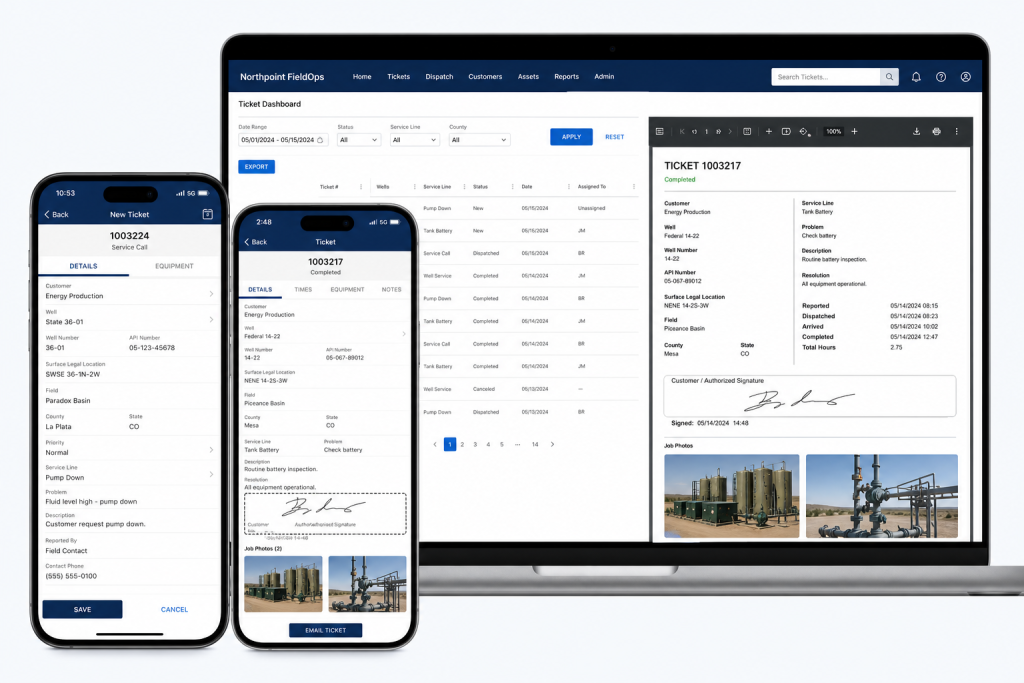
    For organizations that work in the field, a lightweight ticketing and timesheet system helps track jobs, employees, and equipment. Where appropriate, Northpoint FieldOps can provide structured field tickets and integration points so office staff can invoice without buried spreadsheets.

    Small business website plus local search

    Local contractors, professional services, and retailers often need a clean website plus the basics of local SEO and citation cleanup so customers in the Uinta Basin can find them. We combine focused pages, service descriptions, and a straightforward content plan.

    How Northpoint handles meetings, remote work, and local visits

    We keep things practical. For Duchesne-area projects you can expect a mix of remote work and scheduled on-site visits when helpful.

    • Discovery meeting: We start with a focused discovery session (phone, video, or in person) to document goals, constraints, and must-have workflows. I’ll often sketch an admin dashboard or form flow during this call so everyone understands what we’ll build.
    • Remote work and demos: Most development happens remotely. We share staged sites and regular demos so your team can test features early—no surprises at launch.
    • Scheduled site visits: When a hands-on session makes sense—staff training, public demonstrations, or stakeholder workshops—we schedule a visit to Duchesne or a nearby office. Visits are planned for maximum efficiency and clear outcomes.

    Phased projects: reduce risk, get value sooner

    Large projects are best delivered in phases. Here’s a typical three-phase approach we use to reduce risk and deliver value quickly:

    1. Phase 1 — Stabilize and prioritize: Fix critical issues, secure hosting, and implement a simple public-facing update or form that immediately improves workflows.
    2. Phase 2 — Build core features: Add staff portals, automated routing, or a content studio so your team can manage pages and requests without developer help.
    3. Phase 3 — Integrate and expand: Connect to accounting, phone systems, or specialized modules (recreation manager, field tickets, or notification tools) and refine reporting or dashboards.

    Decision framework: custom plugin vs. off-the-shelf SaaS

    When to choose custom WordPress software: if your process is closely tied to your website, you want data to live inside WordPress, or you need reduced licensing complexity across multiple departments. When to consider SaaS: if you need a turnkey, widely supported product with feature parity and you don’t require deep WordPress integration.

    We can help you evaluate both options using a simple checklist: required features, data ownership, staff training effort, ongoing costs, and integration needs. If a custom plugin is the right fit, we can build it so it integrates with tools you already use.

    Why work with Northpoint for Duchesne projects?

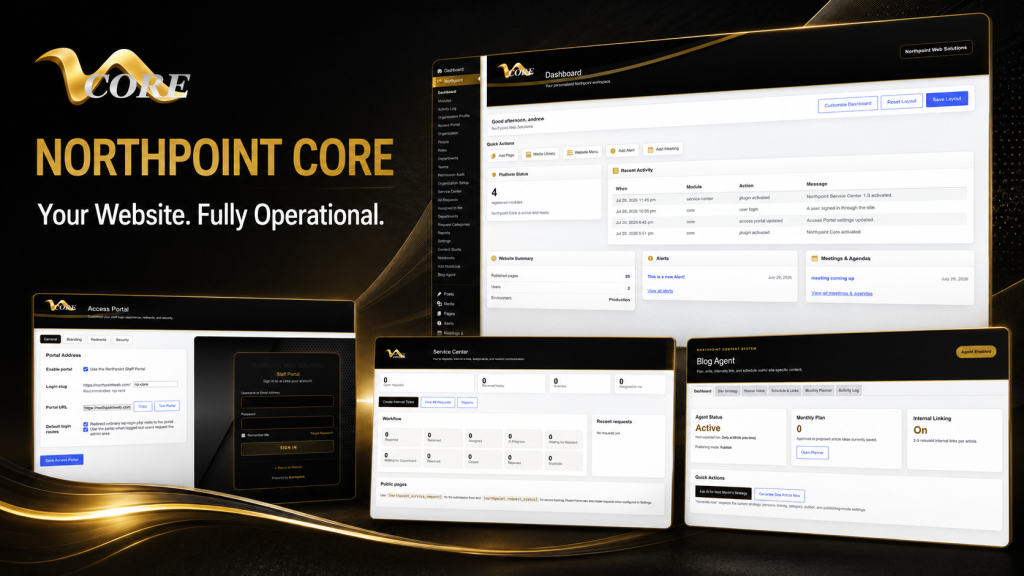
    One practical reason we designed Northpoint Core and the related modules is to give organizations a centralized administrative dashboard that works the way their staff do—without forcing every office into the same configuration. We emphasize clear interfaces, step-by-step deployments, and software that complements existing WordPress sites.

    A small historical note: I first learned to test code on dial-up BBSes and early cPanel hosts. That background taught me to build for reliability and simplicity—less flash, more function. A website should work for your organization 24 hours a day, not just sit there waiting for someone to update it.

    Next steps for Duchesne organizations

    If you’re ready to discuss a project, start with a short discovery call. We’ll outline a pragmatic scope, recommend either an existing Northpoint product or a targeted custom plugin, and propose a phased plan with clear milestones.

    Talk with Northpoint Web Solutions about your website, software or workflow problem. We can help determine whether an existing Northpoint product, a custom WordPress plugin, or a custom software solution is the best fit.

    Helpful links:

  • Need WordPress Help in the Uinta Basin? What Local Businesses Should Look For

    Need WordPress Help in the Uinta Basin? What Local Businesses Should Look For

    Hey—I’m Andrew North. I grew up fascinated by bulletin board systems and the early web, teaching myself with library books and trial-and-error. That background matters because I still believe a website should do real work, not just look pretty. If you run a business or municipal office in the Uinta Basin (Vernal, Roosevelt, Duchesne), this article gives a practical, industry-aligned checklist for hiring WordPress help and explains which Northpoint product or service usually matches each local need.

    Why ask region-specific questions when hiring WordPress help?

    The Basin’s mix of energy support services, contractors, recreation, and small-town government creates predictable website and workflow needs: offline field work, permit-heavy municipal processes, seasonal recreation sign-ups, and straightforward local SEO. When you interview a WordPress developer or agency, focus on whether they understand those operational realities—not just whether they can make a site look modern.

    Six common Uinta Basin use cases and the WordPress solution to ask for

    Below are the top local scenarios we see and a concrete recommendation for what to ask your developer or which Northpoint product typically fits the job.

    1) Oilfield and field operations: tickets, crew dispatch, and offline forms

    The problem: crews on-site need a quick way to submit tickets, attach photos, and track assignments without a complex SaaS stack.

    Ask for: a WordPress-based ticketing and dispatch workflow that supports mobile submissions, attachments, assignment, and reporting.

    Northpoint fit: Northpoint FieldOps is designed for oilfield field tickets and field operations software. Ask how the developer will integrate mobile-friendly forms, assignment workflows, and CSV exports so your office can reconcile tickets without extra copying.

    2) Municipal permits, public forms, and tracking

    The problem: municipalities need reliable online forms that convert to an auditable internal workflow and keep the public informed on status.

    Ask for: form-to-workflow systems that assign submissions, track statuses, send automated updates, and retain records for public access when required.

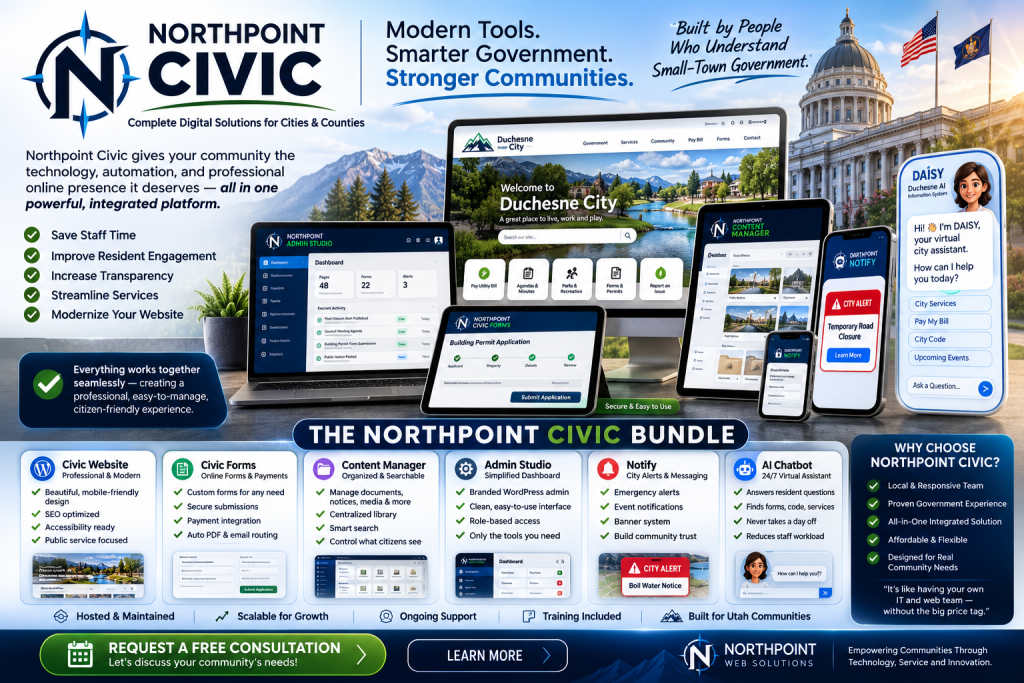
    Northpoint fit: Northpoint Civic Forms and Northpoint Civic provide form and municipal website tools designed for online permits, applications, and civic workflows. Confirm the proposal includes staff notifications, status updates to requesters, and an internal assignment dashboard.

    3) Parks, recreation, and seasonal program registration

    The problem: rec departments need class and tournament sign-ups, wait lists, receipts, and limited-time events handled without manual spreadsheets.

    Ask for: a registration system that supports capacity limits, payments or fee tracking, automated confirmations, and easy rostering for staff.

    Northpoint fit: Northpoint Recreation Manager or modular form and content tools can be configured inside WordPress to handle registrations, event pages, and staff views for rosters and cancellations.

    4) Service requests, public works, and accountability

    The problem: resident requests arrive by phone, email, and paper—and they disappear into staff inboxes.

    Ask for: a managed service-center workflow that captures requests in one place, assigns responsibility, and provides public-facing tracking codes.

    Northpoint fit: Northpoint Service Center supports submission tracking, staff assignment, requester communication, internal notes, and reporting. A clear acceptance criterion is that requests shouldn’t rely on individual inboxes.

    5) Small business operations: CRM, invoicing, and job scheduling

    The problem: multiple SaaS subscriptions for CRM, scheduling, invoicing, and forms can be expensive and fragment data.

    Ask for: a plan showing whether WordPress can centralize parts of your workflow—forms that create leads, an integrated staff portal, and automation that reduces manual entry.

    Northpoint fit: Northpoint Core and custom WordPress software can connect forms, staff dashboards, and content into a single site-based operating system. Discuss whether a hybrid approach (WordPress for lead and workflow capture plus specialized SaaS for payments) makes sense for your business.

    6) Local SEO and customer discovery for high-visibility services

    The problem: in close-knit markets, being visible for local queries—“service + town”—drives calls and jobs.

    Ask for: local SEO work tied to content that answers real customer questions (service pages, how-to posts, and Google Business optimization), and a content plan that produces steady pages or posts your team can maintain.

    Northpoint fit: Our website and software services include local search strategy and content planning tools (Northpoint Blog Agent and Content Studio). A practical deliverable is a prioritized list of 10 service pages and a monthly content schedule tailored to Uinta Basin search behavior.

    What to verify before hiring a WordPress developer

    • Can they show examples of workflow automation or custom plugins they built (not just themes)?
    • Do they propose tangible acceptance criteria—e.g., “forms create tickets with a unique tracking code and email notifications to X roles”?
    • Will the solution operate within your existing WordPress site or require a replacement? (We often add tools without rebuilding the public site.)
    • How will hosting, backups, and updates be handled—especially for sites that run critical operations?
    • Who will train staff and document the new processes?

    Implementation and effort considerations

    Custom WordPress tools can often replace several separate SaaS subscriptions, but there’s a trade-off: built-in workflow and ownership versus off-the-shelf convenience. Ask for an estimate that separates discovery, development, and ongoing support. In the early web days I learned the hard lesson that a system without documentation becomes a black box—so insist on staff training and simple admin screens.

    Quick checklist to bring to vendor meetings

    • List your top three workflows (e.g., field tickets, permit applications, event registration).
    • Identify required outputs (PDFs, CSV exports, payment receipts, tracking codes).
    • Note who needs access: public users, front-desk staff, department heads.
    • Decide whether data must be retained publicly or archived internally.
    • Ask for a staged plan: discovery → prototype → staff testing → launch → maintenance.

    Final note

    The web began as a place for sharing files over slow connections; now we use the same platform to run real work. A WordPress developer who understands local industries in the Uinta Basin can turn your website into a working system that handles tickets, permits, registrations, requests, and leads—so it actually works for your organization 24 hours a day.

    Talk with Northpoint Web Solutions about your website, software or workflow problem. We can help determine whether an existing Northpoint product, a custom WordPress plugin, or a custom software solution is the best fit.

  • WordPress Developer vs. Web Designer: Which One Do You Actually Need?

    WordPress Developer vs. Web Designer: Which One Do You Actually Need?

    Hey—I’m Andrew North. If you remember BBSes or dial‑up modems, you know how scattered early web tools could be. That same split between visual polish and behind‑the‑scenes plumbing exists today: designers shape what people see, developers build what makes the site work. Below is a pragmatic framework that helps municipal staffers, small‑business owners, and recreation managers decide which specialist to hire—or when you actually need both.

    Quick answer: pick by the task, not the title

    If your project is mostly visual, content organization, or user experience flows, start with a web designer. If you need custom integrations, forms that create records or invoices, staff portals, or software that replaces other tools, you need a WordPress developer (or a developer working with WordPress plugins and APIs).

    Decision matrix: common tasks mapped to designer vs developer

    Use this as a quick checklist when scoping a project. Tasks that fall firmly into one column usually don’t need the other role; tasks in the overlap benefit from collaboration.

    Web Designer (primary)

    • Homepage and page layout, imagery, typography, brand application
    • Navigation design and content IA (menus, page hierarchy)
    • Accessibility-conscious visual design and templates
    • Wireframes and high-fidelity page mockups
    • Content strategy for the homepage, service pages, blog structure

    WordPress Developer (primary)

    • Custom plugins or modules (CRM connectors, staff portals, field tickets)
    • Form-to-database workflows, automation, and integrations with external systems
    • Performance tuning, hosting configuration, and security hardening
    • Complex user roles, permissions, and dashboard interfaces for staff
    • Data migrations, backups, and scalable hosting setups

    Overlap (hire both or one with both skills)

    • Redesigns that change content structure plus require custom templates
    • Interactive maps, event calendars, and registration flows
    • Projects needing both polished UX and reliable backend workflows (e.g., citizen service portals)

    Recommended collaboration patterns

    When both roles are needed, a common, effective pattern is:

    1. Designer produces wireframes and a component library (buttons, forms, cards).
    2. Developer builds a theme or component-based templates that implement those designs in WordPress, including accessibility and responsiveness.
    3. Both run a short acceptance cycle: designer reviews visuals in the real site; developer fixes spacing, structure, or CMS usability issues.

    This keeps design intent intact while ensuring functionality is robust. In municipal projects I’ve worked on, keeping the CMS workflows simple for nontechnical staff is usually the highest priority—so the collaboration focuses on administrative usability as much as public pages.

    Three reusable job briefs you can copy and adapt

    Below are short, practical briefs you can paste into an RFP or email to a candidate. Each brief includes the desired outcome, clear deliverables, and who should lead.

    1) Homepage redesign (visual + content focus)

    Outcome: Modernize the homepage and main service pages to improve findability, highlight priority services, and reduce support calls.

    Deliverables:

    • One set of mobile and desktop wireframes for homepage + one service page
    • High-fidelity mockups using our brand colors and approved imagery
    • Updated content outline and metadata suggestions for SEO
    • Front-end implementation in the current WordPress theme (or a child theme)
    • QA checklist and CMS editing notes so staff can update content easily

    Lead: Web designer; developer support if template changes are needed.

    2) Customer portal / staff dashboard (developer-heavy)

    Outcome: A logged‑in portal where residents or customers can view requests, upload documents, and staff can assign tasks.

    Deliverables:

    • Requirements: roles, permissions, data fields, and notification rules
    • Custom WordPress plugin or module that stores requests, assignments, and notes
    • Front-end UI for logged‑in users and a staff dashboard inside WordPress admin
    • Integration with notification channels (email/SMS) and form provider if required
    • Documentation for staff workflows and a 60-day support window

    Lead: WordPress developer; involve a designer for the portal UI and usability testing.

    3) CRM integration and automated workflows (developer-led)

    Outcome: Form submissions create or update CRM records, then trigger follow-up tasks and invoicing where applicable.

    Deliverables:

    • Mapping of form fields to CRM entities and rules for deduplication
    • Connector that securely pushes data to the CRM API (or pulls CRM data into WordPress)
    • Automation rules inside WordPress: create job tickets, assign staff, send emails
    • Failure handling and logging, plus instructions for staff to retry failed syncs

    Lead: WordPress developer with experience in API integrations. Designer optional for front-end form UX.

    How to evaluate candidates quickly

    Ask for:

    • Examples of similar work (not fabricated)—links to live sites or GitHub where possible
    • Clear explanation of how they handle CMS usability and staff training
    • An estimated timeline with milestones and a test/acceptance phase

    Red flags: vague timelines, refusing to discuss CMS editing workflows, or promising functionality without explaining hosting and maintenance needs.

    When a single contractor can cover both roles

    Some freelancers or small agencies offer both design and development. That can work well for smaller projects where design and implementation are tightly coupled. For larger systems—staff portals, CRM integrations, or custom plugins—it’s safer to hire a developer who can build and maintain the backend, plus a designer who focuses on user experience and accessibility.

    Practical considerations and cost signals

    Design work is usually quoted by deliverable (mockups, templates), while development is often estimated by scope and complexity (integration points, custom database tables, API work). If your needs include replacing multiple SaaS subscriptions with connected workflows inside WordPress, plan for developer time to design safe, maintainable integrations.

    One last practical tip

    Start with the problem, not the job title. Saying “we need a beautiful homepage” points at a designer. Saying “we need form submissions to create staff tickets and send reminders” points at a developer. If you can, draft a short one‑page problem statement and share it with candidates—your conversation will be much more productive.

    Want help deciding? Talk with Northpoint Web Solutions about your website, software, or workflow problem. We can show whether an existing Northpoint product, a custom WordPress plugin, or a combined design + development engagement is the best fit.

    Historical note: I learned a lot about making limited tools do more back when dial‑up and early content managers forced careful design of workflows—those lessons still guide how I plan websites that actually work for an organization 24/7.

  • AI for Municipal Websites: Practical Integrations That Improve Resident Services (Not Hype)

    AI for Municipal Websites: Practical Integrations That Improve Resident Services (Not Hype)

    Hi—Andrew North here. Before the web was fancy, I fed a dial-up BBS from a basement PC and learned early that software’s job is to reduce friction. That same principle applies to municipal websites today: if your site can shoulder routine work, your staff can focus on exceptions. This article lays out practical, low-risk ways to add AI to municipal WordPress websites—features that improve resident service without creating governance headaches.

    Start with problems, not buzzwords

    Ask: what repeatable task takes staff time or frustrates residents? Typical candidates are finding the right page, routing service requests, drafting replies, and making audio/video accessible. Once you pick a clear problem, you can match a modest AI feature to it. Below are four proven, pragmatic integrations and step-by-step implementation guidance.

    1. Intelligent site search (better answers, fewer calls)

    Why it helps: Residents rarely use municipal navigation the way staff expect. An AI-powered search can interpret questions (“how do I get a building permit?”) and return the right form, FAQ, or code section.

    How to implement:

    • Index structured content first: agendas, code, permits, forms, and FAQs. Structured content yields reliable results.
    • Use an on-site model or a hosted vector-search service that lets you control the index and logs. Avoid sending raw resident-submission content to public endpoints without redaction.
    • Integrate relevancy tuning and simple analytics so staff can see what queries fail and add content or link improvements.
    • Include a fallback to human help: if the model’s confidence is low, offer direct contact options or escalate to a staff queue.

    Governance questions

    • Where are search logs stored and who can access them?
    • What retention policy will you enforce for query and click data?
    • How will you measure search accuracy and resident satisfaction?

    2. Intake triage: route the right requests to the right team

    Why it helps: A common problem we see is form submissions landing in a general inbox and disappearing. Triage cuts time-to-assignment and reduces lost requests.

    How to implement:

    • Start with your existing forms and service categories. Use classification AI to suggest a category and urgency. Keep the model’s suggestion visible to staff so they can override it.
    • Integrate with a managed service-request system inside WordPress so submissions become trackable work items, not emails. Northpoint Service Center is designed to support this sort of workflow inside WordPress.
    • Log decisions and overrides so the model improves and staff can audit routing.

    Governance questions

    • Who can change routing rules and on what authority?
    • Will the triage model be retrained on local data, and how will that data be protected?
    • How are residents informed about automated routing decisions when relevant?

    3. AI as a staff assistant: draft replies, not final answers

    Why it helps: Drafting routine replies (permit status, payment instructions, meeting follow-ups) occupies staff time. AI can draft messages that staff review and personalize.

    How to implement:

    • Limit AI to internal-facing tools. The assistant produces a draft stored in the staff portal for review—never sent directly to residents without approval.
    • Provide templates and required legal or procedural phrases that the model must include. That reduces risky omissions.
    • Keep an audit trail: who generated the draft, what prompts were used, and who approved the outgoing text.

    Governance questions

    • Who is responsible for final content sent to the public?
    • What training does staff receive to review AI drafts effectively?
    • Do you have a policy for disabling the assistant if it produces problematic text?

    4. Accessibility transcription and captioning assistance

    Why it helps: Meeting recordings, public hearings, and video updates should be searchable and accessible. Automated transcription speeds that work and provides a base for verified captions and searchable meeting minutes.

    How to implement:

    • Use speech-to-text models that allow on-premise or private-cloud deployment, or a vendor with clear data controls. Treat transcripts as draft artifacts that staff must review before publication.
    • Integrate transcriptions with your content manager so meeting minutes and public documents are linked to the audio/video source.
    • Pair automated transcripts with human review for any legally required records, and store both versions with retention metadata.

    Governance questions

    • Are transcripts stored as public records? How are redactions handled?
    • Who reviews and certifies transcripts used for official minutes?
    • What encryption and access controls protect meeting recordings and transcripts?

    Implementation checklist and practical considerations

    • Pick one small pilot problem and run it for a few months.
    • Prefer on-site or private-cloud hosting for sensitive municipal data when feasible.
    • Keep residents and staff informed about what is automated and what remains human-reviewed.
    • Document data retention, access controls, and escalation paths before launch.
    • Measure: track time saved, assignment accuracy, and resident satisfaction metrics.

    A historical note: WordPress began as a blogging platform in 2003, and its evolution into a flexible content and application platform is what lets municipalities add intelligent features without replacing their whole site. In the systems we build, WordPress often acts as the hub for forms, records, and staff tools—so adding AI becomes an extension of work you already do.

    When to call for help

    If your team needs help scoping a pilot, connecting AI to form workflows, or adding a managed service center that keeps requests from getting lost, talk with Northpoint Web Solutions. We design modular WordPress tools—like the administrative dashboards in Northpoint Core and the request workflows inside Northpoint Service Center—to make these integrations practical and controllable. Learn more about our municipal software and civic technology on the Northpoint Civic page, or explore our website and software services if you need broader support.

    A website should not just be available 24 hours a day. It should be working for your organization 24 hours a day. If you’re ready to try a focused AI pilot that reduces staff work and protects resident data, contact Northpoint Web Solutions for a straightforward consult.

    Talk with Northpoint Web Solutions about your website, software or workflow problem. We can help determine whether an existing Northpoint product, a custom WordPress plugin, or a custom software solution is the best fit.

  • Cost and Timeline Expectations for a Custom WordPress Plugin That Integrates AI

    Cost and Timeline Expectations for a Custom WordPress Plugin That Integrates AI

    If you’re a finance or procurement leader preparing a budget, the question “what’s the cost to build a WordPress AI plugin?” needs a practical, banded answer and a clear list of what affects that price. I’ll walk through realistic cost ranges, the phases you should plan for, common problems that extend scope, and what you can prepare now to keep the project on time and on budget.

    Quick answer — cost and schedule bands

    Every project is unique, but you can use these broad bands for initial planning:

    • Small plugin (simple AI endpoint, single feature): $15k–$40k, 6–10 weeks
    • Medium plugin (multiple endpoints, admin UI, integrations): $40k–$90k, 10–20 weeks
    • Large plugin (custom models, complex workflows, enterprise integrations): $90k+, 20+ weeks

    These bands cover design, development, basic QA, and a launch plan. They do not include ongoing hosting for model serving, third-party model API costs, or extended maintenance—those are typically recurring line items.

    Why the range is wide

    Two identical-sounding AI features can have very different costs depending on:

    • Data readiness: Do you have labeled training data? Is it clean and accessible? Preparing and labeling data is often the single largest hidden cost.
    • Integration complexity: Does the plugin need to read/write many WordPress custom post types, connect to external CRMs, or integrate with SMS/email gateways?
    • Model approach: Will you call a hosted LLM API (lower up-front cost) or train/tune a model on private data (higher cost and longer timeline)?
    • Compliance and privacy: Healthcare, finance, and municipal data can require extra design and legal review.
    • Hosting and scaling: Real-time inference, low-latency APIs, or batch processing each need different infrastructure and testing.

    Phase-by-phase breakdown (what to budget for)

    1. Discovery and requirements (1–3 weeks)

    Deliverables: scoped feature list, success criteria, user flows, high-level architecture, and a risk register.

    Why it matters: One problem we encounter when building custom WordPress tools is vague scope. Discovery reduces surprises. For AI projects, include a data audit here: what data exists, formats, expected volume, and privacy constraints.

    2. Prototype / proof of concept (2–6 weeks)

    Deliverables: a working prototype using representative data, a basic admin UI, and a decision on the model approach (API vs. custom tuning).

    Purpose: Proves the idea works and demonstrates the level of effort for full implementation. In an era that began with dial-up BBSs and text commands, quick prototypes were how we learned what actually worked—same idea here.

    3. Model training or integration (2–8+ weeks)

    If you use a hosted LLM, this phase can be short: prompt design, safety filters, and API key handling. If you need custom training or fine-tuning, budget extra time for dataset curation, training cycles, evaluation, and iteration.

    4. Full plugin development (4–12 weeks)

    Includes building the WordPress admin UI, shortcodes or blocks, REST endpoints, WP role/permission handling, and external integrations (CRMs, payment gateways, or document stores). If your organization uses Northpoint Core or modular systems, we design plugins to fit the existing admin framework and avoid replacing public-facing sites.

    5. QA, accessibility, and compliance testing (2–6 weeks)

    QA for AI features must include functional tests, performance tests under load, and checks for biased or unexpected outputs. For public organizations, accessibility review is also essential.

    6. Launch and transition to maintenance (1–3 weeks)

    Deliverables: deployment plan, rollback strategy, documentation, and staff training. Post-launch monitoring and a short retainer for tuning usually follow.

    Common problems that extend timeline and cost

    • Poor or scattered data: If staff need to find and clean historical documents, expect weeks of data work.
    • Undefined acceptance criteria: If stakeholders can’t agree what “good” looks like, features expand mid-project.
    • Multiple integrations: Each external system (legacy CRMs, municipal permitting systems) adds integration time and testing.
    • Security and compliance reviews: Government entities often require additional sign-offs that add calendar days even if engineering work is small.
    • Performance requirements: Real-time chatbots need different architecture than a nightly batch summarizer.

    What you can prepare to keep costs predictable

    • Collect sample data: Export representative files, anonymize them if needed, and provide a data dictionary.
    • Define success metrics: Accuracy targets, latency limits, or user adoption goals make acceptance objective.
    • List required integrations: Provide API docs, credentials, and who to contact on each vendor side.
    • Decide on model approach: If you’re willing to start with a hosted LLM, initial cost and schedule shrink considerably.
    • Plan for hosting and budgeted API spend: Estimate expected API calls or inference hours so you don’t get surprises.

    Ongoing costs you should plan for

    Beyond development, plan for:

    • Monthly hosting for any model-serving infrastructure or a higher-tier WordPress host
    • Third-party AI API usage (LLM tokens, image processing, transcription)
    • Maintenance, security updates, and plugin compatibility testing with core WordPress and other plugins
    • Periodic model retraining or prompt tuning as your data changes

    Decision checklist before you sign a statement of work

    • Do we have representative, accessible data?
    • Are success metrics and acceptance criteria defined?
    • Which integrations are essential at launch vs. phase 2?
    • Will we accept a hosted LLM for v1, or do we require custom training?
    • Who owns recurring cloud/API costs after launch?

    Where Northpoint fits and next steps

    At Northpoint Web Solutions, we build WordPress plugins and modular site software that integrate with existing sites rather than replacing them. If you’re unsure whether your project needs a custom plugin, a Northpoint module, or a combination of hosted AI APIs and WordPress integration, start with a focused discovery. One practical option is a short prototype that proves the model approach and integration points before committing to full development.

    For more reading on how WordPress can become an operational platform (forms, service requests, staff portals) see our guide on turning your site into business software. If you’re ready to discuss specifics, talk with Northpoint Web Solutions about your website, software or workflow problem. We can help determine whether an existing Northpoint product, a custom WordPress plugin, or a custom software solution is the best fit.

    Historical note: When I first learned to build bulletin board systems in the pre-web era, rapid prototypes were the fastest way to understand what actually worked. The same is true for AI projects today: test early, learn fast, then scale.

  • WordPress as a Business Operating System: 7 Real Workflows You Can Run Inside Your Website

    WordPress as a Business Operating System: 7 Real Workflows You Can Run Inside Your Website

    Hi — I’m Andrew North. If you remember the BBS days, you know what a small, well-tuned system can do for a community. I still think about that when I plan websites: a site shouldn’t just live on a server; it should do useful work for your organization. This article explains how to treat WordPress as a business operating system and lists seven real workflows you can run inside your website, with implementation notes and links to relevant Northpoint modules so you can evaluate what fits your organization.

    Why run workflows inside WordPress?

    Many organizations juggle multiple SaaS subscriptions—forms in one app, CRM in another, invoicing somewhere else. That’s fine until you need reliable data ownership, consistent permissions, or one place staff trust. Running workflows in WordPress keeps your data inside your site, reduces duplicate data entry, and can save staff time when modules are connected through a single administrative dashboard.

    How to read the workflow notes

    Each workflow below includes:

    • a brief description of the workflow
    • common implementation notes (what to think about during setup)
    • which Northpoint modules typically map to the workflow

    1) Public form → tracked service request → assignment → completion

    Use case: pothole reports, permit applications, facility maintenance requests.

    Implementation notes: build public forms with clear required fields and attachments. Capture requester contact info and location data. Map submissions to a ticket that can hold internal notes, assignments, due dates, and status history. Configure requester notifications and public updates where appropriate.

    Northpoint map: this is a natural fit for the Northpoint Core dashboard together with Formularios Cívicos de Northpoint and the Northpoint Service Center-style tools described in our documentation. In the systems we build, Service Center integrates form intake with assignment and reporting.

    2) Lead or customer form → CRM contact → task queue → follow-up

    Use case: sales leads, client intake, volunteer signups.

    Implementation notes: ensure form fields map to a CRM record (name, email, tags, source). Add automation rules that create a follow-up task or reminder for a specific team. Use roles and permissions so only authorized staff can view sensitive data.

    Northpoint map: implement as part of Northpoint Core with Organization tools for staff and roles, and the internal contact/tracking features available through our CRM-oriented modules. For content-driven follow-ups, pair with Gerente de Contenidos de Northpoint where appropriate.

    3) Quote request → job record → scheduling → field ticket → invoicing

    Use case: contractors, service providers, recreation programs that convert registrations into jobs and bills.

    Implementation notes: convert a submission into a job record that carries project details, attachments, assigned staff, and scheduled dates. Provide a printable or mobile-friendly field ticket for crews, then generate invoices tied to the job when work completes. Consider integrating payment links or reminders on invoices.

    Northpoint map: this end-to-end workflow is described in our contractor guide and pairs custom job-management logic with invoicing capabilities. See our article Turn Your Contractor Website into a Job Management Hub and the modular tools available through Northpoint Core and our custom integrations for invoicing and field tickets.

    4) Event or program registration → roster → waitlist → automated communications

    Use case: recreation classes, tournaments, community events.

    Implementation notes: collect required registration details, handle capacity limits by creating a waitlist, and generate roster PDFs or CSV exports for staff. Automate confirmation, reminders, and cancellations so staff aren’t manually emailing dozens of participants.

    Northpoint map: use Northpoint registration tools within Northpoint Core or our recreation-specific module Gerente de Recreación de Northpoint when you need more scheduling, refund, or roster features.

    5) Purchase order / vendor invoice intake → AP tracking → approval workflow

    Use case: small municipalities, departments, or businesses that need a simple accounts-payable workflow without an external AP system.

    Implementation notes: create a submission form for incoming invoices or purchase orders, attach scanned documents, route to approvers with comment fields, and track payment status. Add notifications for overdue approvals or missing documentation.

    Northpoint map: this can be implemented inside Northpoint Core using custom forms and assignment rules. If you need a tailored approval chain, our team can build a small plugin that enforces the specific steps your organization requires—an example of how custom WordPress software can replace a separate workflow tool.

    6) HR onboarding checklist → personnel record → training reminders

    Use case: new-hire forms, background checks (metadata only), role-based access provisioning.

    Implementation notes: separate public onboarding forms from internal personnel records. Store only non-sensitive metadata in the site unless you have secured hosting and clear data policies. Use automated reminders for required training, certifications, and performance reviews.

    Northpoint map: implement with Organization tools inside Northpoint Core and permissioned internal pages powered by Gerente de Contenidos de Northpoint and Notebooks for internal documentation.

    7) Content planning → draft creation → scheduled publishing → SEO automation

    Use case: centralized blog strategy, public notices, and consistent content workflows that reduce duplicate effort across departments.

    Implementation notes: use a content calendar, assign writers, store draft guidance, and automate scheduled publishing. Pair content tasks with SEO recommendations and internal linking suggestions so posts are discoverable and consistent.

    Northpoint map: Northpoint Core paired with Northpoint Blog Agent and Gerente de Contenidos de Northpoint provides an end-to-end content workflow inside WordPress.

    Practical considerations before consolidating tools

    • Data ownership and privacy: decide which data stays in WordPress and which requires external processing (payments, sensitive records).
    • Staff training and permissions: give each role only the access they need. Northpoint Organization tools help structure roles and teams.
    • Integration scope: prioritize replacing the tools that cause the most duplication first—forms, tickets, and basic CRM are common starting points.
    • Hosting and backups: managed hosting is essential for business-critical sites. See our website management page for managed hosting and maintenance options.

    A historical note

    When I started building online systems in the late 1990s and early 2000s, many small organizations relied on disconnected spreadsheets and emailed PDFs. WordPress has matured since then; it can now host lightweight business systems that once required expensive desktop software or multiple cloud apps.

    Next steps

    If any of these workflows sound useful, start by listing your three highest-friction processes. We can help map them to specific WordPress modules, show which Northpoint tools apply, and scope a phased implementation that minimizes disruption.

    Talk with Northpoint Web Solutions about your website, software, or workflow problem. We can help determine whether an existing Northpoint Core module, a custom WordPress plugin, or a hybrid approach is the best fit.

  • How to Decide: Custom WordPress Software vs. Off-the-Shelf SaaS

    How to Decide: Custom WordPress Software vs. Off-the-Shelf SaaS

    Hey—I’m Andrew North. If you’ve ever spent late nights troubleshooting a clunky form or stitching together three different tools to handle one workflow, you’re in the right place. I learned to tinker with BBSes and early web hosting before WordPress existed; those early experiments taught me to favor tools that actually make daily work easier, not more complicated. Below is a clear, practical framework you can use to decide whether your organization should invest in custom WordPress software or pick a ready-made SaaS product.

    Start with the core question

    Do you need a system that exactly matches your organization’s workflow and data, or will a SaaS product that fits most of your needs be cheaper and faster to deploy? Answering that requires looking past upfront cost to control, integrations, data ownership, staff capacity, and long‑term maintenance.

    Decision checklist: six dimensions to evaluate

    Score each item on a simple 1–5 scale (1 = SaaS clearly better, 5 = custom build clearly better). Totals closer to 30 point toward building; totals closer to 6 point toward SaaS.

    1. Cost (short and long term)

    • Consider upfront development vs. recurring subscription fees.
    • Factor in hosting, backups, and possible vendor lock‑in costs for SaaS.

    2. Control and customization

    • Do you need custom workflows, unique data fields, or branded user interfaces?
    • Custom WordPress software often wins when off‑the‑shelf options force workarounds that reduce staff efficiency.

    3. Integrations and existing systems

    • List required integrations (phone systems, accounting, GIS, CRMs, scheduling).
    • If your workflows depend on multiple internal systems, a custom plugin or tailored configuration inside WordPress can glue them together without extra subscriptions.

    4. Data ownership and privacy

    • Municipalities and departments handling resident data often prefer full control over storage, backups, and exportability.
    • SaaS may be acceptable if terms, export tools, and retention policies meet your rules.

    5. Staff capacity and technical skill

    • Do you have staff for routine maintenance, updates, troubleshooting, and security? If not, a managed SaaS reduces internal burden—unless you also plan managed hosting and maintenance for a custom WordPress solution.

    6. Security and compliance responsibility

    • SaaS vendors often maintain operational security, but you must still understand breach notification, access controls, and compliance requirements.
    • With custom software you control responsibilities; that’s more work but also more control.

    Five red flags that favor building custom WordPress software

    If you see several of these, a custom WordPress plugin or modular solution is worth strong consideration:

    1. Your workflow requires data fields or relations that no SaaS supports without heavy compromise (for example: multi‑department approvals with custom escalation rules).
    2. You must keep data on your infrastructure or under specific retention/export rules for legal or policy reasons (common with municipalities and special districts).
    3. Multiple existing systems need to talk to one hub (website, internal staff portal, forms, GIS, and accounting). A WordPress‑based administrative dashboard can act as that hub.
    4. You want to avoid deep vendor lock‑in or continual per‑user licensing costs that scale poorly with growth.
    5. You need a workflow that’s unique to your organization and that impacts daily staff efficiency enough to justify development time.

    Five signs SaaS is the better fit

    SaaS may be the right choice when several of these apply:

    1. You need to deploy quickly and a SaaS product meets at least 80% of your essential requirements.
    2. Your team lacks capacity for ongoing maintenance and you prefer the vendor to handle uptime, patches, and security.
    3. The SaaS integration ecosystem (payments, calendar, identity provider) reduces custom work and total cost of ownership.
    4. Your data sensitivity and compliance needs are modest and the vendor provides clear SLAs and export tools.
    5. Standardized workflows—like basic scheduling, online payments, or donor management—are available in mature SaaS products at reasonable cost.

    Specific checklists for common Northpoint audiences

    Municipal IT director

    • Must-have: data exportability, roles/permissions aligned with departments, public record access.
    • Investigate SaaS: vendor policy for public records requests, data residency, and incident response.
    • Consider custom: if you need a Service Center tied into the website and internal staff dashboards, a WordPress module may preserve control and reduce separate subscriptions.

    Recreation department director

    • Must-have: roster exports, waitlists, refunds, and seasonal scheduling.
    • Investigate SaaS: registration platforms that handle payments and waivers; check refund and roster workflows.
    • Consider custom: if you want registration tightly integrated with your website, reporting tailored to municipal accounting, or a branded mobile experience, a custom WordPress solution can centralize those pieces.

    Small-business owner

    • Must-have: straightforward onboarding, predictable monthly costs, and minimal maintenance.
    • Investigate SaaS: compare total subscription fees for necessary features; confirm data export and cancellation terms.
    • Consider custom: if a WordPress plugin can replace several subscriptions (CRM, invoicing, booking) with a single hosted solution and reduce complexity.

    Practical implementation steps

    1. Make a feature list with “must,” “should,” and “nice‑to‑have” items.
    2. For each item, mark whether SaaS, a native WordPress plugin, or custom development meets it.
    3. Estimate total cost: subscription vs. development + hosting + maintenance for 3 years.
    4. Run a pilot on a single workflow—forms to assignment to reporting—to validate assumptions.
    5. If building, plan for updates, backups, and a handoff process so your staff isn’t dependent on one contractor.

    A note on WordPress as a business platform

    WordPress can be more than a brochure site. At Northpoint we design modular WordPress software—like administrative dashboards, service centers, and content tools—so sites actively support internal workflows. One reason we developed Northpoint Core is to provide a centralized place for those tools without replacing the public site. That approach is useful when you want custom workflows but still prefer the convenience of a familiar content management system.

    Historical perspective

    When I started with BBS and early web hosting, the idea of using one server for both public notices and internal ticketing was unusual. Today, the same principle applies: a well‑designed website should be working for your organization 24 hours a day—accepting requests, publishing updates, and feeding internal dashboards—without staff needing to jump between a dozen services.

    Next steps and a low‑pressure offer

    If you want a fast, practical evaluation, send your feature list and I’ll help you map it to SaaS options and WordPress approaches. Talk with Northpoint Web Solutions about your website, software or workflow problem. We can help determine whether an existing Northpoint product, a custom WordPress plugin, or a custom software solution is the best fit.

    Helpful internal reading: Learn about our approach to custom WordPress software, see examples of WordPress business operating system and connected business tools, or explore how our Gerente de Recreación de Northpoint supports recreation workflows.

  • Best WordPress Tools for Recreation Registration: How to Reduce No-Shows and Manual Work

    Hi — I’m Andrew North. I started fiddling with BBSes and dial-up tools years before most people had a website, and the same simple idea stuck with me: software should do the repetitive work so staff can focus on people. If you run a municipal recreation program in Utah and you’re evaluating recreation registration software WordPress options, this article compares the practical approaches recreation directors actually need and explains which features reduce no-shows and manual work.

    Three realistic approaches for recreation registration

    When departments evaluate registration tools they usually fall into three camps: hosted SaaS registration platforms, off-the-shelf WordPress plugins, and custom WordPress modules or apps built into the existing website. Each approach solves some problems and creates others.

    1. Hosted SaaS (third-party registration platforms)

    Pros: Quick to implement, often feature-packed (payments, waiver signing, automatic waitlist handling), and support is provided by the vendor. Cons: recurring subscription costs, data siloed outside your website, integration work to get rosters or reports into municipal accounting, and less control over branding or workflow.

    For small Utah towns that need to launch registrations quickly, SaaS can be attractive. But if your goal is to own your data, simplify staff workflows inside your WordPress site, or reduce multiple logins, SaaS may add long-term friction.

    2. Off-the-shelf WordPress plugins

    Pros: Can live on your WordPress site, fewer vendor relationships, and often lower annual cost. Plugins cover event calendars, e-commerce, form builders, and memberships that can be combined into a registration flow. Cons: plugins vary widely in quality, integrations can be fragile after updates, and stitching features together (payments + waivers + waitlists + rosters) can require extra configuration or add-on purchases.

    One problem we encounter when building municipal sites is that combining multiple plugins often leaves staff with scattered admin screens. You might get registration forms from one plugin, payments in another, and rosters exported manually to spreadsheets—exactly the workflow that creates work and errors.

    3. Custom WordPress modules or in-site apps

    Pros: Built to match your municipal workflow—one system for registrations, rosters, reporting, refunds, and staff dashboards. Data stays on your site, integrations are consistent, and features can be added incrementally. Cons: higher up-front development time and the need for ongoing maintenance.

    Northpoint Core provides a centralized administrative dashboard and framework designed to turn WordPress into a business operating platform, and custom recreation modules are designed to work inside that framework to reduce scattered screens and duplicate data entry.

    Key features recreation departments actually need

    Regardless of the approach you choose, these are the features that materially reduce no-shows and manual workload.

    • Waitlists with auto-promotion: A proper waitlist should optionally auto-enroll the next person when a spot opens and send automatic notifications. Manual waitlist processing is a time sink.
    • Automated reminders (email + SMS): Multiple reminders (registration confirmation, pre-class reminder, day-of reminder) reduce no-shows. Look for templates and scheduling controls so staff can adjust timing for different programs.
    • Flexible payment and refund handling: Support for full payment, deposit, or pay-at-class workflows. Refund workflows should record status and produce reconciliation-friendly reports.
    • Roster and attendance tools: Live rosters that export CSV, printable sign-in sheets, and simple check-in options (tablet or QR codes) cut down morning chaos.
    • Reporting and exports: Attendance, revenue, refund history, and waiver acceptance should export cleanly to CSV and be filterable by date, program, and facility.
    • Waivers and required fields: Online waivers or release forms that must be accepted before a registration is complete reduce last-minute paperwork and potential liability confusion.
    • Capacity and multi-session management: Limits per session, waitlist per session, and rules for siblings, discounts, or scholarships.
    • Staff roles and dashboards: Role-based access so seasonal staff see only what they need to — rosters, attendance, and messaging tools — without exposing administrative settings.
    • Accessibility and mobile-friendliness: Registrations need to work on phones and meet municipal accessibility priorities.

    How these features reduce no-shows and manual work

    Automated reminders and paid deposits directly reduce no-shows by making details obvious and creating a small financial incentive to attend. Waitlist auto-promotion minimizes lost seats by filling spots immediately and without staff intervention. Roster exports and attendance tracking turn ad-hoc paper sign-ins into data you can use for reporting, grant applications, or staffing decisions.

    For many municipalities we work with, the biggest time-wasters aren’t the registrations themselves; they’re the follow-up tasks—reconciling payments, emailing waitlisted participants, re-creating rosters from multiple systems. Centralizing those pieces inside one WordPress-based admin view cuts repeated clicks and spreadsheet juggling.

    Practical decision framework for recreation directors

    Answer these questions before deciding:

    1. Do you need to own and export raw registration data easily for accounting or grants?
    2. Do seasonal staff need limited access to rosters and attendance tools without full admin rights?
    3. Are recurring programs (multi-session classes or leagues) a significant portion of registrations?
    4. Do you want to reduce vendor subscriptions and keep functionality on your municipal website?

    If you answered yes to two or more, a WordPress-first approach—either a carefully chosen plugin stack or a custom module—will likely save staff time and long-term cost. If you need to launch immediately and don’t mind a separate dashboard, a hosted SaaS tool can be viable short-term.

    Integration and implementation tips

    • Prefer systems that export CSV and provide webhooks or APIs so you can automate reconciliation or connect to accounting later.
    • Test refunds and payment flows in a staging environment before going live to avoid morning-of surprises.
    • Use automatic reminders but allow managers to override messages when necessary for weather cancellations or last-minute changes.
    • Document your staff workflow: who handles refunds, who checks rosters, and how waitlist promotions are approved. Automate the routine parts and keep manual approvals for exceptions.

    Where WordPress-built solutions fit

    Your website can do more than advertise classes. It can host forms, manage workflows, and deliver reports. If you’re interested in integrating registration with other municipal services—public forms, service requests, or facility bookings—consider options that are designed to work inside WordPress rather than separate silos. For example, Northpoint Civic Forms can modernize online forms and make them part of a managed workflow, and a centralized admin platform like Northpoint Core is designed to bring administrative tools into a single dashboard. If you’re losing form submissions or need a managed service center approach, see our checklist: How to Stop Losing Form Submissions. For municipalities that want a civic-focused platform, Northpoint Civic describes options that combine public forms, service workflows, and administrative access.

    Next steps

    If your staff spends more time reconciling spreadsheets than coaching or running programs, let’s talk. Tell us what is difficult about managing your current website, and we can help identify a practical next step—whether that’s a plugin audit, a staged migration to an in-site registration module, or a simple automation to reduce no-shows and manual tasks.

    Request a Northpoint website review to discuss design, maintenance, hosting, accessibility, or administrative needs, or contact Northpoint Web to discuss a WordPress registration solution for your recreation department.

  • Local SEO Checklist for Contractors in the Uinta Basin (Actionable Steps to Win More Jobs)

    Local SEO Checklist for Contractors in the Uinta Basin (Actionable Steps to Win More Jobs)

    Local SEO can help contractors in Vernal, Roosevelt, Duchesne, and nearby Uinta Basin communities become easier to find—but visibility alone does not create a reliable pipeline. Your Google Business Profile, service pages, reviews, forms, calls, and follow-up process all need to work together.

    Use this actionable checklist to improve the customer experience from first search to first conversation. Start with the quick priorities below, then work through each section at a pace your team can maintain.

    Use this actionable checklist to improve the customer experience from first search to first conversation. Start with the quick priorities below, then work through each section at a pace your team can maintain.

    Quick checklist (read this first)

    Start with these priorities, then use the sections below for step-by-step actions:

    • Claim and optimize your Google Business Profile (GBP) and list a clear service area.
    • Create focused service pages on your website for each primary service and local area.
    • Upload and name images correctly; add descriptive alt text.
    • Build a review request workflow and respond to reviews.
    • Connect website forms and call tracking to a CRM or simple tracking sheet so leads are assigned and followed up.

    1. Google Business Profile: make it the first helpful interaction

    Contractors get a lot of immediate visibility through the map pack. Verify your GBP, keep your name/address/phone (NAP) consistent, and choose the primary and secondary categories that match the services you want more of. One problem we encounter when helping local customers is an out-of-date business hours or phone number on GBP—fixing that removes friction for people who are ready to call.

    Action steps:

    • Verify your listing and set the correct service area (Uinta Basin towns you serve).
    • Add a direct booking URL or “Request a Quote” link that points to a specific form on your website.
    • Post recent project photos and short updates—GBP posts help show activity.

    If you want help aligning GBP messaging and website pages, see our local SEO services for contractors for hands-on support.

    2. Service pages that match search intent and convert

    Each primary service (for example: pump repairs, well service, road grading) should have its own page. Those pages are where search intent meets your ability to capture lead details.

    Action steps:

    • Create a dedicated service page for each offering with a concise description, typical service area, and common questions.
    • Add a clear call-to-action (CTA) above the fold—“Request a quote,” “Upload a photo,” or “Call now.”
    • Include a short checklist of what you need from the customer (address, photos, best contact time) to speed quoting.

    Note: We regularly integrate conversion-focused pages into broader website plans; see our SEO and web design services for examples of how pages and lead capture work together.

    3. Images: name, compress, and explain

    Contractor photos do double duty: they show credibility to customers and provide search engines context. But many businesses upload phone photos with default camera filenames. That’s a missed opportunity.

    Action steps:

    • Rename image files before upload using a readable format: uinta-basin-well-pump-repair.jpg.
    • Use descriptive alt text that includes the service and location when appropriate.
    • Compress images for fast pages; slow pages lose visitors.

    In the systems we build, images are stored with consistent metadata so they’re easier to reuse for proposals, social posts, or portfolio pages.

    4. Reviews: build a simple, repeatable workflow

    Positive reviews matter. More important than chasing perfect wording is having a repeatable process so happy customers actually leave reviews.

    Action steps:

    • Automate a short review request after job completion via SMS or email with a direct link to your Google review page.
    • Store the link in a mobile-friendly format so crews can send it from the field.
    • Track who left a review and assign someone to respond—thanking reviewers builds trust.

    We help teams set up review workflows tied to their forms and job systems so requests don’t get lost.

    5. Capture leads: connect forms, calls, and job assignment

    Local SEO is only useful if leads are captured and followed up. A website form that lands in a forgotten inbox does no work.

    Action steps:

    • Use focused forms on service pages that ask for the minimum details needed to follow up (name, phone, address, brief description, photo upload).
    • Send an immediate autoresponder confirming you received the request and setting expectations for response time.
    • Integrate form submissions and call logs into a CRM or tracking sheet so every lead is assigned and tracked to close—this is where traffic becomes booked work.

    If your business needs job tracking, invoicing, or field ticketing built into the website, tools like Northpoint FieldOps or custom integrations can convert leads into scheduled work and invoices without juggling multiple subscriptions.

    6. Calls, tracking, and measuring what matters

    Set up basic tracking so you know which pages and keywords send the best leads. Use a unique call-tracking number for ads or listings when necessary, and make sure you capture the referring page for every form submission.

    Action steps:

    • Tag links from your GBP and ads with UTM parameters so you can see which channels lead to requests.
    • Log lead source in your CRM so you can measure “leads-to-jobs” conversion by channel.
    • Review where leads stall—if many calls never get a follow-up, tighten your assignment workflow.

    7. Iterate: small changes, measured improvement

    Make one measurable change at a time: tweak a CTA, rename images, or add a FAQ to a service page. Track the effect on form submissions and phone calls, and repeat what works.

    Bringing the pieces together

    Your website can do more than publish information—it can be the system that handles requests, assigns work, and follows up until the job is done. We design WordPress sites and plugins so forms, CRM integrations, and job workflows live in one place. If you want an option that fits how your business actually runs, our custom software and integrations may be helpful resources.

    Want help applying this checklist to your business? Request a website review or schedule a conversation so we can look at your current setup and suggest practical next steps. Tell us what is difficult about managing your current website, and we can help identify a practical next step.

    Northpoint local SEO & contractor services | Northpoint FieldOps (field job tracking) | Northpoint custom software | Contact Northpoint Web

    Quick checklist: start here

    • Claim and optimize your Google Business Profile and list a clear service area.
    • Create focused service pages for each primary service and local area.
    • Upload, name, compress, and describe project images correctly.
    • Build a repeatable review request and response workflow.
    • Connect website forms and call tracking to a CRM or simple tracking sheet.
    • Measure inquiries and make one improvement at a time.

    1. Google Business Profile: make the first interaction helpful

    Contractors can receive immediate visibility through the map pack, so start by verifying your Google Business Profile, keeping your name, address, and phone information consistent, and choosing categories that match the services you want to promote.

    Check your business hours and phone number regularly. Set the correct service area for the Uinta Basin towns you serve, add a direct Request a Quote or booking link when appropriate, and post recent project photos or short updates to keep the profile useful.

    If you want help aligning your profile messaging with your website pages, see our local SEO services for contractors.

    2. Create service pages that match search intent

    Each primary service should have its own focused page. For example, pump repairs, well service, and road grading may attract different searches and require different customer questions. A dedicated page can explain the service, identify the typical service area, answer common questions, and provide a clear next step.

    • Place a clear CTA near the top, such as “Request a quote,” “Upload a photo,” or “Call now.”
    • Ask only for the details needed to begin follow-up, such as address, photos, and preferred contact time.
    • Explain what happens after someone submits a request.

    For broader website planning and lead capture, see our SEO and web design services.

    3. Use project images to support visibility and trust

    Contractor photos can show prospective customers what you do while giving search engines additional context. Default camera filenames do not explain much, so rename files before uploading them using readable terms such as uinta-basin-well-pump-repair.jpg.

    • Use descriptive, accurate alt text.
    • Compress images so pages load efficiently.
    • Keep photo naming and metadata consistent across the site.

    See our guide to name images for SEO for more detail.

    Why local SEO does not always produce more contractor jobs

    Being visible in local search is only part of the process. If your Google Business Profile has outdated information, your service pages are too broad, or inquiries disappear into an inbox, increased visibility may not become booked work.

    A practical local SEO system for contractors

    Use this checklist to improve the parts of your local presence that customers see first: your Google Business Profile, service pages, project images, reviews, forms, calls, and follow-up process.

    What this checklist helps you improve

    • Make it easier for nearby customers to find the services and areas you serve.
    • Give prospective customers clearer paths to request a quote or call.
    • Reduce lost inquiries by connecting forms, calls, and lead assignment.
    • Measure which pages and channels generate meaningful inquiries.

    Built around Uinta Basin contractor needs

    This guide is written for contractors serving Vernal, Roosevelt, Duchesne, and surrounding Uinta Basin communities. It focuses on practical website and lead-handling improvements rather than generic marketing advice.

    Do you need to fix everything at once?

    No. Start with the highest-friction issue you can verify, such as an inaccurate Google Business Profile phone number, a missing service page, or a form that is not being followed up. Make one measurable change at a time and review the effect on inquiries.

    Want help applying the checklist?

    Northpoint can review your current website and local SEO setup, identify practical gaps, and help you decide what to address first.

    Find the most practical next step for your contractor website

    If your Google Business Profile, service pages, forms, or follow-up process need attention, request a website review. Northpoint can help identify the highest-priority improvements for your current setup.

    Quick checklist: start here

    • Claim and optimize your Google Business Profile and list a clear service area.
    • Create focused service pages for each primary service and local area.
    • Upload, name, compress, and describe project images correctly.
    • Build a repeatable review request and response workflow.
    • Connect website forms and call tracking to a CRM or simple tracking sheet.
    • Measure inquiries and make one improvement at a time.

    1. Google Business Profile: make the first interaction helpful

    Contractors can receive immediate visibility through the map pack, so start by verifying your Google Business Profile, keeping your name, address, and phone information consistent, and choosing categories that match the services you want to promote.

    Check your business hours and phone number regularly. Set the correct service area for the Uinta Basin towns you serve, add a direct Request a Quote or booking link when appropriate, and post recent project photos or short updates to keep the profile useful.

    If you want help aligning your profile messaging with your website pages, see our local SEO services for contractors.

    2. Create service pages that match search intent

    Each primary service should have its own focused page. For example, pump repairs, well service, and road grading may attract different searches and require different customer questions. A dedicated page can explain the service, identify the typical service area, answer common questions, and provide a clear next step.

    • Place a clear CTA near the top, such as “Request a quote,” “Upload a photo,” or “Call now.”
    • Ask only for the details needed to begin follow-up, such as address, photos, and preferred contact time.
    • Explain what happens after someone submits a request.

    For broader website planning and lead capture, see our SEO and web design services.

    3. Use project images to support visibility and trust

    Contractor photos can show prospective customers what you do while giving search engines additional context. Default camera filenames do not explain much, so rename files before uploading them using readable terms such as uinta-basin-well-pump-repair.jpg.

    • Use descriptive, accurate alt text.
    • Compress images so pages load efficiently.
    • Keep photo naming and metadata consistent across the site.

    See our guide to name images for SEO for more detail.

  • Practical Steps for Municipal Website Design: Easier Administration and Better Public Service

    Municipal website design should do more than publish office hours. A well-planned site helps residents find answers, access public documents, submit requests, and complete common tasks while giving staff a simpler way to manage content and workflows.

    This practical guide explains how cities, towns, and special districts can improve a municipal website incrementally—from navigation and online forms to permissions, backups, accessibility, and request tracking—without rebuilding everything unnecessarily.

    Start with the question: what should the website do for you?

    A public website should do more than display office hours. It should answer frequent questions, accept and route public requests, hold public documents, and let staff update content without a technical degree. Identify the few tasks that consume the most staff time—permit intake, service requests, meeting agendas, or recreation sign-ups—and design around those workflows first.

    Common priorities that save time

    Focus on a short list: clear department pages, searchable meeting agendas and minutes, online forms for permits and complaints, a public-service request tracker, and a simple staff portal for content and documents. These features reduce phone calls, duplicate work, and the need for email attachments.

    Use WordPress as the platform—then extend it where needed

    WordPress is familiar to many nontechnical staff and supports custom tools without forcing a full platform change. If you already have WordPress, you don’t have to rebuild everything. Install focused modules that provide the functionality you need and keep your public site intact while improving administration behind the scenes. For example, a centralized admin framework like Northpoint Core is designed to turn WordPress into an operational dashboard where staff manage content and tools in one place.

    Public request systems and forms: design for real workflows

    Online forms should do more than collect submissions. They should generate a tracking code, notify the right department, provide internal notes, and allow staff to update status. Tools that support Fluent Forms integration and provide task assignment, due dates, and public updates can reduce back-and-forth and keep residents informed. Northpoint Service Center, for example, is designed to support submission tracking, staff assignment, requester communication, and Fluent Forms integration so your intake process becomes an actual workflow rather than a stack of emails.

    Roles, permissions, and staff portals

    Small governments often wrestle with who can edit what on the website. Create department-based access control: give each department a limited administrative area, define roles (editor, reviewer, admin), and use a simple portal where staff see tasks and pending approvals. This reduces mistakes and centralizes content work without requiring technical staff to intervene for every change.

    Backups, hosting, and disaster recovery

    Managed WordPress hosting that includes automated backups and easy recovery options matters more than flashy features. You want nightly backups, a clear recovery process, and an environment where updates to WordPress and plugins can be tested before they go live. That way, if something fails after an update, you can restore a working copy quickly and avoid long downtime.

    Security and maintenance for small organizations

    Security isn’t a single product—it’s a practice. Keep WordPress core, themes, and plugins updated, enforce strong admin passwords, use two-factor authentication for accounts with elevated access, and limit access by role. Regular maintenance plans that include monitoring and staged updates reduce the risk of problems and keep the site reliable for residents.

    Accessibility and public documents

    Municipal websites must be usable by all residents. Prioritize simple, readable layouts, clear headings, keyboard-friendly navigation, and accessible PDF practices. For public records like agendas, minutes, and ordinances, using structured publishing tools makes documents easier to find and keeps a consistent approach across departments. Northpoint offers tools that support meeting agendas, minutes, and municipal code publishing that are designed to integrate with WordPress document workflows.

    Content strategy and local search

    Identify the pages residents use most—utility billing, service requests, emergency contacts, recreation calendars—and keep those pages front and center. A small content calendar helps coordinators publish regular updates, and an internal linking plan improves navigation. Local SEO for rural communities usually starts with accurate, consistent contact information, service area details, and pages for the services you provide, rather than trying to rank for broad, competitive keywords.

    Improve incrementally—don’t rebuild unless you must

    If your current site mostly works, consider an incremental plan: a content audit to remove outdated pages, add forms and request tracking, reorganize navigation, and implement a staff-facing dashboard. A complete redesign is sometimes necessary, but often targeted improvements produce the biggest gains with the least disruption. If you’d like a structured approach, read our practical manual for municipal modernization: A Practical Guide to Municipal Website Design and Easier Administration.

    Choosing a vendor and what to ask

    Ask potential providers how they handle backups and recovery, what admin training looks like, whether they support roles and department access, and how they integrate forms and service requests into staff workflows. Avoid vendors that require you to surrender ownership of content or lock you into a proprietary platform. Practical technology is portable—keep your content and data under your control.

    Next steps and a simple checklist

    Begin with these steps: run a short content audit, list top staff headaches, identify two forms that should be online, set hosting and backup expectations, and assign one staff member as the website lead. If you want modules that handle public requests, agendas, and administrative dashboards while keeping your public site unchanged, consider tools like Northpoint Service Center or explore municipal publishing options such as Northpoint Municipal Code.

    When I first started building websites after learning from library books and early web experiments, the best solutions were the ones that actually reduced work. That’s still true. A municipal website should be working for your organization 24 hours a day, not just sitting online.

    Tell us what is difficult about managing your current website, and we can help identify a practical next step. Request a Northpoint website review to discuss design, maintenance, hosting, accessibility, content, or administrative needs. Whether you need a complete website, ongoing support, or one specialized tool, Northpoint Web can help you plan a solution that fits your organization.

    Start with the municipal work the website should handle

    Begin with the tasks that create the most staff work or resident confusion. Common priorities include permit intake, service requests, meeting agendas, recreation sign-ups, utility information, emergency contacts, and public-document access.

    For each priority, document what residents need to find, what information staff must collect, who owns the next step, and how the request or document will be updated. This turns a website project into a workflow-planning exercise instead of a purely visual redesign.

    Build the core pages residents use most

    Organize the site around clear department pages and common resident tasks. Keep frequently used information easy to reach, use descriptive page titles, and remove outdated or duplicated content during a short content audit.

    • Department and contact pages
    • Meeting agendas and minutes
    • Permits, complaints, and service-request forms
    • Utility, recreation, and emergency information
    • Public records, ordinances, and municipal code content

    Use WordPress to support administration—not just publishing

    WordPress is familiar to many nontechnical staff and can be extended with focused tools. If the existing site is already built on WordPress, improvements may be possible without replacing the public website.

    A centralized administrative framework such as Northpoint Core can provide a foundation for bringing content and tools into a more organized staff experience. Evaluate any extension based on the workflows it supports, the permissions it provides, and how easily staff can maintain it.

    Turn online forms into trackable service workflows

    An online form is more useful when it supports what happens after submission. For service requests and public inquiries, consider a tracking code, department notification, internal notes, assignment, due dates, status updates, and resident communication.

    The page’s public request systems and forms guidance can be extended with tools such as Northpoint Service Center and Fluent Forms integration, depending on the organization’s requirements.

    Is your municipal website creating more work than it removes?

    A municipal website should help residents find answers and help staff manage recurring work. If staff are handling permit questions, service requests, meeting documents, or updates through disconnected emails and attachments, the problem may be the website workflow—not simply the design.

    Start by identifying the tasks that consume the most staff time. Those workflows should shape the website structure, forms, permissions, and administrative tools.

    Design the website around municipal workflows

    A practical municipal website combines clear public information with usable administrative tools. That can include department pages, searchable agendas and minutes, online forms, request tracking, document publishing, and department-based access.

    WordPress can support this approach without requiring an organization to abandon an existing public site. Focused extensions can improve administration while keeping the public-facing website intact.

    What a better municipal website can improve

    • Residents can find common answers and public documents more easily.
    • Forms can route requests to the appropriate department instead of creating email bottlenecks.
    • Staff can update assigned content without needing technical help for every change.
    • Roles and approvals can reduce accidental edits and clarify responsibility.
    • Backups, staged updates, and maintenance practices can support a more reliable site.

    A practical, incremental approach

    If the current site mostly works, a complete rebuild may not be the first step. A content audit, improved navigation, online forms, request tracking, and a staff-facing dashboard may address the largest problems with less disruption.

    Northpoint’s municipal tools are presented in this article as WordPress-based options for administration, service requests, agendas, minutes, and municipal code publishing. The right scope should follow the organization’s workflows and ownership requirements.

    Questions to ask before choosing a municipal website provider

    • Who owns the website content and data?
    • How are backups and recovery handled?
    • Can departments have limited access to their own content?
    • What training is provided for staff?
    • Can forms and service requests become trackable workflows?
    • How are accessibility, updates, security, and public documents managed?

    Plan the next practical improvement

    Northpoint can review your current municipal website and discuss design, maintenance, hosting, accessibility, content, or administrative needs. Whether the appropriate next step is a focused improvement, ongoing support, or a larger website project, begin with the staff headaches and resident tasks that matter most.

    Find the right next step for your municipal website

    Tell Northpoint what is difficult about managing your current website. A website review can help identify practical improvements related to design, maintenance, hosting, accessibility, content, or administrative workflows.