Hi — I’m Andrew North. I started building websites long before social media existed, when BBSes and dial-up modems were how curious people connected. That perspective stuck: a website shouldn’t only be online 24/7, it should be working for your organization 24/7. Here’s a practical guide for city clerks, small district managers, and nonprofit leaders who need a municipal website that actually helps staff and residents.
Start with clearly defined goals, not a new template
Before you redesign or migrate a site, list the core services your website must provide: meeting agendas and minutes, permits and forms, public notices, department pages, recreation registration, and a way for residents to report issues. Prioritize the services that save staff time or reduce phone traffic. If you’re unsure where to begin, a short website review focused on administration and content priorities will reveal what matters most.
Why WordPress is a practical choice for municipalities
WordPress is widely used because it’s flexible, portable, and supported by lots of affordable tools. For many small governments and special districts, WordPress lets you own your content and move it if you change vendors. The trick is organizing the site so nontechnical staff can update pages, publish notices, and manage requests without risking the public-facing site.
For a no-nonsense introduction to municipal design and administration on WordPress, see this Practical Guide to Municipal Website Design and Easier Administration.
Make administration simple: dashboards, roles, and departments
One of the most common problems is an admin area that’s unintuitive for staff. A simplified, branded dashboard helps reduce errors and speeds up routine tasks. Look for solutions that let you define roles and department-based permissions so each employee only sees what they need.
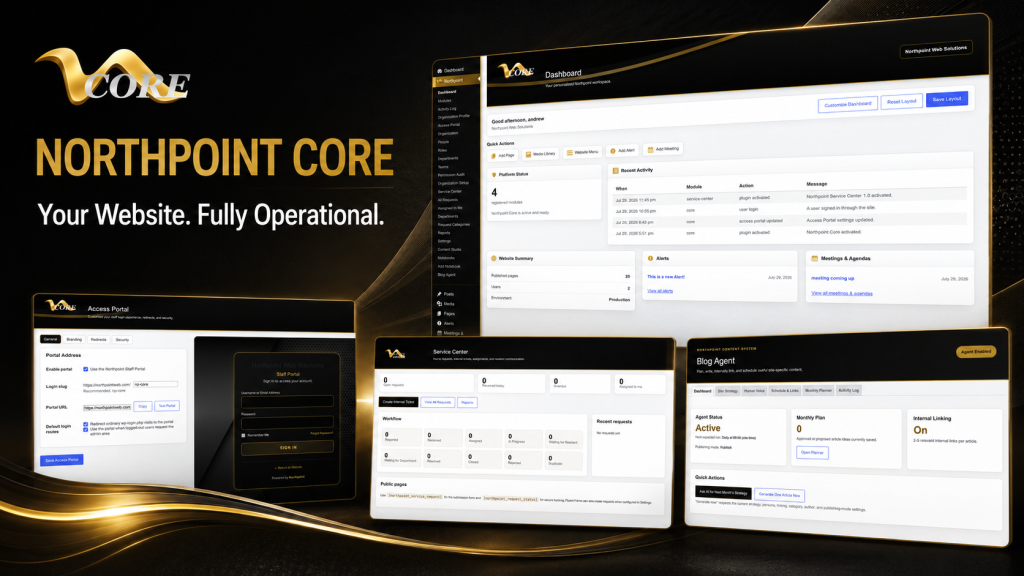
Northpoint builds tools designed to simplify the WordPress dashboard and align it with municipal departments and workflows. A focused administration area makes it easier for staff to publish meeting agendas, update department pages, or respond to requests without developer help. You can read about this approach in our Northpoint Admin Studio resource.
Public service requests, forms, and tracking
Residents want fast, trackable ways to report issues. Online forms should create a request in your system, assign it to the right department, let staff add internal notes, and provide status updates to the requester. Integrations with form builders like Fluent Forms are common because they’re flexible and familiar.
Northpoint Service Center is designed to accept public submissions, support assignments and statuses, store internal notes, and integrate with Fluent Forms. That sort of system reduces repetitive email and phone work while making it easier to produce simple operational reports.
Backups, disaster recovery, and managed hosting
Backups matter more than the latest design trend. Managed WordPress hosting that includes automated backups, one-click restores, and a tested recovery process gives you options if a plugin breaks or a site is compromised. Ask a potential host how quickly they can restore a site and whether they maintain off-site backups.
For small organizations with limited IT staff, managed hosting plus an agreed maintenance plan is a practical investment. It keeps software up to date, reduces the chance of unexpected downtime, and clarifies who handles security incidents and updates.
Security and accessibility without the scare tactics
Security for small organizations should focus on sensible steps: keep WordPress core and plugins updated, use strong passwords and two-factor authentication for admin accounts, and restrict admin access where appropriate. Avoid fear-based claims; instead, adopt practical policies that staff can follow.
Accessibility is equally important. Make sure your site’s navigation is logical, documents are available in accessible formats when possible, and forms are usable with keyboard navigation and screen readers. Accessibility work often fits into ordinary content and template updates rather than an entire rebuild.
Content strategy: structure, internal linking, and calendars
Good structure makes content easier to find and maintain. Create templates for recurring content: meeting agendas, minutes, ordinances, department news, and event calendars. Use consistent categories and a predictable URL structure so residents and search engines can find information quickly.
Internal linking is undervalued. Link relevant pages—permit instructions to application forms, department pages to staff contacts, and policy pages to related notices. A simple editorial calendar and topic plan reduces the scramble around meeting notices and seasonal services. Our Northpoint Content Studio is designed to support structured content workflows and scheduled publishing for teams that need a little more organization.
Modernize incrementally: migrate when needed, improve in place when possible
Not every older site needs a full rebuild. Sometimes you can modernize navigation, install a service-request system, reorganize documents, and add a cleaner admin dashboard without replacing everything. When a migration is necessary, plan redirects, preserve important URLs, and test forms and integrations in a staging environment before switching the public site.
How custom software reduces repetitive administrative work
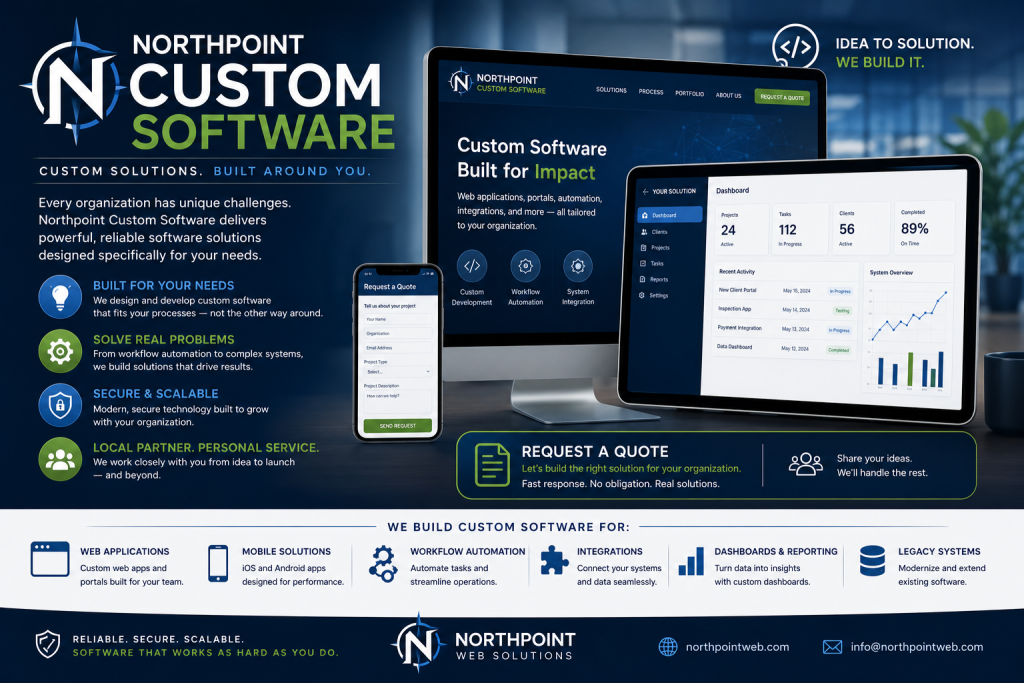
Custom plugins and modular software can automate tasks like routing invoices, publishing agendas, or updating recreation schedules. The goal isn’t complexity for its own sake—it’s reducing repetitive work so staff can focus on higher-value tasks. Northpoint builds modular tools designed to integrate with WordPress so organizations can add features over time without throwing away existing content.
When assessing a provider, ask about portability, the ability to add modules later, and whether your content stays yours. Avoid solutions that lock you into a closed platform with little access to your own data.
Questions to ask before hiring a web developer
- How will you help my staff publish and maintain content?
- What does ongoing maintenance and backup look like?
- Can the system restrict access by role and department?
- How do you handle forms, public requests, and integrations with tools we already use?
- Will I own my content and be able to move if needed?
Final notes and next step
Municipal websites should do real work for your organization: accept requests, publish timely information, and let staff focus on services instead of wrestling with technology. A practical, incremental approach—simplified admin dashboards, managed hosting, structured content workflows, and an integrated request system—goes a long way.
If you’d like to see how public-request tracking and forms can fit into an existing WordPress site, take a look at our Service Center overview or ask about a short site review. Tell us what is difficult about managing your current website, and we can help identify a practical next step.
Northpoint Admin Studio • Northpoint Service Center • Northpoint Content Studio