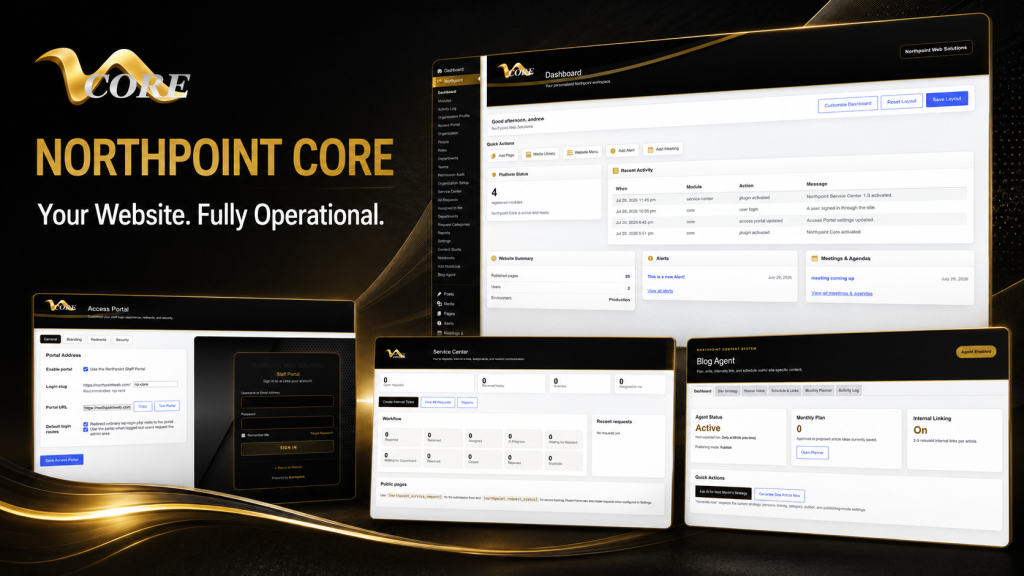
Hi — I’m Andrew North. If you remember the BBS days, you know what a small, well-tuned system can do for a community. I still think about that when I plan websites: a site shouldn’t just live on a server; it should do useful work for your organization. This article explains how to treat WordPress as a business operating system and lists seven real workflows you can run inside your website, with implementation notes and links to relevant Northpoint modules so you can evaluate what fits your organization.
Why run workflows inside WordPress?
Many organizations juggle multiple SaaS subscriptions—forms in one app, CRM in another, invoicing somewhere else. That’s fine until you need reliable data ownership, consistent permissions, or one place staff trust. Running workflows in WordPress keeps your data inside your site, reduces duplicate data entry, and can save staff time when modules are connected through a single administrative dashboard.
How to read the workflow notes
Each workflow below includes:
- a brief description of the workflow
- common implementation notes (what to think about during setup)
- which Northpoint modules typically map to the workflow
1) Public form → tracked service request → assignment → completion
Use case: pothole reports, permit applications, facility maintenance requests.
Implementation notes: build public forms with clear required fields and attachments. Capture requester contact info and location data. Map submissions to a ticket that can hold internal notes, assignments, due dates, and status history. Configure requester notifications and public updates where appropriate.
Northpoint map: this is a natural fit for the Northpoint Core dashboard together with Formularios Cívicos de Northpoint and the Northpoint Service Center-style tools described in our documentation. In the systems we build, Service Center integrates form intake with assignment and reporting.
2) Lead or customer form → CRM contact → task queue → follow-up
Use case: sales leads, client intake, volunteer signups.
Implementation notes: ensure form fields map to a CRM record (name, email, tags, source). Add automation rules that create a follow-up task or reminder for a specific team. Use roles and permissions so only authorized staff can view sensitive data.
Northpoint map: implement as part of Northpoint Core with Organization tools for staff and roles, and the internal contact/tracking features available through our CRM-oriented modules. For content-driven follow-ups, pair with Gerente de Contenidos de Northpoint where appropriate.
3) Quote request → job record → scheduling → field ticket → invoicing
Use case: contractors, service providers, recreation programs that convert registrations into jobs and bills.
Implementation notes: convert a submission into a job record that carries project details, attachments, assigned staff, and scheduled dates. Provide a printable or mobile-friendly field ticket for crews, then generate invoices tied to the job when work completes. Consider integrating payment links or reminders on invoices.
Northpoint map: this end-to-end workflow is described in our contractor guide and pairs custom job-management logic with invoicing capabilities. See our article Turn Your Contractor Website into a Job Management Hub and the modular tools available through Northpoint Core and our custom integrations for invoicing and field tickets.
4) Event or program registration → roster → waitlist → automated communications
Use case: recreation classes, tournaments, community events.
Implementation notes: collect required registration details, handle capacity limits by creating a waitlist, and generate roster PDFs or CSV exports for staff. Automate confirmation, reminders, and cancellations so staff aren’t manually emailing dozens of participants.
Northpoint map: use Northpoint registration tools within Northpoint Core or our recreation-specific module Gerente de Recreación de Northpoint when you need more scheduling, refund, or roster features.
5) Purchase order / vendor invoice intake → AP tracking → approval workflow
Use case: small municipalities, departments, or businesses that need a simple accounts-payable workflow without an external AP system.
Implementation notes: create a submission form for incoming invoices or purchase orders, attach scanned documents, route to approvers with comment fields, and track payment status. Add notifications for overdue approvals or missing documentation.
Northpoint map: this can be implemented inside Northpoint Core using custom forms and assignment rules. If you need a tailored approval chain, our team can build a small plugin that enforces the specific steps your organization requires—an example of how custom WordPress software can replace a separate workflow tool.
6) HR onboarding checklist → personnel record → training reminders
Use case: new-hire forms, background checks (metadata only), role-based access provisioning.
Implementation notes: separate public onboarding forms from internal personnel records. Store only non-sensitive metadata in the site unless you have secured hosting and clear data policies. Use automated reminders for required training, certifications, and performance reviews.
Northpoint map: implement with Organization tools inside Northpoint Core and permissioned internal pages powered by Gerente de Contenidos de Northpoint and Notebooks for internal documentation.
7) Content planning → draft creation → scheduled publishing → SEO automation
Use case: centralized blog strategy, public notices, and consistent content workflows that reduce duplicate effort across departments.
Implementation notes: use a content calendar, assign writers, store draft guidance, and automate scheduled publishing. Pair content tasks with SEO recommendations and internal linking suggestions so posts are discoverable and consistent.
Northpoint map: Northpoint Core paired with Northpoint Blog Agent and Gerente de Contenidos de Northpoint provides an end-to-end content workflow inside WordPress.
Practical considerations before consolidating tools
- Data ownership and privacy: decide which data stays in WordPress and which requires external processing (payments, sensitive records).
- Staff training and permissions: give each role only the access they need. Northpoint Organization tools help structure roles and teams.
- Integration scope: prioritize replacing the tools that cause the most duplication first—forms, tickets, and basic CRM are common starting points.
- Hosting and backups: managed hosting is essential for business-critical sites. See our website management page for managed hosting and maintenance options.
A historical note
When I started building online systems in the late 1990s and early 2000s, many small organizations relied on disconnected spreadsheets and emailed PDFs. WordPress has matured since then; it can now host lightweight business systems that once required expensive desktop software or multiple cloud apps.
Next steps
If any of these workflows sound useful, start by listing your three highest-friction processes. We can help map them to specific WordPress modules, show which Northpoint tools apply, and scope a phased implementation that minimizes disruption.
Talk with Northpoint Web Solutions about your website, software, or workflow problem. We can help determine whether an existing Northpoint Core module, a custom WordPress plugin, or a hybrid approach is the best fit.