Hi — I’m Andrew North. If you’ve ever run registration from a spreadsheet while fielding emails and late payments the week before your fair, you already know why a few website features change everything. I learned how to build tools by tinkering with BBSes and early WordPress sites; the same practical mindset applies to event websites today: pick a small set of features that remove repetitive work.
What problem this article solves
Fair and festival websites often try to do too much or too little. The most common headaches I see are: vendor registrations lost in email, booth maps that aren’t updated, schedules that don’t reach staff or visitors, and mobile maps that die when connectivity is spotty. Below are eight features you can prioritize to reduce day-of chaos and make vendor management repeatable year after year.
Eight essential website features
1. A purpose-built vendor registration form with conditional logic
Start with a registration form that asks for only the fields you need and shows relevant questions based on vendor type. Conditional fields reduce back-and-forth email and speed approvals. Include file uploads for certificates or permits, a required acceptance of your vendor terms, and a way to collect booth size and power needs.
One problem we encounter when building registrations is lost submissions: a form goes to an inbox no one checks. Turn submissions into trackable items inside a managed system so nothing falls through the cracks — more on that below.
2. Online payments and refundable-deposit handling
Collecting fees during registration prevents no-shows and removes manual follow-up. Design payment as a step in the registration workflow, but keep administrative controls so staff can mark refunds, issue invoices, or accept payment offline if necessary.
3. Vendor portal / admin dashboard
A simple vendor portal allows applicants to see their status, download receipts, and update contact information without emailing staff. For staff, a dashboard that lists pending approvals, required inspections, and payments turns scattered tasks into a queue they can work down every day.
4. Interactive vendor map with assignment tools
An interactive vendor map that shows assigned booths, vendor types (food, retail, nonprofit), and utility requirements saves hours on site layout. Make the map editable from your admin area so changes update live. When possible, include booth coordinates and printable maps for crew use.
5. Live schedule publishing and change notifications
Publish event schedules on the site and implement a simple versioning system so staff know when changes are made. Combine schedule updates with pushable alerts to vendors and volunteers—email plus SMS when necessary—so last-minute changes reach the right people.
6. Mobile-first onsite map and offline caching
Visitors and vendors will view maps on phones. Build a mobile-first map interface that supports simple gestures and large touch targets. Consider progressive enhancement so the map caches essential data for offline use in areas with limited cell coverage—this is especially useful for rural fairgrounds.
7. QR codes and shortlinks for booth pages
Print QR codes for each booth that link to a vendor’s profile or menu. QR codes make it easy for visitors to find food options, check hours, or leave ratings without a physical program. Use shortlinks for printed schedules and staff checklists.
8. Exportable reports and integrations
Make administrative exports easy: vendor lists, fee ledgers, power allocations, and site maps should export to CSV or PDF. If you use an accounting system or a municipal payment gateway, plan how registration data will integrate to avoid double entry.
Design and operational considerations
Mobile-first, not mobile-only
Design every screen with a phone in mind, but ensure critical admin tasks are still usable on a tablet or laptop. A signup flow that’s simple on mobile will reduce abandoned registrations.
Permissions and approval workflows
Not every staff member needs access to every tool. Use role-based permissions so permit officers, layout staff, and finance each see appropriate queues. In the systems we build, separating duties reduces mistakes and keeps approval history auditable.
Accessibility and readability
Keep forms readable and accessible: large labels, clear error messages, and keyboard-friendly controls. Accessibility benefits everyone and makes public-facing materials easier for older vendors and visitors.
Plan for email delivery and submission tracking
Rather than relying on a plain inbox, treat registrations as managed items. If your website converts forms into internal tickets or requests, staff can assign, comment, and set deadlines without hunting through email. If you want a practical starting point for moving forms into a tracked system, see How to Stop Losing Form Submissions: Build a Managed Service Center into Your WordPress Site.
How to phase these features into a budget-conscious project
Rather than one large launch, phase the work:
- Phase 1: Solid registration form, payments, and confirmation emails.
- Phase 2: Admin dashboard and vendor portal so staff stop copying spreadsheets.
- Phase 3: Interactive maps and mobile caching for onsite use.
- Phase 4: Integrations, exports, and advanced notifications.
This phased approach reduces risk and lets you learn what vendors actually need before building everything.
Where website apps fit in: make the site work for you
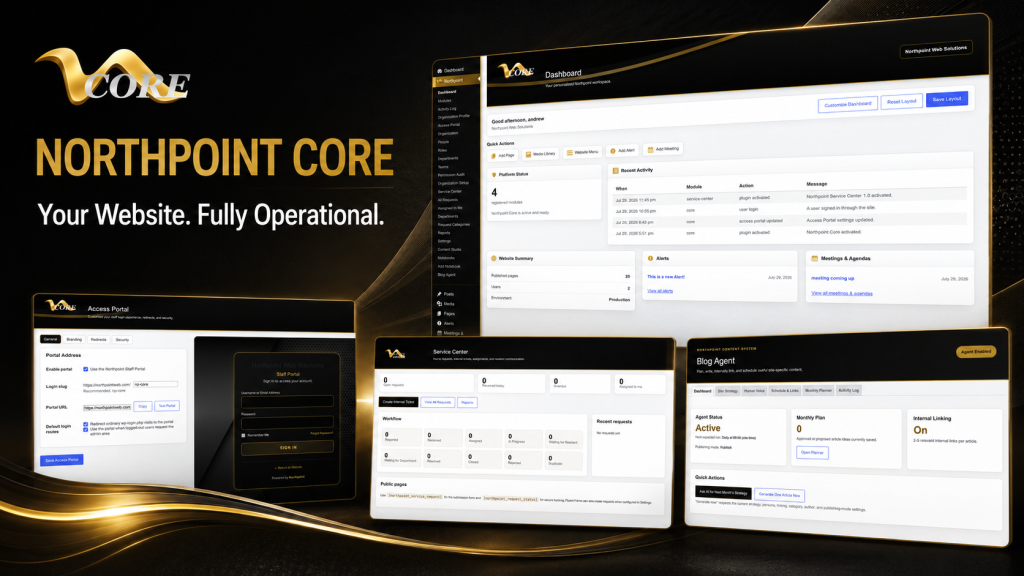
Your website can do more than publish PDFs. Turning a registration form into a tracked workflow and a map into an editable layout are examples of making your website work for the organization 24 hours a day. If you want an operating platform rather than a brochure, consider a modular approach built on a system like Northpoint Core, which is designed to expand website functionality without replacing your existing site. For fair-specific tools and mobile fair apps, see Custom Fair Management Software and Mobile Fair Apps Built for Real Events, and if you need modern online forms for permits and registrations, explore Northpoint Civic Forms.
For many organizers, the hardest part is deciding which feature to build first. Tell us what’s difficult about managing your current website, and we can help identify a practical next step. Request a Northpoint website review to discuss registration, maps, scheduling, or a custom module that fits your fair.